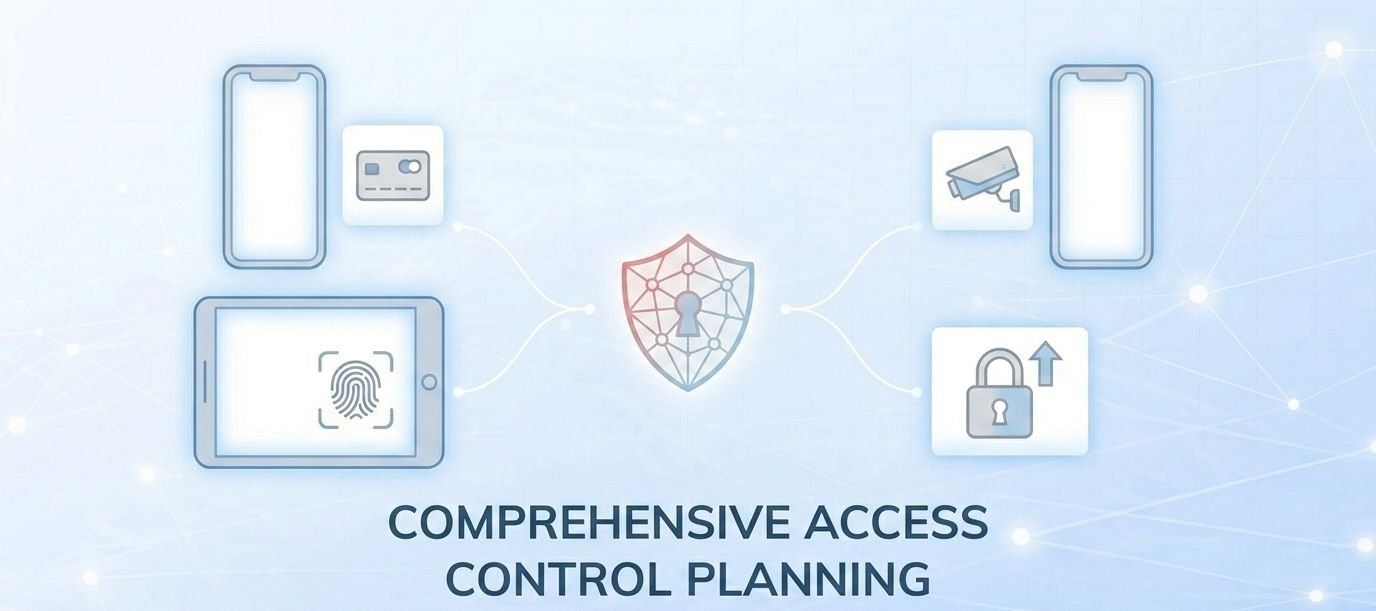
Choosing an access control system is one of those decisions that looks tactical but plays out strategically. The hardware you install today will shape your security posture, your operational costs, and your ability to adapt for the next five to ten years. Getting it wrong doesn’t just mean a wasted budget — it means locked-in constraints at exactly the moment your organisation needs flexibility.
Before committing to a vendor, many organisations spend time researching access control systems reviews to understand real-world performance, limitations, and integration capabilities across platforms.
The checklist below walks through eight planning decisions you need to make before specifying, purchasing, or upgrading any commercial access control system. Each one has real consequences if skipped. Work through them in order — each step informs the next.
Quick Take — Five Things That Define a Future-Proof System in 2026:
- It runs on open architecture — not a proprietary, closed ecosystem
- It supports mobile credentials alongside cards and PIN
- It offers cloud-based remote management as a standard feature, not an upgrade
- It integrates with adjacent systems — CCTV, alarms, HR, elevators — without custom middleware
- Its total cost of ownership is calculable before you sign anything
Step 1: Conduct a Security Risk Assessment First
Every planning mistake in access control starts here — systems are specified before anyone has formally assessed the threats they are defending against. A structured building security risk assessment forces that conversation early, where it is cheapest to act on the conclusions.
The assessment should answer four questions before a single product is evaluated:
- Which physical areas carry the highest risk if accessed without authorisation? (Server rooms, pharmaceutical storage, executive suites, data archives)
- What is the realistic threat profile — opportunistic intrusion, insider risk, or targeted access?
- What compliance obligations apply to your sector? (Healthcare, finance, and government all carry specific access logging and audit trail requirements)
- Where do your current access points create gaps — doors propped open, unmonitored secondary entrances, stairwells with no credential requirement?
The output of this assessment is a tiered site map: high-security zones that need multi-factor authentication, standard zones that need credential-based access, and low-risk areas that need monitoring but not restriction. Everything downstream — hardware spec, credential choice, integration priorities — flows from this document.
Step 2: Plan for Expansion Before You Buy
The most expensive access control decision is choosing a system that requires full replacement when your needs grow. Systems that demand a complete rip-and-replace to add 10 new doors, a second building, or a new credential type are not future-proof — they are a delayed capital expenditure.
When evaluating any system, ask the vendor to walk you through exactly how each of the following would be handled:
- Adding 20 new users and 5 new doors six months from now
- Extending the system to a second building or remote site
- Switching from card-based to mobile credentials without replacing hardware
- Integrating a video surveillance system that you purchase from a different vendor
If the answer to any of those involves replacing controllers, re-cabling, or calling the original integrator to unlock functionality, treat that as a structural limitation — not a sales objection. Open-architecture access control platforms are specifically designed to eliminate these constraints.
Step 3: Choose Credentials That Match Your Users
Credential choice is a user experience decision as much as a security one. The right option depends on who is using the system, how frequently, and in what physical context.
Four credential types are in active commercial use in 2026:
- Smart cards and fobs: Reliable, familiar, and hardware-independent. The main liabilities are loss, duplication risk, and the cost of ongoing replacements — typically $5–$50 per card if lost or damaged.
- PIN codes: Low cost, easy to administer, and no physical credential to lose. Unsuitable for high-traffic entries where shoulder surfing is a realistic threat, or for any area requiring individual audit trails.
- Mobile credentials: Users unlock doors via Bluetooth or NFC using a smartphone. Mobile access control systems allow administrators to issue, modify, and revoke credentials instantly through a cloud dashboard — with no physical replacement needed. Adoption has grown sharply since 2023 and is now the dominant credential type in new commercial deployments.
- Biometrics: Fingerprint and facial recognition offer the strongest individual authentication and eliminate credential sharing. Privacy and governance obligations now shape every enterprise biometric rollout — verify your sector’s data protection requirements before specifying this option. Biometrics work best in genuinely high-risk zones where the additional friction is justified.
Most commercial sites use a layered approach: mobile credentials for staff in standard zones, biometrics or multi-factor authentication for restricted areas, and temporary PIN or visitor credentials for contractors and guests. Design your credential architecture around your user tiers, not around a single technology.
Step 4: Make a Deliberate Decision on Cloud vs. On-Premise
This is the most consequential infrastructure choice in your planning process, and it is often made by default rather than by design. Both models have a legitimate use case — the error is treating one as universally superior.
Cloud vs. On-Premise — Decision Framework
| Factor | Cloud-Based | On-Premise |
|---|---|---|
| Management | Browser-based, accessible from anywhere | Local server or PC required |
| Software cost | $3.50–$15/door/month (SaaS) | $1,000–$3,000 upfront licence |
| Updates | Automatic, vendor-managed | Manual; requires IT resource |
| Multi-site | Native; single dashboard | Requires per-site infrastructure |
| Data sovereignty | Stored on vendor servers; verify jurisdiction | Stored locally; full control |
| Offline resilience | Dependent on internet connection | Operates independently of connectivity |
| Best for | Multi-site, growing organisations, lean IT teams | Regulated industries, isolated facilities, high data-sovereignty requirements |
According to Volo Access’s technical comparison of cloud and on-premise models, the core distinction is where your software and access data are hosted and who is responsible for maintaining them. Cloud-based systems eliminate the need for on-site server infrastructure but introduce a dependency on vendor uptime and internet connectivity. On-premise systems give you full infrastructure control but require an internal IT resource to manage updates, backups, and hardware maintenance.
For most new commercial deployments in 2026, cloud-based systems are the practical default — the lower upfront cost and remote management capability make them the better fit for organisations without dedicated security IT teams. For regulated sectors handling sensitive data, verify your vendor’s data hosting jurisdiction and certifications before committing.
Step 5: Map Every Access Point — Not Just Your Main Entry
A common scoping error is designing around the front door while leaving secondary entry points uncontrolled. An unsecured fire exit, an unmapped server room, or an elevator that bypasses access restrictions is a gap that no amount of front-door security compensates for.
Walk the full site before specifying hardware. Your mapping exercise should include:
- All external perimeter doors, including emergency exits and delivery entrances
- Parking gates and vehicle barriers
- Elevators — floor-level access control prevents lateral movement between restricted zones
- Turnstiles in high-traffic lobby environments
- Internal restricted areas: server rooms, comms rooms, storage, executive areas
- Any shared-use space where your tenants or contractors require temporary or limited access
Once mapped, assign each access point to a security tier from your risk assessment. This determines whether a point needs a full reader and controller, a wireless lock, or a monitored-only solution. Not every door needs the same hardware — and over-specifying low-risk points wastes budget that should be applied where risk is highest.
Step 6: Design for Integration From the Start
Access control does not operate in isolation. The decisions you make now will determine how easily — or expensively — your system connects to everything else in your security and operations stack over the next five years.
Modern workplace environments are also increasingly adopting non-contact technology such as touchless entry systems, which integrate with access control platforms to reduce friction and improve hygiene without compromising security.
As Security Today’s 2026 access control trend analysis identifies, the most valuable systems in 2026 are those that run seamlessly within broader security and identity ecosystems — not products that require custom middleware every time an integration is needed. Four integrations are worth explicitly planning for at specification stage:
- Video surveillance: Linking access events to camera footage creates a retrievable audit trail. When a credential is used, a time-stamped recording confirms identity. Some platforms trigger recording automatically on access events.
- Intrusion detection and alarms: Access control and alarm systems on separate platforms create operational gaps and response delays. Unified platforms allow arming/disarming zones based on access events.
- HR and identity management: Integration with your HR system means user access is provisioned on day one and revoked automatically on a departure date — eliminating the single most common source of orphaned credentials.
- Building management systems (BMS): Elevator access control, HVAC zoning, and lighting schedules can be tied to access events in modern platforms — reducing both energy costs and the operational overhead of managing multiple systems independently.
Ask every vendor on your shortlist for a documented list of pre-validated integrations. A long list of “possible integrations” that require custom development work is a cost and timeline risk, not a feature. Review our guide to access control system integrations for a fuller breakdown of what to ask for.
Step 7: Build a Phased Rollout Budget
Access control is rarely installed in a single phase — and attempting to do so is one of the most common reasons projects go over budget or under-deliver. A phased approach lets you prioritise highest-risk areas first, validate your platform choice before committing to full-site deployment, and spread capital expenditure across financial years.
A practical four-phase model documented by MGI Access’s 2026 budgeting guide:
- Phase 1: Upgrade highest-priority access points — main entries, server rooms, executive areas
- Phase 2: Expand to secondary zones and staff-only internal areas
- Phase 3: Integrate cloud management and roll out mobile credentials
- Phase 4: Connect to broader building systems — HR, elevators, HVAC
When calculating your total cost of ownership, include software licensing alongside hardware. Cloud SaaS access control typically costs $3.50–$15 per door per month, covering updates, data storage, and remote access management. On-premise software requires a one-time licence of $1,000–$3,000 with annual maintenance of $500–$1,500, plus hardware service costs of $300–$800 per door annually. Hardware readers range from $80 to $1,200 per unit depending on technology — basic RFID readers at the lower end, biometric readers at the upper end. Budget figures sourced from Coram AI’s 2026 access control cost analysis; verify with your system integrator for site-specific quotes.
Step 8: Insist on Open Architecture
Proprietary, closed access control systems that lock you into a single vendor for every reader, credential, and software update are being actively phased out of the commercial market. This is not a preference — it is a structural shift in how serious enterprise buyers are evaluating platforms.
In February 2026, the Aliro standard launched as the first industry-wide open standard for mobile access credentials and secure reader communication — a clear signal that the industry has reached consensus that vendor lock-in is not an acceptable long-term model. Systems built on open architecture allow you to source hardware from multiple manufacturers, integrate third-party software without per-vendor licensing fees, and switch components as technology evolves without starting over.
When evaluating vendors, ask specifically:
- Does the platform support third-party readers and controllers, or is hardware tied to your brand?
- Does the software expose an open API for third-party integrations?
- Does the credential system support open standards (Aliro, OSDP, PACS)?
- What happens to your access data if you switch platforms in five years?
A vendor that cannot answer these questions clearly is a vendor that intends to make switching expensive. That cost is built into the relationship from day one.
Full Planning Checklist
- Formal security risk assessment completed and tiered site map produced
- All access points mapped — perimeter, internal restricted zones, elevators, parking
- Security tier assigned to each access point (high / standard / monitor-only)
- Credential types selected per user tier (staff, contractors, visitors, executives)
- Cloud vs. on-premise decision made with TCO calculated for both
- Shortlisted vendors confirmed to support open architecture and open API
- Integration requirements documented: CCTV, alarms, HR, BMS
- Pre-validated integrations confirmed — not just “possible” integrations
- Phased rollout plan and per-phase budget approved
- Remote management capability confirmed as standard (not an add-on)
- Credential revocation workflow documented — how are leavers handled?
- Data hosting jurisdiction and vendor certifications verified (cloud deployments)
- Vendor exit terms reviewed — what happens to your data and hardware if you leave?
When to Reconsider Your Existing System
Not every access control upgrade requires a full replacement. But several conditions make a full system review worth doing regardless of sunk cost:
- Your current system uses a proprietary credential format with no migration path to open standards
- Credential revocation requires a physical visit to each reader rather than a remote admin action
- Your system vendor has been acquired, sunset their product line, or stopped releasing security updates
- You cannot produce an audit trail of who accessed which door and when, on demand, without manual records
- Integration with your current or planned CCTV or HR platform would require a custom development project
A partial upgrade — replacing controllers or credential readers while keeping wiring and door hardware — is often viable and significantly cheaper than a full site replacement. A qualified security systems integrator can assess this in a site survey, usually at low or no cost. See our guide to selecting a commercial security service company for the questions to ask before engaging an integrator.
Frequently Asked Questions
What is the difference between a future-proof access control system and a standard one?
A future-proof system is built on open architecture, supports multiple credential types, can be managed remotely, and integrates with adjacent security and building systems without requiring vendor-specific hardware or custom middleware at every step. A standard proprietary system may function adequately today but creates expensive constraints when you need to expand, upgrade credentials, or integrate new technology.
How much does a commercial access control system cost in 2026?
Hardware readers range from approximately $80 for basic RFID readers to $1,200 for biometric units. Cloud-based software runs $3.50–$15 per door per month. On-premise software requires a $1,000–$3,000 upfront licence with annual maintenance costs of $500–$1,500. These figures reflect market ranges as of early 2026 — site-specific quotes from a system integrator will reflect your actual access point count, security tier, and integration requirements.
Is cloud-based access control secure enough for commercial premises?
For most commercial premises, yes. Leading cloud access control platforms use enterprise-grade encryption, multi-factor authentication for administrators, and role-based access controls. The primary risk consideration is internet dependency — if your connection goes down, remote management is unavailable. Most cloud-based systems maintain local operation at the hardware level during outages, with management functionality restoring when connectivity returns. Regulated industries should additionally verify the vendor’s data hosting jurisdiction and compliance certifications.
What are mobile credentials and should I use them?
Mobile credentials replace physical key cards with a secure digital credential stored on a user’s smartphone. The phone communicates with a door reader via Bluetooth or NFC. Administrators can issue or revoke credentials instantly through a cloud dashboard — no physical card to collect, no reader visit required. Mobile credentials are now the dominant credential type in new commercial deployments. The main limitation is device dependency: users who forget or lose their phone have no backup access unless a secondary credential option is available.
What is open architecture in access control?
Open architecture means the system uses published, interoperable standards rather than proprietary formats that tie you to a single vendor’s hardware and software. It allows you to source readers, controllers, and credentials from different manufacturers, integrate with third-party platforms via open APIs, and switch components or vendors without replacing the entire system. In February 2026, the Aliro standard established the first industry-wide open protocol specifically for mobile access credentials and reader communication.
How do I handle access control for contractors and temporary visitors?
Most modern access control platforms support time-limited credentials — a PIN, QR code, or temporary mobile credential valid only for specific doors during a defined time window. These can be issued remotely and expire automatically, eliminating the need to collect physical passes or manually revoke access after a contractor’s visit. Plan this workflow before deployment, as it is one of the most common sources of orphaned credentials and unintended ongoing access in organisations without a formal process.
What integrations should I prioritise on a limited budget?
Prioritise HR system integration first — automated provisioning and revocation based on employment status eliminates the most common source of active security gaps. CCTV integration is the second priority, as it provides the audit trail evidence most often needed after an incident. Alarm and intrusion system integration comes third. Building management system integration (HVAC, elevators) is a Phase 3 or 4 priority unless operational efficiency is a primary driver alongside security.
How often should I audit and update an access control system?
Active credential audits should run at least quarterly — reviewing who has access, confirming active users are still employed or authorised, and removing credentials that are no longer needed. A full system review (hardware, software version, integration status, vendor support lifecycle) should run annually. Any acquisition, restructure, or significant headcount change should trigger an immediate credential review outside of that cycle.


💬 Comments