A CRM strategy is a written plan for how your business collects customer data, uses it across sales and marketing, and turns first-time buyers into repeat customers. Without that plan, a CRM tool is just an expensive contact list.
Quick Take
A working CRM strategy does three things: it maps how customers actually move through their journey with you, it sets up your CRM system to support that journey, and it puts clear rules in place for how customer data gets used and protected. Get those three right, and the software becomes a growth engine instead of a filing cabinet. Skip any one of them, and you end up with a database nobody trusts.
What a CRM Strategy Actually Is
Customer Relationship Management, or CRM, is the practice of tracking and managing every interaction a business has with its customers and leads. A CRM strategy is the plan behind that practice. It decides what data you collect, who can see it, and how your team uses it to serve customers better.
Many businesses buy CRM software first and figure out the strategy later. This usually backfires. The software fills up with messy, inconsistent data, and nobody trusts it enough to use it for real decisions. Building the strategy first — even a simple one — gives the software a clear job to do from day one.
Map the Customer Journey Before You Touch Any Software
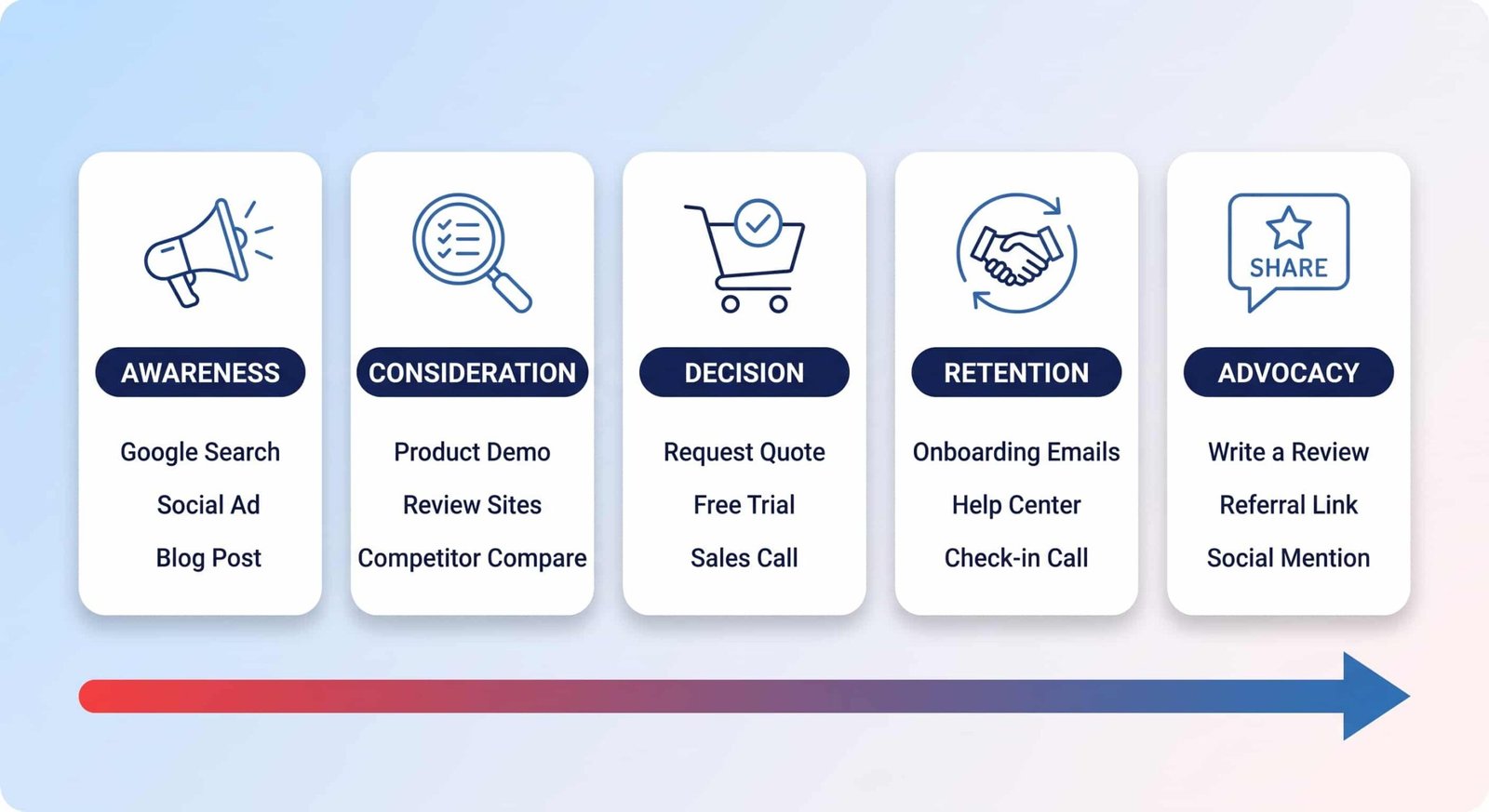
Before you can manage a relationship, you need to understand it. That starts with mapping the customer journey: the path someone takes from first hearing about your business to becoming a repeat customer who refers others.
A customer journey map is a visual picture of that path. It shows the stages a customer moves through and the touchpoints where they interact with your brand, such as your website, a social media ad, an email, or a phone call with support. IBM’s guide to customer journey mapping describes it as a tool for seeing the full path a customer takes, not just the moment they buy.
To build a useful map, ask what your customer is thinking and feeling at each stage:
- Awareness: How do people find out about you? Search, social media, or a friend’s recommendation?
- Consideration: What do they check before buying? Reviews, comparisons, or a free demo?
- Decision: What actually gets them to buy? A discount, an easy checkout, or a helpful sales call?
- Retention: What keeps them after the sale? Onboarding emails, support, or a check-in call?
- Advocacy: What makes them tell other people about you?
Each answer becomes a job for your CRM. If most customers read reviews before buying, your CRM should track which review sites send you traffic. If a support call often saves a shaky customer, your CRM should flag customers who haven’t logged in for a while, so support can reach out first.
Choosing and Structuring Your CRM Architecture
Once you understand the journey, you can design a CRM system that supports it. This is more than picking software. It means planning how the system will grow as your business grows, without breaking or slowing down.
A small business might get by with a simple setup at first. But if you plan for growth from the start, you avoid a painful rebuild later. According to Forbes Advisor’s guide to CRM strategy, a strong plan defines clear, measurable goals before you pick software, so the tool serves the goal instead of the other way around.
Four things to plan before you commit to a platform:
- Platform fit: HubSpot, Salesforce, and Zoho are three common choices, and they are built for different priorities. A side-by-side comparison of HubSpot and Zoho shows the kind of trade-offs to expect between marketing-heavy platforms and all-in-one options, and the same kind of comparison is worth doing for Salesforce before you choose.
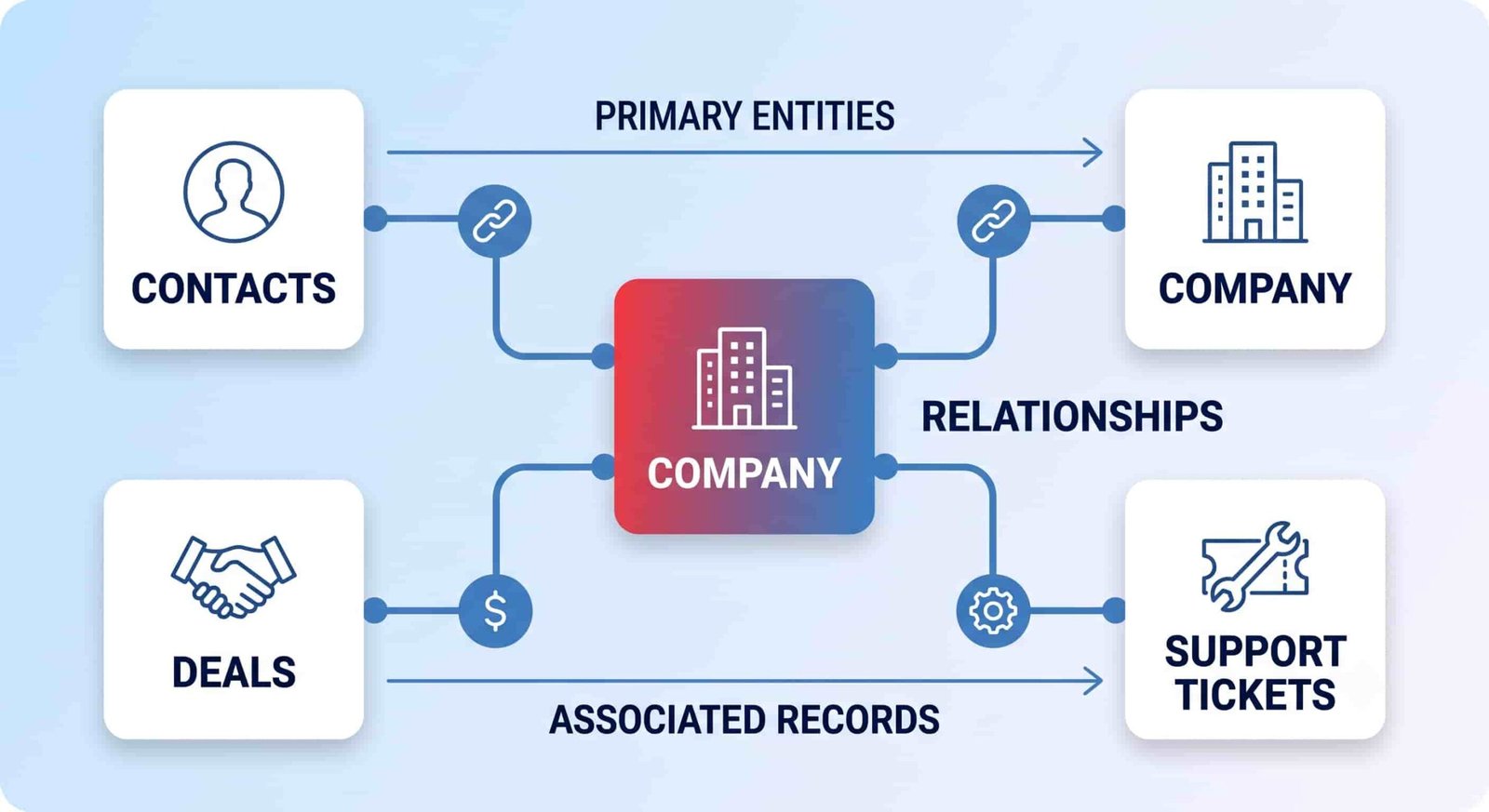
- Data structure: Decide how you’ll organize contacts, companies, and any custom records your business needs, such as subscriptions or ongoing projects.
- Integrations: Your CRM should connect to your email platform, accounting software, and online store, so all your customer data lives in one place instead of scattered across tools.
- Configuration vs. custom code: Most needs can be met by adjusting settings inside the CRM. Custom code should be a last resort, since it makes future updates harder and slower.
Getting this architecture right from the start saves real time and money later. Many businesses bring in an experienced HubSpot consultant, or a specialist in whichever platform they’ve chosen, to design a system built for both today’s needs and next year’s growth.
Using CRM Data to Align Sales and Marketing
A well-set-up CRM gives your sales and marketing teams a shared, accurate view of every customer. That shared view stops the common problem of marketing generating leads that sales can’t actually close.
For marketing, a CRM makes it possible to:
- Group customers by behavior. You can send a special offer to people who haven’t bought in six months, instead of blasting your whole list.
- Automate follow-up emails. A new lead can get a welcome sequence automatically, without anyone remembering to send it manually.
- See which campaigns actually lead to sales, not just clicks or opens.
For sales, a CRM makes it possible to:
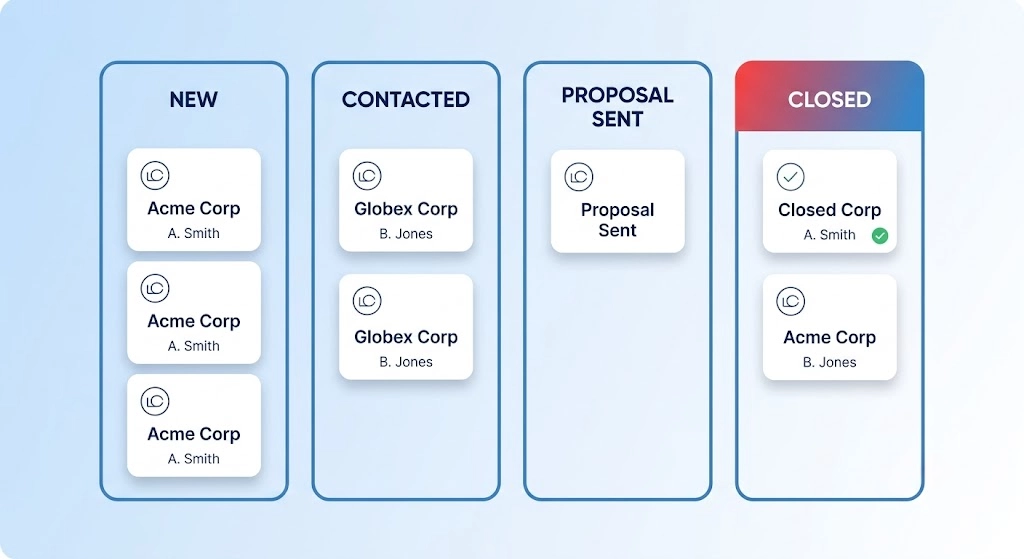
- See the whole pipeline at once, so reps know where each deal stands and what’s stuck.
- Rank leads by how engaged and how good a fit they are, so reps spend time on the leads most likely to buy.
- Predict future sales using real pipeline data instead of guesswork.
This kind of alignment is one piece of a bigger picture. A CRM strategy works best inside a wider plan for growing the business, which is why it’s worth reading a broader guide to business development strategy alongside your CRM planning, not instead of it.
Protecting Customer Data: Privacy Rules Your CRM Strategy Must Cover
Your CRM holds personal information about real people. How you handle that data affects your legal exposure and your customers’ trust in you. Two major laws set the bar most businesses need to know about.
The General Data Protection Regulation (GDPR) applies to any business that handles personal data belonging to people in the European Union, even if the business itself is based elsewhere. The California Consumer Privacy Act (CCPA) gives California residents specific rights over the personal data businesses collect about them, including the right to know what’s collected and the right to ask for it to be deleted.
Five practices that keep your CRM strategy on the right side of both laws:
- Track consent. Record when someone agrees to marketing emails, and make it just as easy for them to opt out.
- Collect less. Only ask for the data you actually need. Extra fields on a form are extra risk with no upside.
- Limit access by role. Not every employee needs to see every customer record. Set up your CRM so people only see the data relevant to their job.
- Clean your data regularly. Old, duplicate, or wrong records aren’t just clutter — they’re a liability if something goes wrong.
- Train your team. Most data breaches trace back to human error, not hacking. A short, regular training session closes that gap.
These aren’t optional extras bolted onto a CRM strategy. They’re part of the strategy itself, the same way a documented data privacy checklist is part of any serious data-handling plan. Real estate teams face this same challenge with sensitive client financial details, which is one reason CRM tools built for property sales put so much emphasis on controlled access to client records.
Common Mistakes That Sink a CRM Strategy
Most CRM strategies don’t fail because of bad software. They fail for a few repeatable reasons.
Buying the tool before writing the plan. This is the single most common mistake. Teams pick a platform based on a demo, then try to force their process to fit it. Write down your customer journey and your goals first, then choose software that fits them.
Letting data go stale. A CRM full of outdated contact info and duplicate records quickly loses everyone’s trust. Once a team stops trusting the data, they stop using the system, and the whole strategy collapses quietly, without anyone officially deciding to abandon it.
Skipping pipeline management setup. A CRM with no defined pipeline stages just becomes a list of names. Reps end up tracking deals in spreadsheets on the side, which defeats the purpose of having the CRM at all.
Over-customizing early. Heavy custom code makes sense for a mature, well-understood process. For a new CRM strategy, it usually just makes every future update slower and more expensive. Start with configuration. Add custom code only when configuration genuinely can’t do the job.
None of these mistakes show up on day one. They show up three to six months in, when the initial excitement fades and nobody has been assigned to keep the system clean. Assign that ownership before you launch, not after adoption drops.
Key Takeaways
- A CRM strategy is a plan for how you collect, use, and protect customer data — the software is just the tool that carries it out.
- Map your customer’s real journey first. Let that map decide what your CRM needs to track and automate.
- Plan your CRM’s data structure and integrations for where your business is headed, not just where it is today.
- Sales and marketing alignment inside a CRM comes from shared data, not shared meetings.
- Data privacy rules like GDPR and CCPA aren’t separate from your CRM strategy. Build them in from the start.
- Most CRM strategies fail from neglect, not bad software — stale data and skipped ownership are the real culprits.
FAQ
How is a CRM strategy different from CRM software?
CRM software is the tool. A CRM strategy is the plan that decides what the tool should do — what data to collect, how teams use it, and how it fits your customer journey. You can own CRM software with no strategy behind it, and it will still function poorly.
How long does it take to build a CRM strategy?
It depends on your business size and how much you already know about your customer journey, so there’s no single fixed timeline. A small business with a clear journey map can draft a working strategy in a few weeks. A larger organization with multiple departments and legacy data usually needs longer, since alignment across teams takes real coordination, not just planning time.
Do I need a CRM strategy if I’m a very small business?
Yes, though it can be much simpler than a large company’s. Even a one-person business benefits from deciding, in writing, what customer information to track and how to follow up consistently. The size of the strategy should match the size of the business, not skip the planning step entirely.
What’s the biggest sign a CRM strategy isn’t working?
Your team stops trusting the data and starts keeping their own spreadsheets or notes on the side. That’s a clearer warning sign than low login counts, because it means people have quietly decided the CRM isn’t reliable enough to depend on.

💬 Comments