YouTube SEO strategies help your videos rank higher in search results and recommendation feeds by matching your content with viewer search terms and keeping people watching longer.
Getting views on YouTube requires more than publishing good content. You also need to help search systems understand what your video offers. YouTube processes millions of search queries every day. When you organize your metadata and improve viewer watch time, YouTube shows your content to more people. Creators who want to expand their reach often look for ways to get more YouTube views while building long-term search visibility.
Quick Take: Essential YouTube SEO Strategies
If you want fast results, focus on viewer click rates and watch time first. Metadata helps YouTube index your topic, but viewer behavior determines if your video keeps ranking.
| Strategy Area | Primary Goal | Best For |
|---|---|---|
| Keywords & Titles | Match search intent | New videos and search traffic |
| Thumbnails & CTR | Increase click rates | All channels seeking views |
| Captions & Chapters | Improve indexing and retention | Longer tutorial content |
| Playlists & End Screens | Extend session watch time | Building channel authority |
Prerequisites for YouTube SEO
Before optimizing individual videos, set up these basic tools and account settings:
- A verified YouTube channel in good standing with custom thumbnail access enabled.
- Access to YouTube Studio video settings editor on a web browser or mobile app.
- A list of target search phrases found using video keyword research tools.
- High-resolution images and clear audio files for your uploads.
11 Expert YouTube SEO Strategies
1. Conduct Targeted Keyword Research
Keyword research reveals the exact phrases viewers type into the search bar. Start by typing your main topic into the YouTube search bar to see autocomplete suggestions. These suggestions show real queries from active users. Choose phrases with steady search demand and manageable competition. Focusing on long-tail keywords helps smaller channels rank faster before competing for broader terms.
Who it is best for: Creators launching new channels or covering technical tutorial topics.
Limitations: Keywords help YouTube index your video, but they cannot force viewers to stay if the content is unhelpful.
2. Craft Clear and Keyword-Focused Titles
Your title tells search algorithms and human viewers what your video contains. Place your primary keyword near the beginning of the title. Keep the overall length under 60 characters so text does not get cut off on mobile screens. Avoid misleading titles that promise things you do not deliver. Accurate titles build viewer trust and reduce early drop-offs.
Who it is best for: Every creator publishing search-focused content.
Limitations: Keyword-heavy titles can sound robotic if you do not balance keywords with natural language.
3. Write Detailed Descriptions with Timestamps
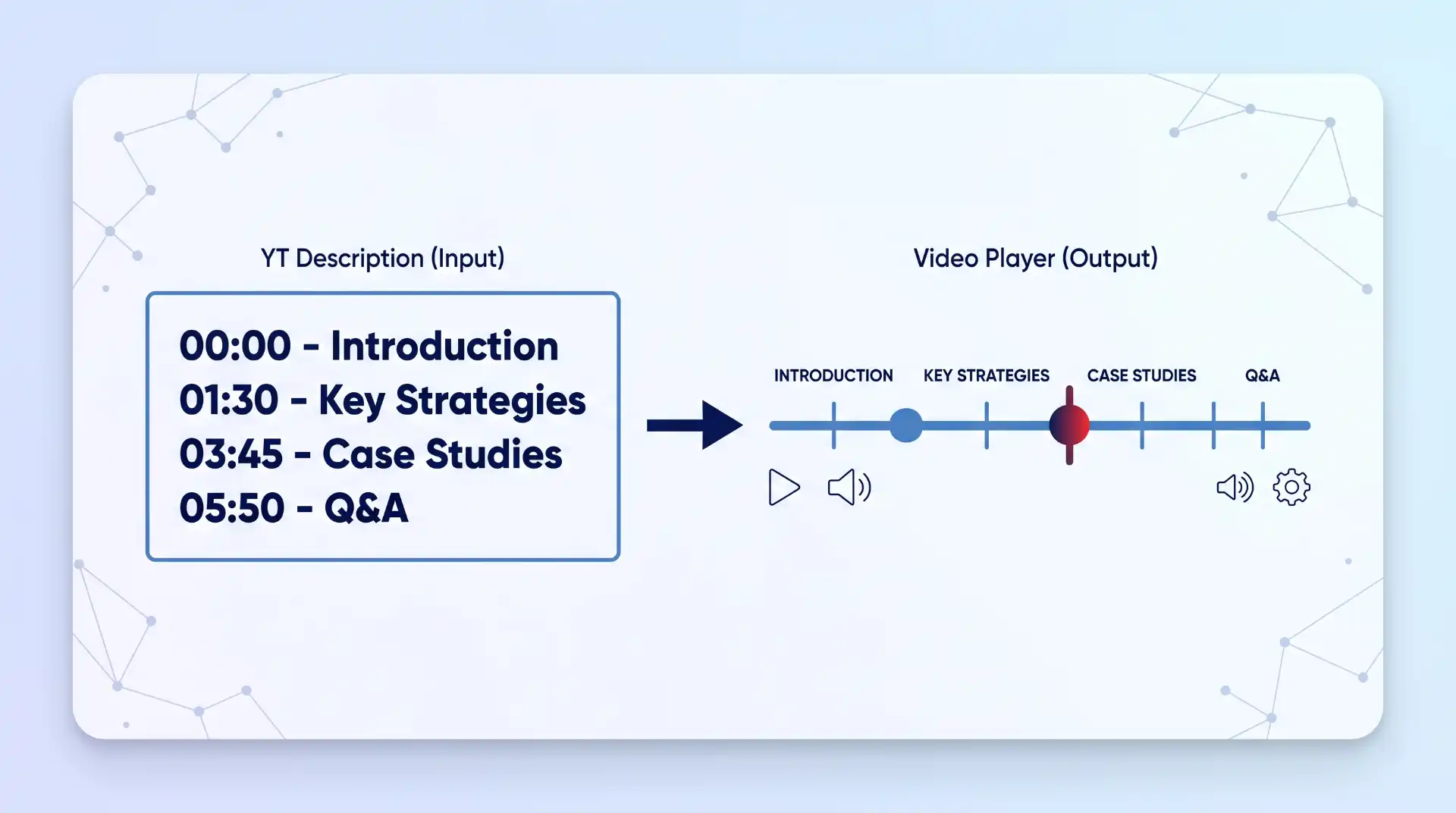
Your description gives search engines extra context about your video topic. Write a clear summary in the first two lines, as these lines appear in search previews. Include secondary keywords naturally throughout the text. Add structured timestamps following official video chapter formatting. Starting your list with 00:00 enables automatic chapter markers on the video timeline.
Who it is best for: Educational creators, product reviewers, and lengthy tutorials.
Limitations: Descriptions have a 5,000-character limit, and stuffed keywords can trigger spam penalties.
4. Design High-Contrast Custom Thumbnails
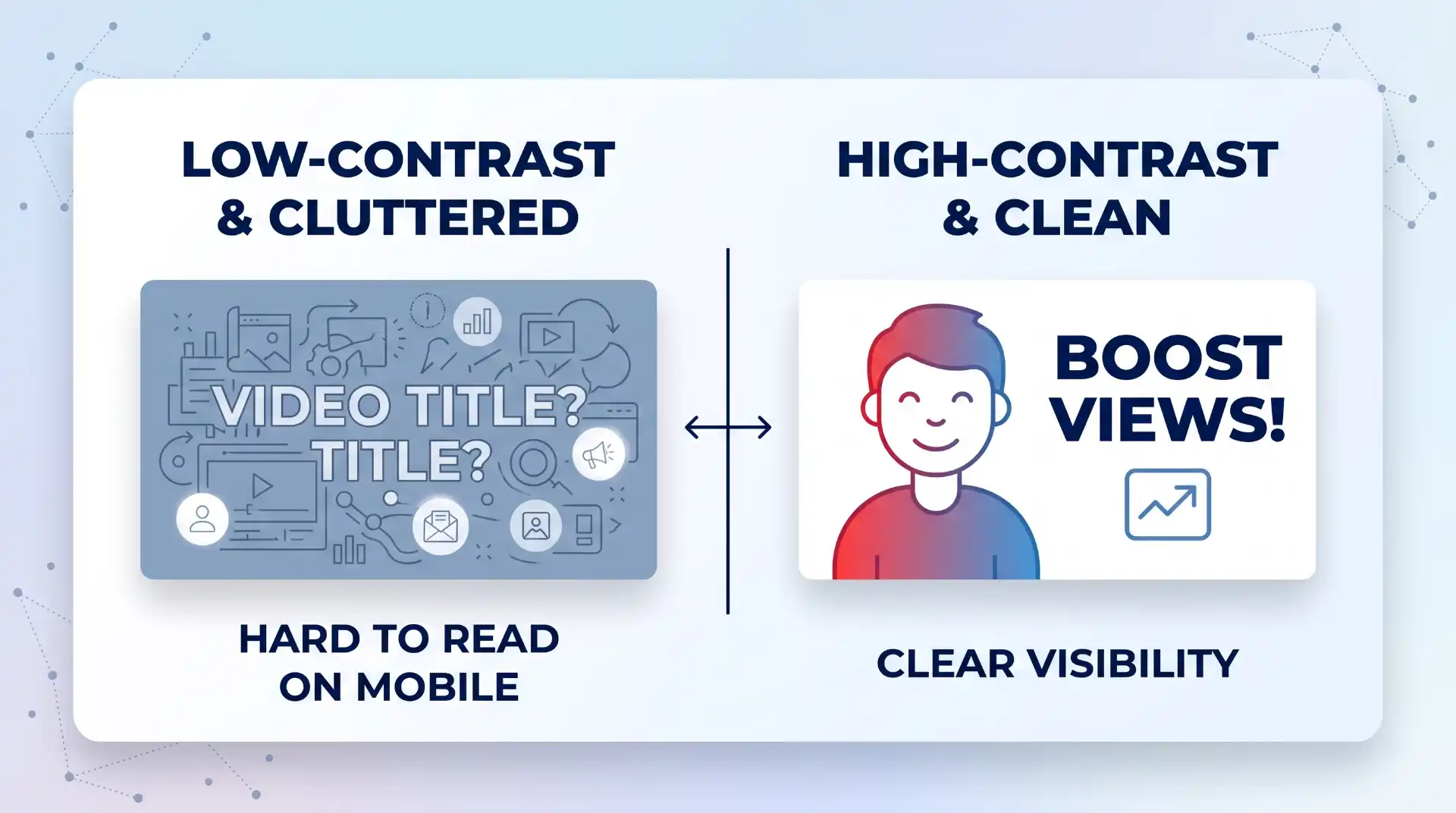
Thumbnails act as visual billboards for your content. Create custom graphics that feature bold text, high-contrast colors, and clear focal points. Review the custom thumbnail policy guidelines to keep your account in good standing. High click-through rates tell YouTube that viewers find your packaging appealing. If you want to refine your visuals, study basic thumbnail design principles to improve click rates.
Who it is best for: All creators competing in crowded search results and home feeds.
Limitations: A high click rate will not sustain video rankings if viewers leave within five seconds.
5. Upload Custom Captions and Transcripts
Captions make your content accessible to hard-of-hearing viewers and non-native speakers. YouTube reads subtitle text to index your video content accurately. Use YouTube subtitle and caption tools to upload an SRT file or correct automatic captions. Accurate transcripts ensure the system does not misinterpret spoken technical terms or brand names.
Who it is best for: Educational channels, global audiences, and spoken-word videos.
Limitations: Automatic captions often contain errors in technical jargon, requiring manual review.
6. Use Strategic Metadata Tags and Hashtags
Tags provide additional context when viewers search for misspelled terms or related phrases. Enter your main target phrase as the first tag, followed by broad category terms. Add two or three relevant hashtags to your video description. Avoid adding dozens of irrelevant tags, as excessive tagging dilutes topic clarity and violates platform policies.
Who it is best for: Niche topics with common misspellings or alternative names.
Limitations: Tags play a minor role compared to titles, thumbnails, and audience retention.
7. Optimize Audience Retention and Watch Time
Watch time measures the total minutes viewers spend watching your content. The official YouTube recommendation system documentation confirms that watch time and viewer satisfaction drive recommendations. Hook viewers in the first ten seconds by making a clear promise. Use jump cuts and graphic overlays to maintain pacing. Analyzing audience retention drop-off analytics helps you spot where viewers lose interest so you can edit future videos better.
Who it is best for: Channels trying to gain traction in recommendation feeds.
Limitations: Retention patterns vary by video length; shorter videos need higher percentage completion than long streams.
8. Build Backlinks and External Promotions
External links from reputable blogs, social posts, and websites send discovery signals to search engines. Embed your videos in relevant blog posts to drive external traffic. When outside sites link to your video, you gain steady views beyond YouTube search. Creators building authority often use backlinks to support their channel’s subscribers and overall video reach.
Who it is best for: Businesses, bloggers, and creators with external web properties.
Limitations: Low-quality spam links on sketchy sites can hurt traffic quality and lower retention metrics.
9. Organize Videos into Structured Playlists
Playlists group related videos together and play them sequentially. When a viewer watches multiple videos in a playlist, your total session watch time increases. Give playlists descriptive titles that contain relevant search terms. You can also feature top playlists on your channel homepage to guide new visitors toward your best work as you build a profitable channel over time.
Who it is best for: Multi-part tutorials, series, and channels with large content libraries.
Limitations: Overloaded playlists with unrelated videos frustrate viewers and reduce total watch time.
10. Leverage End Screens and Cards to Keep Viewers
End screens and info cards prompt viewers to watch additional content before they leave. Add an end screen in the last 20 seconds of your video to link to a relevant follow-up video. Point viewers toward content that answers their next logical question. Keeping viewers on the platform increases your overall channel session time, which search systems reward.
Who it is best for: Creators with at least five published videos on related topics.
Limitations: Placing cards too early in a video can cause viewers to abandon the current video prematurely.
11. Publish Consistently and Engage Early
Publishing on a predictable schedule helps viewers know when to expect new uploads. Early engagement during the first 24 hours signals viewer interest to discovery algorithms. Reply to viewer comments promptly and pin a compelling question at the top of the comment section. Consistently creating engaging content establishes long-term channel authority.
Who it is best for: Creators building an active community and loyal subscriber base.
Limitations: High upload frequency without quality control leads to viewer burnout and lower retention.
Priority Roadmap: How to Choose Which Strategy First
You do not need to implement all 11 strategies at once. Follow this prioritized roadmap based on your channel stage:
- Stage 1 (Pre-Production & Packaging): Focus on keyword research, title crafting, and custom thumbnail design. These establish search relevance and click rates.
- Stage 2 (Video Publishing & Accessibility): Add detailed descriptions with timestamps, upload custom captions, and apply focused tags.
- Stage 3 (Retention & Channel Growth): Study YouTube analytics guide data to improve retention hooks, build playlists, use end screens, and apply subscriber growth strategies.
Verification: How to Track Your YouTube SEO Performance
Verify your optimization success in YouTube Studio using these specific metrics:
- Impressions Click-Through Rate (CTR): Check this in Channel Analytics under the Reach tab. Aim for 5% to 10%. If CTR drops below 4%, test a new title or thumbnail.
- Average View Duration (AVD): Check this under the Engagement tab. Aim to keep viewers for at least 50% of total video length.
- Traffic Sources (YouTube Search): Ensure “YouTube Search” appears among your top traffic sources for search-targeted uploads.
Troubleshooting Common Ranking Problems
If your optimized video is not getting traffic, check these common failure points:
- High impressions but low clicks: Your thumbnail or title does not stand out. Change the thumbnail colors or shorten the title text.
- High clicks but sharp drop-off in first 15 seconds: Your title promised something the intro did not deliver. Cut long intros and deliver the main point immediately.
- Zero search traffic after 30 days: Target keyword competition is too high. Change your title to target a longer, less competitive search phrase.
Where This Approach Has Limits
YouTube SEO cannot solve core video quality issues. If your audio is hard to hear or your content lacks practical value, metadata alone will not save your rankings. Additionally, YouTube search accounts for roughly 30% to 35% of total platform traffic. The remaining traffic comes from Home feed recommendations and Suggested videos, which rely more on overall retention and viewer satisfaction than keyword matching.
Key Takeaways
- Keywords help YouTube understand your topic, but watch time and CTR decide your ranking position.
- Keep titles under 60 characters and place target keywords near the beginning.
- Use high-contrast thumbnails with bold text to improve mobile click-through rates.
- Add timestamps starting with 00:00 in your description to create timeline chapters.
- Review retention graphs in YouTube Studio to remove boring sections in future uploads.
Frequently Asked Questions
How long does YouTube take to rank an optimized video?
Initial indexing happens within hours of publishing. However, search rankings usually stabilize after 2 to 4 weeks as YouTube gathers viewer click and retention data.
Can updating an old title or thumbnail revive a dead video?
Yes. Changing a weak thumbnail or vague title on an old video can immediately improve its click-through rate, prompting YouTube to test it with new audiences.
Do hashtags in video descriptions improve search rankings?
Hashtags help categorize content and make videos discoverable through clickable hashtag feeds, but they have a minimal impact on main YouTube search rankings compared to titles and retention.
Are tags still important for YouTube SEO in 2026?
Tags play a minor role today. YouTube primarily uses tags to resolve common misspellings or alternative search terms related to your topic.

💬 Comments