Rewording Tool is an AI-powered writing service that offers different ways to rewrite existing text. Its free version advertises a 250-word limit per request, while its writing modes let you experiment with tone, sentence structure, and word choice.
Those features may sound useful if you’re editing a blog post, simplifying an email, or trying to make a paragraph read more naturally. But there are questions worth answering before relying on the tool: How much can you rewrite for free? Will it preserve your meaning? And what happens to the text you submit?
This Rewording Tool review examines its advertised features, pricing limitations, privacy disclosures, and alternatives. The assessment is based on published information rather than hands-on performance testing.
Rewording Tool Review Verdict
Our Verdict
Rewording Tool is worth considering for experimenting with alternative wording in short, non-sensitive drafts. Its advertised writing modes cover several common editing needs, and the free version provides an accessible starting point. However, its rewriting accuracy has not been independently established in this review, and conflicting statements about text storage make it difficult to recommend for confidential material.
What Is Rewording Tool and How Does It Work?
Rewording Tool is a web-based AI paraphrasing service that generates alternative wording for text you provide. Instead of asking it to create an article from a topic, you start with an existing sentence or paragraph and select how you want it rewritten.
For example, suppose an email contains this sentence:
“We are unable to proceed with your request because the required documents have not been received.”
A simpler alternative might be:
“We can’t process your request until we receive the required documents.”
Both sentences communicate the same basic condition, but the second uses fewer words and a more conversational tone. This is an illustrative manual rewrite, not output produced or tested using Rewording Tool.
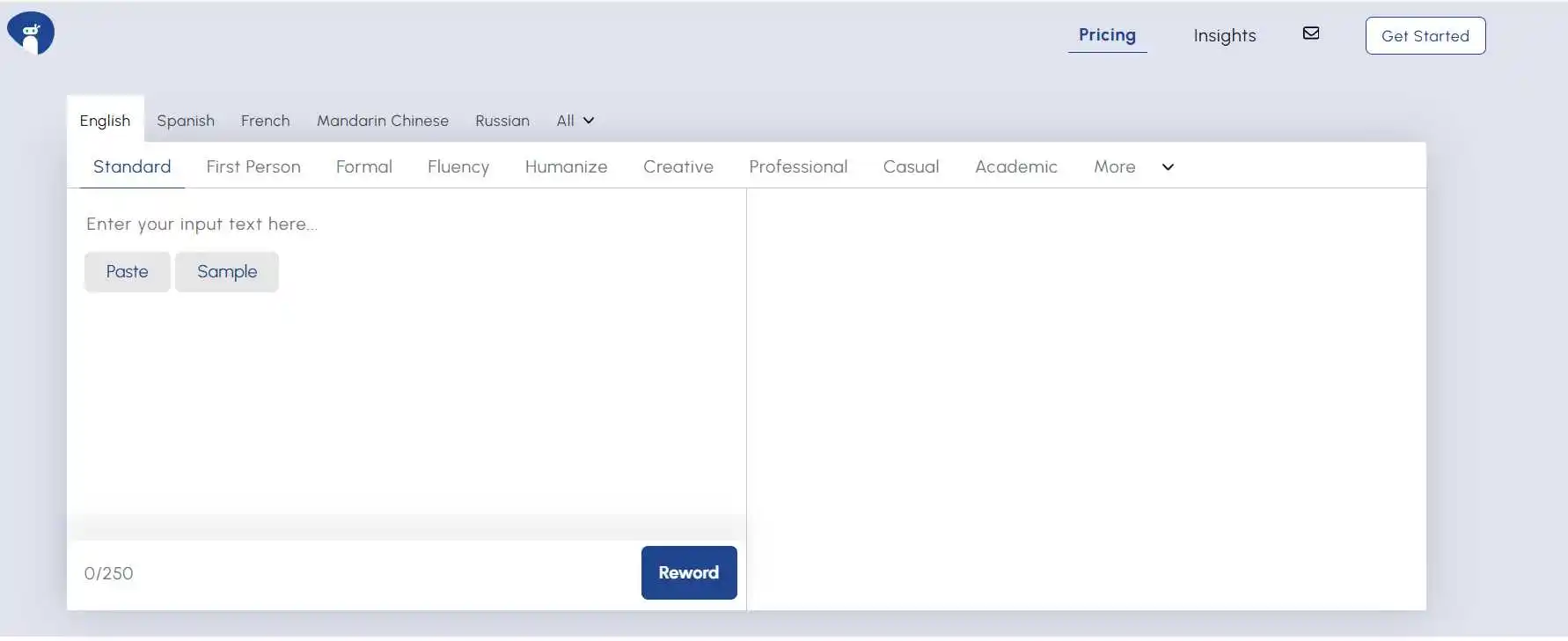
The website provides a text-entry area, language selector, rewriting modes, and a Reword button. Its advertised workflow is straightforward: enter your text, select a suitable mode, generate a rewrite, and examine the result.
The important part is the final review. A rewrite might improve readability while changing a qualification, removing a necessary detail, or making a statement sound more certain than the original.
Rewording Tool Features and Writing Modes
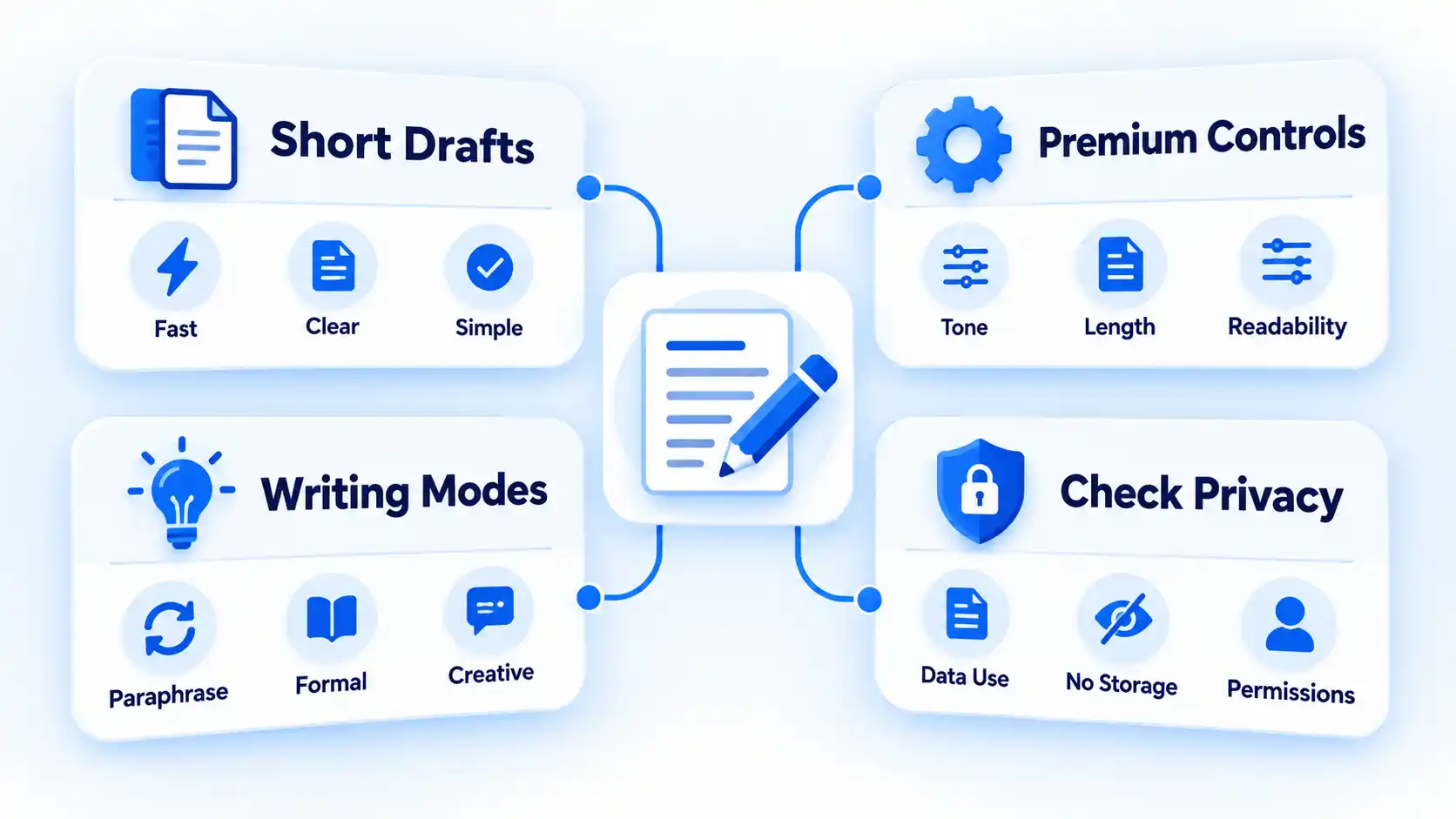
One reason to consider Rewording Tool is its range of writing styles. The service advertises more than 10 modes, allowing you to request different types of changes rather than relying on a single rewriting approach.
Writing modes for different editing needs
The Rewording Tool provides options including Standard, Formal, Fluency, Academic, Creative, Professional, Casual, and First Person.
- Standard: Intended for general rewriting without a specialized tone.
- Formal: Designed for more formal wording in reports and professional communication.
- Fluency: Focuses on improving sentence flow and readability.
- Academic: Intended for structured educational and research-related writing.
- Creative: Aims to introduce more variation in wording and expression.
- Professional: Intended for polished business communication.
- Casual: Offers a more relaxed conversational style.
- First Person: Adjusts wording toward a personal voice using expressions such as “I” and “we.”
These are the provider’s descriptions of what the modes are intended to do. They do not establish that every mode produces accurate or consistently better writing.
Consider a company announcement written in the third person. Changing it to first person might make the message sound more personal, but it could also imply that the writer personally made a decision that actually came from the organization. The correct choice depends on who is speaking and what the document needs to communicate.
Multilingual rewriting
The service advertises support for more than 25 languages. Its interface includes English, Spanish, French, Mandarin Chinese, German, Japanese, and several others.
That range may be helpful if you edit content in different languages. However, language availability is not proof of equal quality across them. Regional expressions, specialist terminology, and culturally specific meanings may require review by someone familiar with the language.
Using suggestions to improve your own writing
Alternative sentence structures can help you identify repetition or awkward wording in a draft. The greatest learning value comes from comparing the suggestions with what you originally wrote.
For example, if a rewritten paragraph removes unnecessary words without changing the meaning, examine which words were removed and why. That approach connects using AI rephrasing tools to improve writing skills with the ability to make similar edits independently.
For published content, also check whether the revised wording suits your readers. A technically correct sentence can still be too complicated for beginners or too informal for a professional report.
Rewording Tool Pricing and Free Plan Limits
Rewording Tool advertises free rewriting for shorter passages and premium access for larger inputs. However, its accessible pricing information does not establish a confirmed subscription amount.
Free version
The website displays a 250-word input counter and advertises a free limit of 250 words per request.
That allowance may be enough for a short email, product description, introduction, or individual paragraph. It is less convenient when you need to revise an entire article while maintaining consistency across sections.
The provider also advertises unlimited usage. That statement should not be confused with an unlimited input size: the number of requests and the number of words allowed in each request are different restrictions.
Premium version
Premium access is advertised as supporting 1,000 words or more per request. The available information does not establish the exact maximum allowance or every restriction that may apply.
The service has a pricing page, but a reliable subscription amount, billing frequency, and renewal conditions could not be confirmed from its accessible content.
Before purchasing, check the price displayed at checkout, whether billing renews automatically, how cancellation works, and which features are included. If you mainly edit short passages, the advertised free allowance may already cover your needs.
Rewording Tool Limitations and Privacy Concerns
Rewriting software can help with wording, but it cannot take responsibility for the accuracy, attribution, or confidentiality of your documents. Three limitations deserve particular attention.
Meaning can change during rewriting
A small wording change can alter an important claim.
For example, “The treatment may reduce symptoms” expresses uncertainty. Rewriting it as “The treatment reduces symptoms” removes that uncertainty and makes a stronger claim.
Before accepting a rewritten passage, compare it with the original and check:
- Numbers, dates, percentages, and measurements.
- Negatives and qualifications such as “may,” “might,” “usually,” and “except.”
- Technical terminology and names.
- Statements about causes, outcomes, and guarantees.
- References, quotations, and claims taken from external sources.
If the rewritten passage changes a factual claim or introduces uncertainty about its meaning, correct it manually or return to the original wording. Do not treat smoother language as evidence of greater accuracy.
Paraphrasing does not remove attribution requirements
Changing the wording of someone else’s ideas does not automatically make those ideas your own.
Responsible paraphrasing requires accurately representing the source material and acknowledging borrowed information where appropriate.
For example, suppose a research paper reports a particular finding. You can explain that finding in different words, but you still need to identify the research source when using its evidence.
Students should also follow their institution’s rules on AI-assisted writing. For bloggers and professional writers, rewriting should not replace checking original sources or producing independent analysis.
Conflicting statements about text storage
Rewording Tool’s public documents contain conflicting descriptions of what happens to submitted text.
Its Privacy Policy states that the service does not store or sell text entered into its tools. The policy also describes cookies, browser storage, analytics, and advertising-related technologies.
However, its Terms & Conditions state that uploaded documents or text are stored on the provider’s servers and that excerpts are compared anonymously with internet and internal databases.
The documents do not clearly reconcile those statements. They may describe different processing arrangements, but that explanation cannot be established from the published wording.
Until the provider clarifies its practices, avoid submitting confidential client documents, private records, sensitive research, passwords, or material you are not authorized to share with an external service.
The terms also describe a user’s right to delete uploaded documents, but the reviewed information does not establish a complete deletion procedure or independently verified retention schedule.
Rewriting is not a substitute for editorial judgment
A tool may offer a more fluent sentence without knowing whether it serves your audience or supports the surrounding argument.
This is particularly relevant to SEO content. Rephrasing an existing article does not automatically make it more useful, better researched, or more responsive to search intent.
For a meaningful update, identify what information is missing or outdated, verify the necessary facts, and then improve the explanation. Rewording can assist with the final editing, but it cannot replace those decisions.
Rewording Tool vs QuillBot and Other Alternatives
Rewording Tool, QuillBot, and ParaphrasingTool.us all offer AI-assisted rewriting. Their documented limits and available modes provide a starting point for comparison, although they do not establish which produces the best results.
| Feature | Rewording Tool | QuillBot | ParaphrasingTool.us |
|---|---|---|---|
| Free input allowance | 250 words per request, advertised | 125 words per request | 250-word interface counter |
| Writing modes | More than 10 advertised | Standard and Fluency free; nine modes with Premium | Standard, Professional, Casual, Academic, and other advertised modes |
| Premium access | 1,000+ words per request advertised; price unverified | Unlimited paraphraser word count advertised | Paid limits not verified |
| Important consideration | Conflicting text-storage disclosures | Documented free and Premium feature differences | Alternative interface and writing styles |
These figures come from published product information. They are not results from a controlled comparison of rewriting quality, accuracy, or processing speed.
QuillBot: More clearly documented plan differences
QuillBot provides a detailed free and Premium paraphraser comparison, including information about writing modes, input limits, customization, and additional editing features.
That documentation makes it easier to establish what a subscription includes before paying. It does not demonstrate that QuillBot preserves meaning more accurately than Rewording Tool.
There are also other approaches to AI rewriting, including comparing Paraphrasingtool.ai with QuillBot. Paraphrasingtool.ai is a different product from ParaphrasingTool.us, so their features and pricing should not be treated as interchangeable.
ParaphrasingTool.us: Another rewriting interface
Another AI paraphrasing tool provides selectable writing modes, including Standard, Professional, Casual, and Academic. Its visible interface also displays a 250-word counter.
It may be worth comparing if you want a different set of writing styles or prefer its interface. However, its advertised claims about accuracy and originality do not establish independently verified performance advantages.
For any of these tools, the meaningful comparison is whether the available controls, limits, privacy information, and actual rewritten text meet the requirements of your work.
Who Should Use Rewording Tool?
Rewording Tool is most relevant when you already have a draft and want to explore alternative wording without changing the underlying message.
When it may be suitable
- Short, non-sensitive emails: You want to make a message clearer or adjust its tone.
- Blog editing: You need alternative phrasing for a repetitive or awkward passage you have already researched.
- Language practice: You want to compare sentence structures and learn from the differences.
- Everyday descriptions: You are revising captions, introductions, or other brief material that does not contain private information.
These are potential uses supported by the tool’s advertised functions, not proven improvements from hands-on testing.
When to choose another approach
If a document contains confidential information, choose a workflow with data-handling terms that meet your requirements. Rewording Tool’s conflicting disclosures leave too much uncertainty for a confident confidentiality recommendation.
For academic, legal, medical, or technical material, manual review is essential. A change to one number, qualification, or specialist term could make the rewritten passage misleading.
If you regularly work with long documents, compare paid allowances and editing controls before subscribing. A larger input limit may be convenient, but it will not necessarily reduce the amount of checking required.
Final Verdict: Is Rewording Tool Worth Using?
Rewording Tool offers a reasonable starting point for exploring alternative wording in short, non-sensitive drafts. Its advertised free allowance and writing modes give you several ways to experiment without first committing to a subscription.
The decision becomes more demanding when your work involves confidential information, precise facts, or material that must meet academic or professional requirements. In those situations, the unresolved storage disclosures and lack of independently verified rewriting performance are important limitations.
A sensible approach is to begin with a short passage you wrote yourself that contains no sensitive information. Compare the result with the original, check whether the meaning and tone remain appropriate, and decide whether the suggested changes genuinely save editing effort. If they do not, additional modes or a paid plan are unlikely to solve the underlying problem.
