
Streamline Your Startup’s Finances with Smart Technology

A beginner's guide to the expense, invoicing, banking, and tax tools that save founders real hours.

Streamline Your Startup’s Finances with Smart Technology
Topic Finance
Published
Updated
Author Michael Nosa
Read Time 9 min

Smart financial technology automates expense tracking, invoicing, business banking, and tax prep, so founders spend less time on bookkeeping and more time running the business. The right combination of tools can turn hours of manual finance work each week into a few minutes of review.

Quick Take

Startup finance breaks down into four jobs: tracking what you spend, getting paid on time, banking without friction, and staying ready for tax season. Each job now has purpose-built software behind it. You don’t need all of it on day one. Start with the tool that removes your biggest weekly time cost, usually expense tracking or invoicing, then add the rest as your transaction volume grows.

Why Manual Finance Tracking Breaks Down

A shoebox full of receipts feels manageable at first. It stops working once you have real transaction volume. Manual tracking takes hours. It also causes mistakes. A missed receipt or a mistyped number can mean a missed tax deduction or a wrong number in your books.

Founders who track expenses by hand also lose something harder to measure: visibility. You don’t know what you spent this month until you sit down and add it up. By then, it’s too late to change course. Digitizing the process fixes both problems at once. It saves time, and it gives you numbers you can check any day of the week.

Automating Expense Tracking

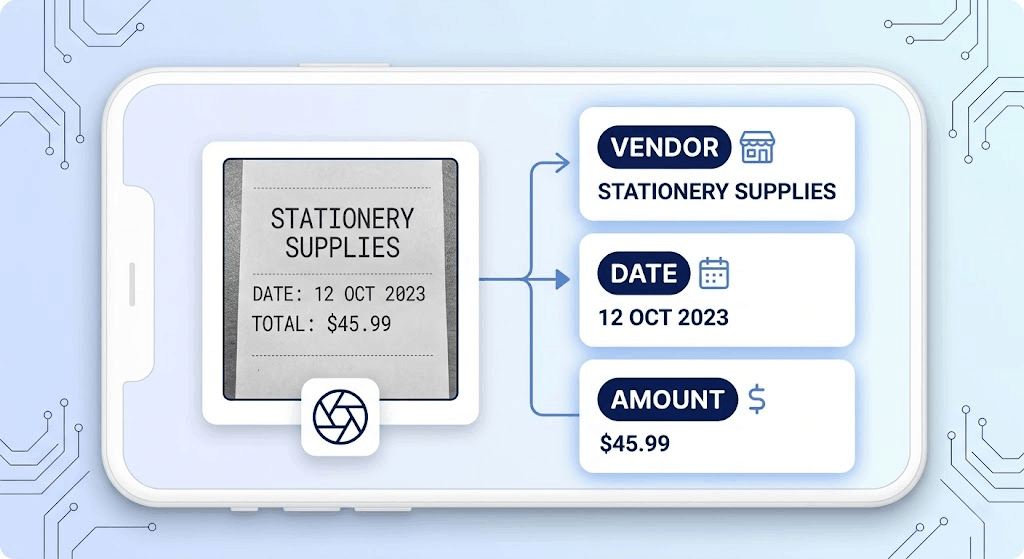
Modern expense tracking apps replace the shoebox with your phone camera. You take a photo of a receipt. The app uses optical character recognition (OCR), which is software that reads text in a photo, to pull out the vendor name, date, and amount on its own. You don’t have to type any of it in by hand.
Smart financial technology automates expense tracking, invoicing, business banking, and tax prep, so founders spend less time on bookkeeping and more time running the business. The right combination of tools can turn hours of manual finance work each week into a few minutes of review. Quick Take Startup finance breaks down into four jobs: tracking what you spend, getting paid on time, banking without friction, and staying ready for tax season. Each job now has purpose-built software behind it. You don't need all of it on day one. Start with the tool that removes your biggest weekly time cost, usually expense tracking or invoicing, then add the rest as your transaction volume grows. Why Manual Finance Tracking Breaks Down A shoebox full of receipts feels manageable at first. It stops working once you have real transaction volume. Manual tracking takes hours. It also causes mistakes. A missed receipt or a mistyped number can mean a missed tax deduction or a wrong number in your books. Founders who track expenses by hand also lose something harder to measure: visibility. You don't know what you spent this month until you sit down and add it up. By then, it's too late to change course. Digitizing the process fixes both problems at once. It saves time, and it gives you numbers you can check any day of the week. Automating Expense Tracking Modern expense tracking apps replace the shoebox with your phone camera. You take a photo of a receipt. The app uses optical character recognition (OCR), which is software that reads text in a photo, to pull out the vendor name, date, and amount on its own. You don't have to type any of it in by hand. The scanned data doesn't just sit on your phone. These apps pull the vendor, date, and total straight off the receipt image and drop them into a spending record automatically. Many apps go a step further and link directly to your business debit or credit cards. Once connected, transactions import on their own as they happen, so you get a live view of company spending instead of a monthly guess. This won't work well if your team still pays for things in cash with no receipt at all. OCR needs something to scan. If cash purchases are common at your company, you'll still need a manual entry step, even with the best app. Simplifying Invoicing and Payments Waiting on a check in the mail can wreck a startup's cash flow. Building invoices in a word processor or spreadsheet is slow, and it makes it hard to track who has actually paid. Invoicing software fixes both problems. With a dedicated invoicing tool, you build a professional invoice from a template in minutes instead of starting from scratch each time. You can set up recurring invoices for retainer clients, so the same invoice goes out automatically every month. The software can also send automatic reminders when a payment is late, so you're not the one chasing it down. Most platforms connect directly to online payment gateways, which lets a client pay by card or bank transfer the moment they open the invoice. Faster payment cycles come with a trade-off: payment processors take a small cut of each transaction. For most startups, getting paid a week earlier is worth that fee. If your margins are razor-thin, do the math on the fee against the cash-flow benefit before switching every client over. The Rise of Digital Business Banking Traditional banking isn't always a good fit for a fast-moving startup. Opening an account can mean paperwork and an in-person branch visit. Once it's open, the online banking portal often feels clunky and doesn't connect to your other software. This gap is why digital-first banking built for entrepreneurs has grown so much. These platforms run entirely online, with no branch visits required. Many startups now open a dedicated digital business account specifically to get more flexibility and fewer fees than a traditional bank charges. This shift reflects a broader trend: founders are increasingly choosing online-only banking over branch-based banks because it's faster to set up and easier to manage day to day. A digital-only account can include features like virtual debit cards you can issue instantly, direct sync with your accounting software, and controls that let you cap how much an employee card can spend. Being able to open and manage the account entirely online gives founders more room to move quickly without waiting on a bank's schedule. Digital banking isn't right for every situation. If your business handles a lot of physical cash, or if you need a banker relationship for a complex loan application, a traditional bank with branch access may still serve you better. Staying Ready for Tax Season with the Right Tools Tax season stresses out most business owners. Scrambling to gather a year of financial records at the last minute leads to mistakes and missed deductions. The right technology keeps you ready throughout the year instead of just in April. Most small businesses that expect to owe tax also need to make estimated tax payments four times a year, not just once. Tax management tools help you estimate what each quarterly payment should be and set aside enough cash so the payment doesn't catch you short. They also flag tax-deductible expenses as they happen, instead of forcing you to reconstruct the year later. When tax time arrives, you can generate the reports you need with a few clicks, or give your accountant direct, read-only access to your books instead of exporting spreadsheets by hand. How These Tools Work Together Each of these tools solves one job well on its own. The real gain comes when they talk to each other. If your expense app doesn't sync with your accounting software, you're back to manual data entry, just in a different app. The table below shows what to check for each category before you commit to a tool. Tool category Main job Integration to check before you buy Expense tracking Captures and categorizes spending automatically Syncs with your accounting software and business bank feed Invoicing Bills clients and collects payment Connects to a payment gateway and posts payments to your books Digital banking Holds and moves company money Exports transactions to your accounting software automatically Tax management Tracks deductions and estimated payments Pulls data from your accounting software instead of a separate manual import When you're picking tools, ask one question before anything else: does this connect to what I already use? An accounting platform is usually the hub everything else should plug into. There's a lot of solid accounting tech for startups out there, so start with the essentials and layer in more specialized tools as your business grows. Common Misconceptions A few beliefs trip founders up here. First, "automated" doesn't mean "unsupervised." Automation software is very good at capturing data and very bad at judgment calls, like deciding whether a purchase should count as a business expense. You still need to review flagged items. Second, more tools isn't automatically better. Adding a fifth app to save ten minutes a week isn't worth the setup time and the risk of duplicate or conflicting records. Pick tools that replace real pain points, not ones that just look impressive. Third, switching your financial tool stack later isn't as painless as vendors imply. Most tools let you export your data, but re-mapping categories and reconnecting bank feeds in a new tool still takes real hours. Choose with some intention rather than picking whatever's cheapest this month. Where This Approach Has Limits Smart financial tools reduce manual work, but they don't remove the need for financial judgment. If your cash flow is genuinely tight, no app will tell you which bill to delay and which to pay on time. That's a business decision, not a software feature. These tools also assume a baseline of clean, consistent data entry. If your team is inconsistent about scanning receipts or categorizing transactions, automation just processes messy data faster. It doesn't fix the underlying habit problem. Finally, most of these platforms are built for straightforward business structures. If you have complex situations, multiple entities, foreign currency, equity compensation, software alone usually isn't enough. You'll still want an accountant or bookkeeper who understands your specific setup. Key Takeaways Manual expense tracking costs real time and causes real errors; OCR-based apps remove most of the manual entry. Invoicing software shortens payment cycles mainly through automated reminders and built-in online payment collection. Digital-first business banking trades branch access for speed, lower fees, and better software integration. Tax tools work best when they track deductions and estimate quarterly payments continuously, not just once a year. The biggest gains come from integration between tools, not from any single app on its own. FAQ How much does startup financial software typically cost? Pricing varies a lot by category and by how many transactions or users you have, so it's not something to take on faith from a single source. Check the current pricing page on each vendor's own site before you commit, since plans and tiers change often. Can I switch financial tools later without losing my data? Most platforms let you export your transaction history, usually as a spreadsheet file. What doesn't transfer automatically is your category setup and any custom rules you built, so expect to spend a few hours rebuilding those in the new tool. Do I still need an accountant if I use these tools? For most startups, yes, at least at tax time or for anything beyond simple bookkeeping. These tools handle data capture and organization well. They don't replace the judgment an accountant brings to structuring, deductions specific to your situation, or filing. Is it safe to connect my bank account to expense or accounting apps? Reputable financial software uses encrypted, read-only connections to your bank, meaning the app can see transactions but can't move money on its own. Before connecting any account, confirm the provider states this explicitly and check that they use a recognized bank-connection service rather than asking for your login credentials directly.

The scanned data doesn’t just sit on your phone. These apps pull the vendor, date, and total straight off the receipt image and drop them into a spending record automatically. Many apps go a step further and link directly to your business debit or credit cards. Once connected, transactions import on their own as they happen, so you get a live view of company spending instead of a monthly guess.

This won’t work well if your team still pays for things in cash with no receipt at all. OCR needs something to scan. If cash purchases are common at your company, you’ll still need a manual entry step, even with the best app.

Simplifying Invoicing and Payments

Waiting on a check in the mail can wreck a startup’s cash flow. Building invoices in a word processor or spreadsheet is slow, and it makes it hard to track who has actually paid. Invoicing software fixes both problems.

With a dedicated invoicing tool, you build a professional invoice from a template in minutes instead of starting from scratch each time. You can set up recurring invoices for retainer clients, so the same invoice goes out automatically every month. The software can also send automatic reminders when a payment is late, so you’re not the one chasing it down. Most platforms connect directly to online payment gateways, which lets a client pay by card or bank transfer the moment they open the invoice.
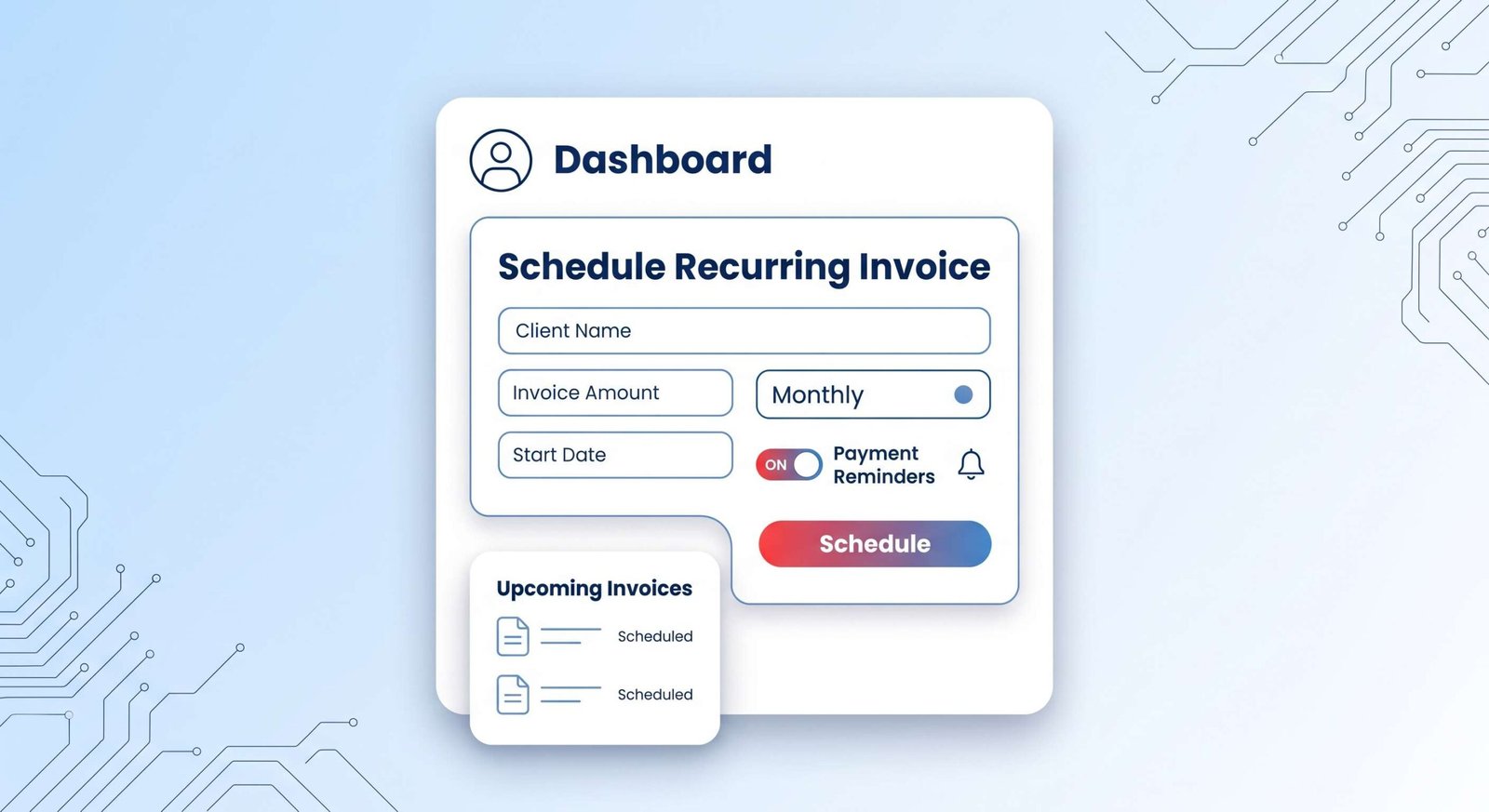
An illustrative screenshot of an invoicing dashboard showing a recurring invoice being scheduled. A toggle switch next to a bell icon, labeled "Payment Reminders" in navy blue, is clearly visible and in the 'on' position.

Faster payment cycles come with a trade-off: payment processors take a small cut of each transaction. For most startups, getting paid a week earlier is worth that fee. If your margins are razor-thin, do the math on the fee against the cash-flow benefit before switching every client over.

The Rise of Digital Business Banking

Traditional banking isn’t always a good fit for a fast-moving startup. Opening an account can mean paperwork and an in-person branch visit. Once it’s open, the online banking portal often feels clunky and doesn’t connect to your other software. This gap is why digital-first banking built for entrepreneurs has grown so much.

These platforms run entirely online, with no branch visits required. Many startups now open a dedicated digital business account specifically to get more flexibility and fewer fees than a traditional bank charges. This shift reflects a broader trend: founders are increasingly choosing online-only banking over branch-based banks because it’s faster to set up and easier to manage day to day.
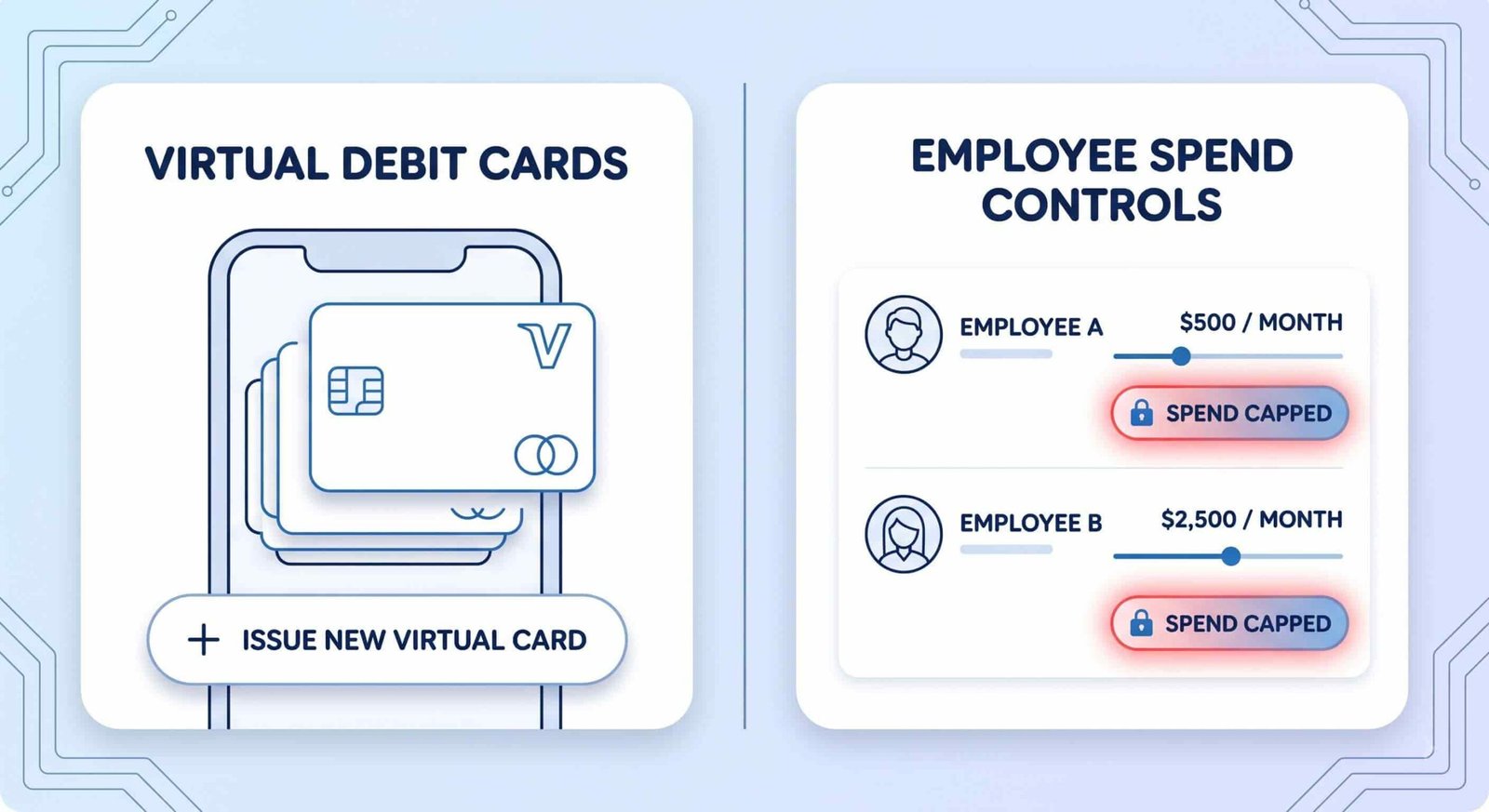
An illustrative comparison diagram of a digital banking app's dashboard. The left panel shows "VIRTUAL DEBIT CARDS" being managed on a smartphone screen, and the right panel features a "SPEND CAPPED" status badge for specific "EMPLOYEE SPEND CONTROLS."

A digital-only account can include features like virtual debit cards you can issue instantly, direct sync with your accounting software, and controls that let you cap how much an employee card can spend. Being able to open and manage the account entirely online gives founders more room to move quickly without waiting on a bank’s schedule.

Digital banking isn’t right for every situation. If your business handles a lot of physical cash, or if you need a banker relationship for a complex loan application, a traditional bank with branch access may still serve you better.

Staying Ready for Tax Season with the Right Tools

Tax season stresses out most business owners. Scrambling to gather a year of financial records at the last minute leads to mistakes and missed deductions. The right technology keeps you ready throughout the year instead of just in April.

Most small businesses that expect to owe tax also need to make estimated tax payments four times a year, not just once. Tax management tools help you estimate what each quarterly payment should be and set aside enough cash so the payment doesn’t catch you short. They also flag tax-deductible expenses as they happen, instead of forcing you to reconstruct the year later.

When tax time arrives, you can generate the reports you need with a few clicks, or give your accountant direct, read-only access to your books instead of exporting spreadsheets by hand.

How These Tools Work Together

Each of these tools solves one job well on its own. The real gain comes when they talk to each other. If your expense app doesn’t sync with your accounting software, you’re back to manual data entry, just in a different app. The table below shows what to check for each category before you commit to a tool.

Tool category Main job Integration to check before you buy
Expense tracking Captures and categorizes spending automatically Syncs with your accounting software and business bank feed
Invoicing Bills clients and collects payment Connects to a payment gateway and posts payments to your books
Digital banking Holds and moves company money Exports transactions to your accounting software automatically
Tax management Tracks deductions and estimated payments Pulls data from your accounting software instead of a separate manual import

When you’re picking tools, ask one question before anything else: does this connect to what I already use? An accounting platform is usually the hub everything else should plug into. There’s a lot of solid accounting tech for startups out there, so start with the essentials and layer in more specialized tools as your business grows.

Common Misconceptions

A few beliefs trip founders up here. First, “automated” doesn’t mean “unsupervised.” Automation software is very good at capturing data and very bad at judgment calls, like deciding whether a purchase should count as a business expense. You still need to review flagged items.

Second, more tools isn’t automatically better. Adding a fifth app to save ten minutes a week isn’t worth the setup time and the risk of duplicate or conflicting records. Pick tools that replace real pain points, not ones that just look impressive.

Third, switching your financial tool stack later isn’t as painless as vendors imply. Most tools let you export your data, but re-mapping categories and reconnecting bank feeds in a new tool still takes real hours. Choose with some intention rather than picking whatever’s cheapest this month.

Where This Approach Has Limits

Smart financial tools reduce manual work, but they don’t remove the need for financial judgment. If your cash flow is genuinely tight, no app will tell you which bill to delay and which to pay on time. That’s a business decision, not a software feature.

These tools also assume a baseline of clean, consistent data entry. If your team is inconsistent about scanning receipts or categorizing transactions, automation just processes messy data faster. It doesn’t fix the underlying habit problem.

Finally, most of these platforms are built for straightforward business structures. If you have complex situations, multiple entities, foreign currency, equity compensation, software alone usually isn’t enough. You’ll still want an accountant or bookkeeper who understands your specific setup.

Key Takeaways

  • Manual expense tracking costs real time and causes real errors; OCR-based apps remove most of the manual entry.
  • Invoicing software shortens payment cycles mainly through automated reminders and built-in online payment collection.
  • Digital-first business banking trades branch access for speed, lower fees, and better software integration.
  • Tax tools work best when they track deductions and estimate quarterly payments continuously, not just once a year.
  • The biggest gains come from integration between tools, not from any single app on its own.

FAQ

How much does startup financial software typically cost?

Pricing varies a lot by category and by how many transactions or users you have, so it’s not something to take on faith from a single source. Check the current pricing page on each vendor’s own site before you commit, since plans and tiers change often.

Can I switch financial tools later without losing my data?

Most platforms let you export your transaction history, usually as a spreadsheet file. What doesn’t transfer automatically is your category setup and any custom rules you built, so expect to spend a few hours rebuilding those in the new tool.

Do I still need an accountant if I use these tools?

For most startups, yes, at least at tax time or for anything beyond simple bookkeeping. These tools handle data capture and organization well. They don’t replace the judgment an accountant brings to structuring, deductions specific to your situation, or filing.

Is it safe to connect my bank account to expense or accounting apps?

Reputable financial software uses encrypted, read-only connections to your bank, meaning the app can see transactions but can’t move money on its own. Before connecting any account, confirm the provider states this explicitly and check that they use a recognized bank-connection service rather than asking for your login credentials directly.

Michael Nosa

About the Author

Michael Nosa

I am an enthusiastic content writer, helping people to be financially free by giving them real insights of money-making skills and ideas

View all posts by Michael Nosa →
Comments

Be the First to Comment