The right gaming laptop depends on what you are willing to trade: portability, price, display size, noise, or maximum sustained performance. These six current options stand out for different priorities, so the useful question is not simply which laptop is fastest, but which compromises make sense for you.
Quick Take
Quick Take
Choose the Razer Blade 16 when premium portability matters, the Lenovo LOQ 15 Gen 10 when budget is the main constraint, the ASUS ROG Zephyrus G14 for compact OLED gaming, the MSI Vector 16 HX AI for high plugged-in performance without flagship pricing, the Lenovo Legion Pro 7i Gen 10 for sustained high-end performance, and the Alienware 18 Area-51 when you want an 18-inch desktop-replacement system. These are unranked choices because each solves a different problem.
What Matters Most When Choosing a Gaming Laptop
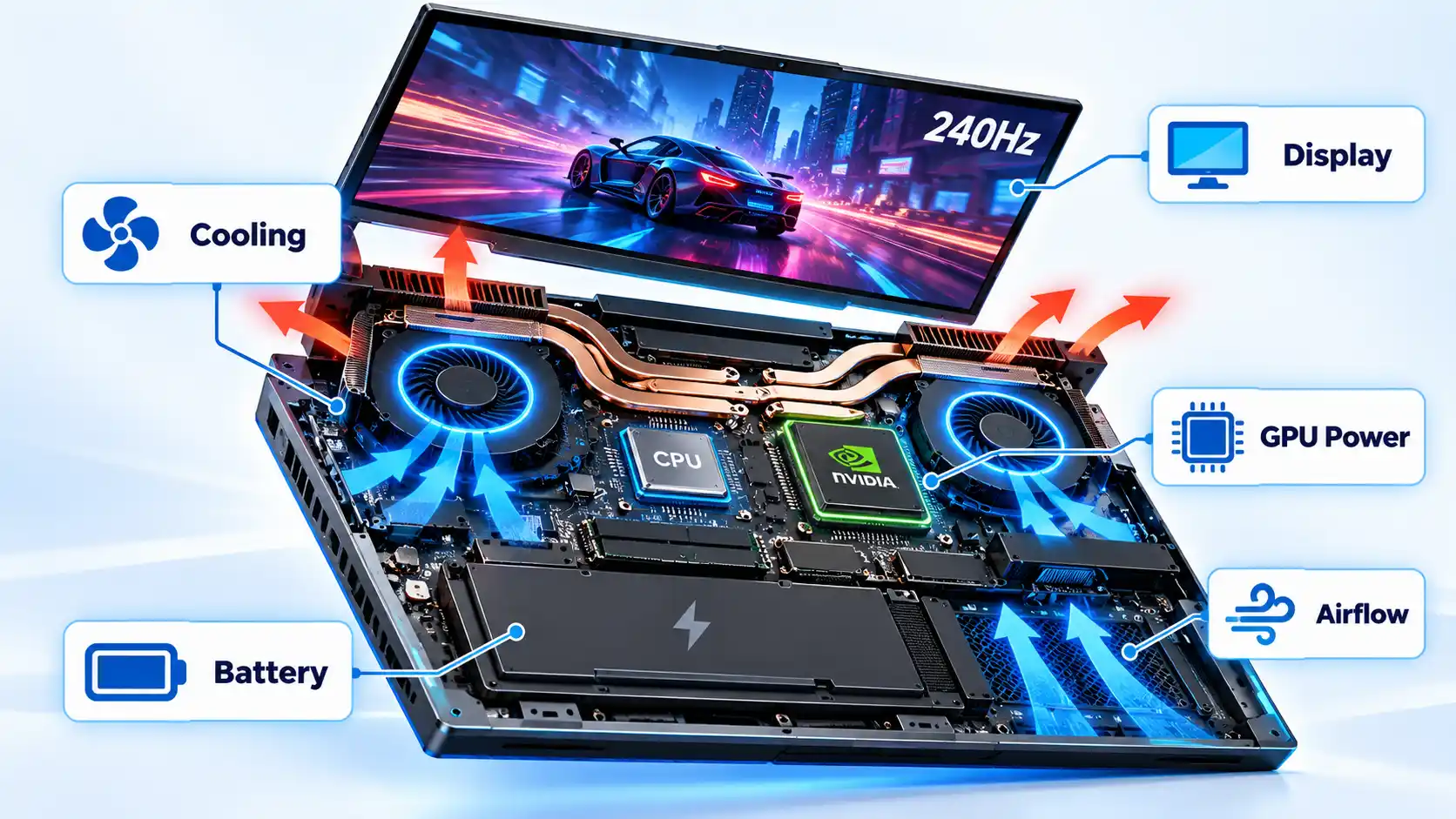
A laptop GPU name tells only part of the story. Two machines carrying similar GeForce RTX graphics hardware can perform differently because the manufacturer controls how much electrical power and cooling capacity the GPU receives inside that chassis.
Total Graphics Power (TGP) is the power budget available to the graphics processor. A higher permitted TGP can allow a GPU to sustain higher performance, but only when the cooling system can remove the resulting heat. If temperature or power limits force the hardware to reduce clock speeds, that reduction is commonly called thermal throttling or power throttling.
This is why a larger laptop can sometimes beat a thinner machine carrying a nominally higher GPU tier. In PC Gamer’s testing, the RTX 5080 configuration of the MSI Vector 16 HX AI outperformed the tested RTX 5090 Razer Blade 16, while the RTX 5080 Lenovo Legion Pro 7i produced still higher frame rates in that comparison. The lesson is not that an RTX 5080 is inherently faster than an RTX 5090. It is that power limits, cooling, and chassis design can change the performance of the complete laptop.
The display changes the experience too. A 2560×1600 or 2880×1800 panel produces a sharper image than 1920×1080, but it also asks the GPU to render substantially more pixels when a game runs at native resolution. Refresh rate is how often the display can update each second. A variable-refresh technology such as G-SYNC can synchronize display updates with rendered frames to reduce visible tearing.
Video memory (VRAM) is dedicated graphics memory used for textures, frame buffers, and other GPU data. More VRAM can become useful at higher resolutions and settings, but capacity alone does not determine gaming speed. CPU performance, cooling, memory configuration, and the game’s workload still matter.
NVIDIA’s RTX 50-series laptop GPUs also support DLSS 4 with Multi Frame Generation in supported games and applications. Multi Frame Generation creates additional displayed frames, so results produced with it should not be treated as equivalent to native rendering performance when comparing laptops.
Finally, check the exact configuration before buying. One laptop family can contain several GPUs, displays, memory capacities, and storage options. Gaming laptop GPU wattage is especially useful to understand when two machines advertise similar graphics hardware but use different power limits.
Gaming Laptop Comparison at a Glance
Use this table to eliminate laptops that conflict with your biggest constraint. The configurations shown are representative of the versions discussed here rather than a promise that every regional SKU uses the same parts.
| Option | Best fit | Representative graphics | Display / form factor | Main trade-off |
|---|---|---|---|---|
| Razer Blade 16 (2026) | Premium portability | RTX 50-series configurations up to RTX 5090 | 16-inch QHD+ 240 Hz OLED; unusually thin high-end chassis | Very high cost, with less sustained-performance headroom than some thicker rivals |
| Lenovo LOQ 15 Gen 10 | Budget-conscious current-generation gaming | Up to RTX 5060 Laptop GPU in the LOQ 15AHP10 family | 15.6-inch class | Less premium construction and configuration-dependent display options |
| ASUS ROG Zephyrus G14 (2026) | Compact OLED gaming | RTX 5070, RTX 5070 Ti, or RTX 5080 configurations | 14-inch 2880×1800 120 Hz OLED | Smaller chassis limits graphics power compared with larger performance-focused laptops |
| MSI Vector 16 HX AI | High plugged-in performance for the money | RTX 5080 Laptop GPU at up to 175 W in the discussed configuration | 16-inch 2560×1600 240 Hz IPS-level display | Heavy, loud at maximum performance, and weak away from a power outlet |
| Lenovo Legion Pro 7i Gen 10 | Sustained high-end performance | RTX 5080 or RTX 5090 configurations up to 175 W | 16-inch 2560×1600 240 Hz OLED | Heavy chassis and large power adapter |
| Alienware 18 Area-51 | Desktop-replacement gaming | RTX 50-series configurations up to RTX 5090 | 18-inch 2560×1600 300 Hz display | Very large, heavy, and poorly suited to frequent travel |
The table is a filter, not the full decision. Cooling behaviour, configuration differences, portability, and independent performance results are what separate machines that can look similar on a specification sheet.
Razer Blade 16 (2026): Premium Portability
If you want high-end hardware without carrying a conventional thick gaming notebook, the Razer Blade 16 makes portability its strongest argument. Razer lists the 2026 design at 14.9 mm at its thinnest point and roughly 2.1 kg, with a 16-inch 2560×1600 240 Hz OLED display, Core Ultra 9 386H processor, and RTX 50-series graphics.
That thin design creates a real trade-off. PC Gamer found the Blade 16 powerful and unusually portable for its class, but its tested RTX 5090 configuration trailed the larger Lenovo Legion Pro 7i in raw gaming performance. A premium GPU badge therefore does not automatically make the Blade the fastest option in sustained gaming.
The memory also deserves attention before purchase. Razer specifies LPDDR5X-9600 memory that is soldered to the motherboard and not upgradeable. Buy enough memory for the expected life of the system instead of assuming that RAM can be expanded later like storage.
Choose this if: you value a thinner premium chassis, a high-refresh OLED display, and easier portability more than maximum performance per dollar.
Avoid this if: you mainly want the highest sustained frame rates for the money or expect to upgrade system memory later.
Lenovo LOQ 15 Gen 10: Budget-Conscious Gaming
A lower budget does not require falling back to an old GPU generation. Lenovo’s LOQ 15AHP10 platform can be configured with an AMD Ryzen 7 250 and an RTX 5060 Laptop GPU with a 100 W TGP, alongside DDR5 memory and PCIe storage.
The attraction is straightforward: it gets a current RTX 50-series GPU into a more price-sensitive product family. PC Gamer’s current gaming-laptop guide also places the LOQ 15 Gen 10 in its budget-oriented recommendation slot.
The important caveat is configuration. Lenovo sells multiple LOQ variants, and available screens, memory capacities, batteries, and graphics options can differ by market or SKU. Treat the model name as the start of the buying process, not the complete specification. Confirm the GPU, display refresh rate, RAM arrangement, battery size, and storage before paying.
Choose this if: your budget matters more than premium materials and you want a current-generation GPU rather than the thinnest chassis.
Avoid this if: you want an OLED display, luxury construction, or a machine optimized primarily for low weight.
ASUS ROG Zephyrus G14 (2026): Compact OLED Gaming
The Zephyrus G14 is the compact choice here. ASUS pairs a 14-inch 2880×1800 120 Hz OLED panel with RTX 5070, RTX 5070 Ti, and RTX 5080 configuration options, making the G14 attractive when a full-size gaming laptop would be inconvenient to carry every day.
Its graphics power limits show why exact laptop implementations matter. ASUS lists the RTX 5070 configuration at up to 115 W in Manual mode, while RTX 5070 Ti and RTX 5080 variants can reach up to 130 W. Those limits are substantial for a small machine, but they remain below the 175 W RTX 5080 implementations available in larger performance-focused systems such as the MSI Vector and Lenovo Legion.
The 3K OLED display is also demanding at native resolution. In visually heavy games, resolution scaling or DLSS can make more practical sense than insisting on native 2880×1800 rendering at maximum settings.
Choose this if: you regularly carry your laptop and want a compact premium machine with a sharp OLED display and serious discrete graphics.
Avoid this if: your first priority is extracting the highest possible sustained performance from an RTX 5080-class GPU.
MSI Vector 16 HX AI: Performance-Focused Value
The Vector 16 HX AI makes sense when the laptop will spend most gaming sessions connected to mains power. MSI offers an RTX 5080 configuration with up to 175 W Maximum Graphics Power, two memory slots, and two M.2 storage positions.
That generous power envelope translates into strong results. PC Gamer’s tested RTX 5080 Vector outperformed most other RTX 5080 laptops in its comparison set, with only the Lenovo Legion Pro 7i producing higher frame rates among the machines discussed there.
The trade-offs are difficult to ignore. The same testing measured less than an hour and a half in its battery test and described the machine as thick and best kept plugged into the wall. Its highest-performance operating mode was also notably loud, so chasing the last few frames has an acoustic cost.
Choose this if: you care more about strong plugged-in frame rates and upgrade access than thinness, quiet operation, or long battery life.
Avoid this if: you expect to carry the laptop to classes, meetings, or frequent travel and regularly work away from an outlet.
Lenovo Legion Pro 7i Gen 10: High Sustained Performance
The Legion Pro 7i is built around sustained performance rather than minimal size. Lenovo’s 16IAX10H platform supports RTX 5080 and RTX 5090 Laptop GPUs, a 16-inch 2560×1600 240 Hz OLED display, two DDR5 memory slots, two M.2 storage positions, and configurations with a 400 W power adapter.
Its cooling capacity is the reason to consider it even when a thinner machine advertises a higher GPU tier. In PC Gamer’s independent testing of an RTX 5080 Legion Pro 7i, the laptop beat the tested RTX 5090 Razer Blade 16 in gaming performance. That result reinforces the broader point that cooling, power delivery, and tuning can change the order suggested by GPU names alone.
That performance comes with mass. Lenovo lists the chassis at a starting weight of 2.57 kg, and high-power configurations use a 400 W adapter. The system is transportable, but it is not designed around the same mobility target as a Zephyrus G14 or Blade 16.
Choose this if: you want a high-power 16-inch system with strong cooling, an OLED display, replaceable memory, and storage expansion.
Avoid this if: you need a lightweight laptop that disappears easily into a daily work or school bag.
Alienware 18 Area-51: Desktop-Replacement Gaming
If portability barely matters, the Alienware 18 Area-51 gives its large chassis a clear purpose. Dell’s current platform uses an 18-inch 2560×1600 display with a refresh rate up to 300 Hz, while higher-end configurations support features such as Thunderbolt 5.
The RTX 5090 configuration independently reviewed by PC Gamer used a 175 W GPU, a 96 Wh battery, and weighed 4.34 kg. Testing found strong gaming performance and cooling, but also weak unplugged performance and shortcomings in the display and keyboard relative to its premium positioning.
That makes the Area-51 easier to understand when treated as a transportable desktop replacement instead of an oversized conventional laptop. It gives you an expansive screen, high-power hardware, extensive ports, and substantial storage potential, but those benefits matter most when the computer normally stays on a desk.
If you are deciding whether this category makes sense at all, the more fundamental question is whether a gaming laptop or gaming desktop better matches your setup once upgradeability, desk space, portability, and long-term component replacement are considered.
Choose this if: you want a large-screen, high-power gaming system that will usually remain plugged in at one location.
Avoid this if: you expect to commute with the computer regularly or want a machine that is comfortable to use away from mains power.
Which Gaming Laptop Fits You Best?
Razer Blade 16 (2026)
Avoid this if: you prioritize maximum sustained performance per dollar or user-upgradeable RAM.
Main trade-off: exceptional portability for its class in exchange for a substantial price premium and a tighter thermal envelope.
Lenovo LOQ 15 Gen 10
Avoid this if: premium materials, OLED, or minimum weight matter more than value.
Main trade-off: lower-cost access to current hardware with fewer premium chassis and display features.
ASUS ROG Zephyrus G14 (2026)
Avoid this if: the highest sustained GPU power matters more than portability.
Main trade-off: compact dimensions restrict the graphics-power envelope compared with larger RTX 5080 laptops.
MSI Vector 16 HX AI
Avoid this if: battery endurance and quiet operation are regular requirements.
Main trade-off: strong gaming performance in exchange for noise, bulk, and limited mobility.
Lenovo Legion Pro 7i Gen 10
Avoid this if: low carrying weight is a major purchase criterion.
Main trade-off: strong cooling and power delivery require a heavier chassis and substantial power adapter.
Alienware 18 Area-51
Avoid this if: you regularly carry your laptop or depend on strong unplugged gaming performance.
Main trade-off: expansive screen size and high-power hardware come with extreme bulk.
Whichever model you choose, compare the exact SKU rather than the family name alone. GPU tier, TGP, display resolution, memory configuration, and cooling design can all change what appears to be the same laptop on a retailer’s product list. If you are choosing between graphics tiers, the RTX 5070-versus-RTX 5080 laptop decision should be based on the games, resolution, power limit, and price difference of the actual machines you are comparing.

💬 Comments