The top 5 VPNs for torrenting in 2026 are NordVPN, Proton VPN, Private Internet Access (PIA), Surfshark, and Mullvad VPN. These providers lead the P2P space by offering strict no-logs policies, robust kill switches, high-speed WireGuard connections, and essential torrenting features like native port forwarding or automated leak protection.
Evaluation Methodology and Selection Criteria
Selecting a virtual private network for peer-to-peer (P2P) file sharing requires looking far beyond basic download speeds or aggressive marketing claims. Torrenting exposes your public IP address to every peer in a swarm, making security, leak protection, and protocol stability critical requirements.
To establish this ranking, each provider was evaluated against five non-negotiable criteria:
- Leak Protection and Kill Switch Reliability: A top-tier torrenting VPN must feature an automated, system-level kill switch that immediately halts all internet traffic if the encrypted tunnel drops. We specifically test for DNS, IPv6, and WebRTC leaks during sudden disconnection scenarios, as well as verifying support for configuring a hardware-level VPN kill switch or app-level client binding.
- Port Forwarding and Seeding Support: Incoming connectability is vital for maintainers on private trackers and users seeding large datasets. We evaluate whether a provider offers native port forwarding (via UPnP/NAT-PMP or manual port assignment) or explicitly blocks inbound connections.
- Logging Policies and Jurisdiction: P2P activity demands an independently audited zero-logs policy backed by RAM-only (diskless) server infrastructure located outside restrictive data-retention jurisdictions.
- Throughput and Bandwidth Overhead: P2P file transfers are bandwidth-intensive. We measure real-world throughput loss over WireGuard and proprietary WireGuard forks (such as NordLynx and Lightway) on 1 Gbps fiber connections.
- Client-Side Features: Dedicated P2P server profiles, SOCKS5 proxy availability, split tunneling, and built-in malware/ad filtering directly improve the day-to-day downloading experience.
Quick Take: The Best Torrenting VPNs at a Glance
If you need an immediate recommendation tailored to specific downloading habits, here is how the top options compare:
| VPN Provider | Best For | Port Forwarding | Max Devices | Starting Price (2026) |
|---|---|---|---|---|
| NordVPN | Best Overall (Speed & Malware Safety) | No | 10 | $3.09 / mo |
| Proton VPN | Best for Seeding & Private Trackers | Yes (Native) | 10 | $2.99 / mo |
| Private Internet Access | Best Budget Pick & Customization | Yes (Select Locations) | Unlimited | $2.03 / mo |
| Surfshark | Best Value for Whole Households | No | Unlimited | $2.49 / mo |
| Mullvad VPN | Best for Anonymity & Flat-Rate Billing | No (Removed 2023) | 5 | €5.00 / mo |
In-Depth Reviews of the Top 5 VPNs for Torrenting
1. NordVPN – Best Overall P2P VPN for Speed, Server Fleet, and Download Safety
NordVPN takes the top spot for general torrenting due to its massive P2P-optimized server fleet, exceptionally fast NordLynx protocol, and integrated file protection. With over 7,200 servers globally, finding a low-latency connection with ample bandwidth is straightforward regardless of your geographical location.
For torrent users downloading compressed archives or executable files from public swarms, NordVPN includes Threat Protection Pro. This feature scans downloaded files in real time for malicious payloads and executable threats before they reach your local storage. Additionally, NordVPN provides dedicated SOCKS5 proxy credentials for users who prefer configuring proxy settings directly within torrent clients like qBittorrent or Transmission without running a full desktop client.
Real Limitations: NordVPN does not support port forwarding on any of its servers. If your primary goal is maximizing seeding ratios on private trackers or establishing direct inbound connections to non-connectable peers, NordVPN will limit your active upload performance. Furthermore, while initial multi-year billing is highly competitive, renewal prices increase notably once the promotional term ends, according to Security.org’s 2026 NordVPN pricing analysis.
- Protocol Support: NordLynx (WireGuard implementation), OpenVPN (UDP/TCP).
- P2P Infrastructure: Dedicated P2P server categories in over 45 countries with auto-routing if P2P traffic is detected on standard servers.
- Pricing & Guarantee: Starts at $3.09/month on a 2-year Basic tier ($83.43 upfront), backed by a 30-day money-back guarantee.
2. Proton VPN – Best for Seeding and Native Port Forwarding
Proton VPN is the premier choice for advanced P2P users, torrent uploaders, and private tracker members who require native port forwarding. Headquartered in Switzerland, Proton VPN operates under strict privacy laws and maintains a proven, independently audited no-logs architecture.
Unlike most mainstream competitors, Proton VPN integrates full NAT-PMP/UPnP port forwarding directly into its desktop applications for Windows, macOS, and Linux. Enabling port forwarding generates a dynamic port number that can be pasted directly into your torrent client’s listening port field. This dramatically increases your connectable peer count, allowing you to bypass strict NAT firewalls and seed files efficiently. You can learn more about how port forwarding affects BitTorrent seeding and peer visibility in our dedicated technical breakdown.
Real Limitations: Port forwarding and P2P traffic are completely restricted on Proton’s free tier. To access P2P servers and inbound port mapping, you must subscribe to a paid VPN Plus or Proton Unlimited plan. Additionally, long-term multi-year pricing is slightly higher than budget providers like PIA or Surfshark, as confirmed by Cybernews’ 2026 Proton VPN testing.
- Protocol Support: WireGuard, Stealth, OpenVPN. Also includes VPN Accelerator tech to reduce TCP/UDP overhead.
- P2P Infrastructure: Thousands of dedicated high-speed P2P servers in 100+ countries with clear server load indicators in-app.
- Pricing & Guarantee: Starts at $2.99/month on a 2-year VPN Plus tier ($71.76 upfront), backed by a 30-day prorated money-back guarantee.
3. Private Internet Access (PIA) – Best Budget Pick with Port Forwarding and Unlimited Devices

Private Internet Access (PIA) has long been a staple in the BitTorrent community thanks to its commitment to open-source applications, proven zero-logs stance in US court proceedings, and granular client customization. PIA allows you to tune connection parameters, switch between AES-128 and AES-256 encryption, adjust local MTU sizes, and set up advanced split tunneling profiles.
PIA supports port forwarding on select non-US server locations. Using PIA’s desktop app or command-line interface, users can request a forwarded port and automatically route incoming P2P connections to their preferred downloading client. PIA also grants unlimited simultaneous connections, making it an excellent choice for users managing multiple media servers, seedboxes, or personal devices simultaneously. Detailed setup guides are available for setting up split tunneling for torrent clients to isolate P2P traffic from routine web browsing.
Real Limitations: PIA is based in the United States, a core member of the 14 Eyes alliance. While its zero-logs policy has been verified repeatedly through subpoenas and court cases, ultra-strict privacy purists may prefer non-US jurisdictions. Additionally, port forwarding is explicitly disabled on US-based server nodes due to infrastructure provider restrictions.
- Protocol Support: WireGuard, OpenVPN (UDP/TCP). Full open-source desktop and mobile codebases.
- P2P Infrastructure: P2P supported across all servers in 90+ countries, with port forwarding available on most international nodes.
- Pricing & Guarantee: Industry-leading entry rate starting at $2.03/month on a 2-year plan (+4 bonus months, $56.94 upfront), as detailed in Security.org’s Private Internet Access pricing breakdown. Includes a 30-day money-back guarantee.
4. Surfshark – Best Value for Multi-Device Households and High-Speed P2P
Surfshark combines fast WireGuard download speeds, household-wide coverage, and feature-rich security software at an accessible entry price. P2P traffic is supported across its entire server network of 3,200+ servers in 100 countries, eliminating the need to search for specific P2P-labeled server locations.
Surfshark’s CleanWeb tool blocks intrusive ads, malware domains, and phishing scripts often embedded on torrent indexing portals. For users seeking an added layer of operational security, Surfshark offers Dynamic MultiHop (double VPN routing), which passes your encrypted P2P packets through two separate VPN servers before entering the public BitTorrent swarm. Its strict no-logs policy and RAM-only server deployment have been independently audited, establishing a strong foundation for verifying audited no-logs policies across consumer VPN providers.
Real Limitations: Surfshark does not offer port forwarding. If you depend heavily on maintaining a 1:1 upload ratio on private trackers, the lack of inbound port configuration will hinder your performance. Additionally, the promotional $2.49/month price applies only to the initial 24-month term, after which standard renewal rates apply, according to CheckThat AI’s 2026 Surfshark pricing analysis.
- Protocol Support: WireGuard, OpenVPN, IKEv2.
- P2P Infrastructure: P2P file sharing supported across 100% of its server fleet.
- Pricing & Guarantee: Starts at $2.49/month for the 2-year Starter tier ($59.76 upfront for 27 months), backed by a 30-day money-back guarantee.
5. Mullvad VPN – Best for Anonymity and Flat-Rate Privacy
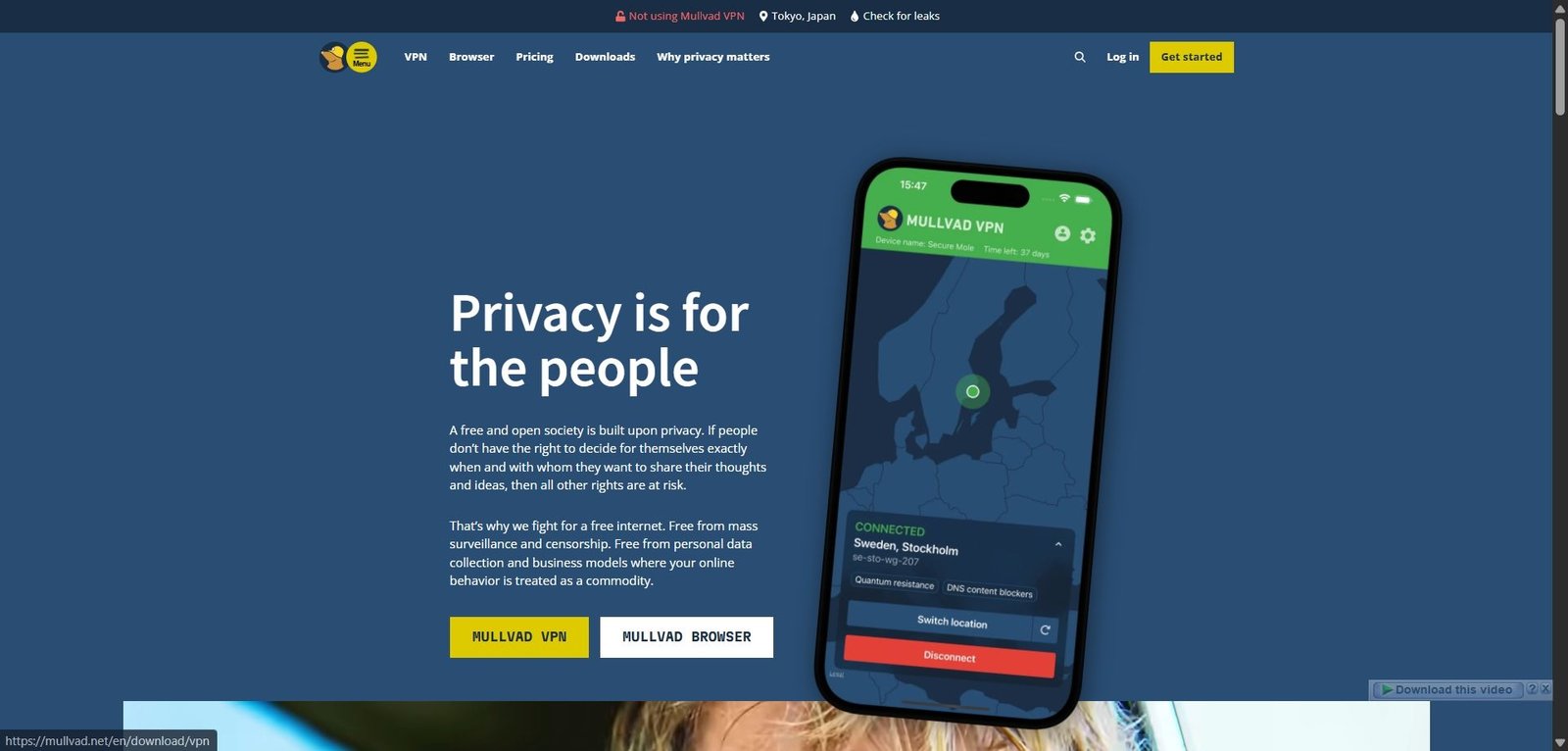
Mullvad VPN is uniquely engineered for users who prioritize privacy and transparency above all else. Registration requires no email address, name, or phone number; instead, Mullvad generates a random 16-digit account number that acts as your sole identifier. Furthermore, Mullvad supports fully anonymous payment methods, including cash sent in an envelope to its Swedish headquarters or privacy cryptocurrencies like Monero (which earns a 10% discount).
Mullvad operates an audited, diskless server network running custom WireGuard implementations designed for maximum speed and minimal latency. Its desktop client includes built-in kill switches, strict IPv6 leak protection, and custom DNS filtering. Unlike competitors that lock users into 2-year or 3-year commitments with dramatic renewal markups, Mullvad maintains a predictable rate structure outlined in Mullvad’s official €5 per month flat-rate pricing.
Real Limitations: In May 2023, Mullvad permanently discontinued port forwarding support across its network to prevent service abuse and law enforcement pressure, as documented in Mullvad’s official removal of port forwarding in 2023. As a result, Mullvad is strictly a download-focused VPN and is poorly suited for dedicated seeders. It also offers no multi-year volume discounts or promotional sales.
- Protocol Support: WireGuard, OpenVPN. Multihop WireGuard routing included natively.
- P2P Infrastructure: P2P allowed across all 700+ owned and rented servers in 40+ countries.
- Pricing & Guarantee: Fixed rate of €5/month (~$5.40 USD) with no contract lock-in. Includes a 14-day money-back guarantee (excluding cash payments).
How to Choose the Right Torrenting VPN for Your Setup
Because different downloading workflows require different feature sets, choosing the right provider depends entirely on how you interact with BitTorrent swarms. The primary decision point comes down to whether your workflow depends on inbound connectability (port forwarding) or straightforward download security.
Branch 1: You Need High Upload Ratios and Active Seeding (Private Trackers)
If you belong to private BitTorrent trackers, maintain a home seedbox, or frequently download niche torrents with low seeder counts, select a VPN that supports native port forwarding. Without an open listening port on the VPN gateway, passive peers behind strict NAT routers cannot connect to you, significantly capping your upload speeds.
- Primary Recommendation: Proton VPN (for simple NAT-PMP port generation via desktop client) or Private Internet Access (for configurable port forwarding on non-US servers).
- Key Workflow Step: Always map the dynamic port supplied by the VPN app directly into your client’s listening port field (e.g., in qBittorrent under Options > Connection > Listening Port), and ensure UPnP/NAT-PMP mapping within the client is toggled to match the VPN’s protocol.
Branch 2: You Need Whole-Household Coverage or Multi-Device Protection
If you run automated download stack software (such as Sonarr, Radarr, or qBittorrent-nox) across multiple local servers while simultaneously securing laptops, phones, and family streaming devices, per-device seat caps become an unnecessary friction point.
- Primary Recommendation: Surfshark or Private Internet Access. Both providers offer unlimited simultaneous connections under a single account.
- Key Workflow Step: Utilize app-level split tunneling to route only your torrent client’s binary through the encrypted tunnel, keeping local network SMB shares and latency-sensitive traffic on your unencrypted local network interface.
Branch 3: You Prioritize Anonymity and Zero Data Footprint Over Features
If your ultimate priority is eliminating all digital paper trails — preventing billing records, email linkability, or long-term subscription tracking — traditional commercial VPN practices may present unacceptable trade-offs. You may also want to review our SOCKS5 proxy versus full VPN tunnel comparison to understand why raw proxies lack the encryption necessary for absolute privacy.
- Primary Recommendation: Mullvad VPN.
- Key Workflow Step: Generate a anonymous account ID, pay via cash or Monero, and rely on Mullvad’s WireGuard configuration files directly within standalone client applications.
Key Takeaways for Torrenting Safely with a VPN
Regardless of which provider you choose, maintaining privacy while torrenting requires applying proper client configurations and operational checks: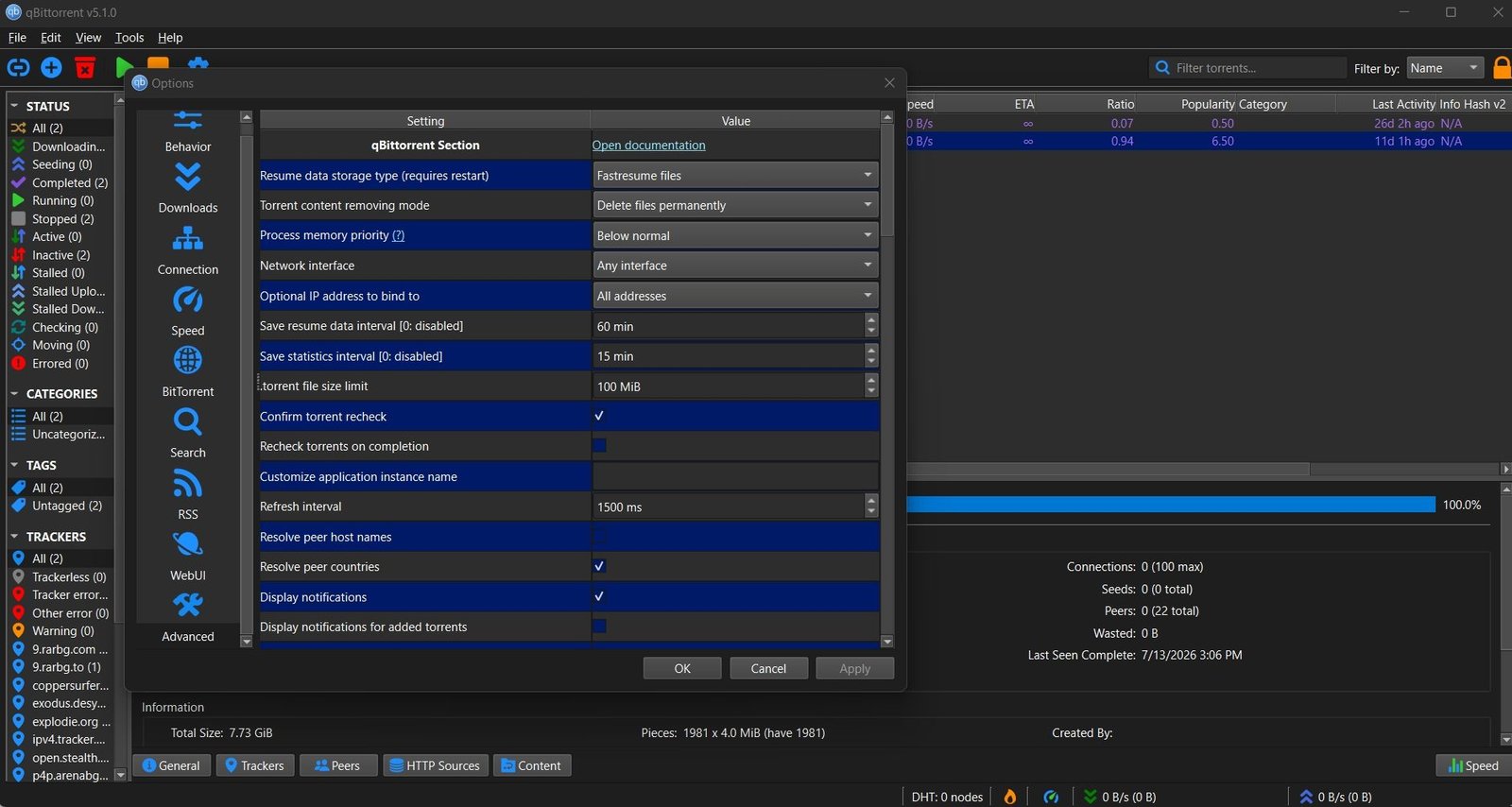
- Bind Your Torrent Client to the VPN Interface: Relying solely on a desktop VPN kill switch is a common point of failure. If the VPN software freezes or crashes, unencrypted packets can bypass the software kill switch. In qBittorrent, navigate to Options > Advanced > Network Interface and bind the client strictly to the VPN adapter (e.g., `NordLynx`, `wgp2p0`, or `tun0`). This guarantees that if the adapter drops, P2P traffic halts instantly at the socket level.
- Enable IP and DNS Leak Protection: Ensure your VPN client blocks IPv6 traffic and forces all DNS queries through encrypted, private DNS resolvers to avoid preventing DNS and IPv6 leaks during P2P transfers.
- Avoid Free VPN Services for P2P: Free VPNs almost universally block P2P traffic, cap monthly bandwidth, inject advertising scripts, or log user browsing histories to monetize bandwidth costs. Proton VPN is one of the few reputable providers offering a free tier, but P2P traffic is intentionally blocked on free servers.
- Verify Active IP Visibility: Before starting any torrent download, check your visible IP address using a torrent-specific tracker tool (such as IPLeak or Torrent Address Check) to confirm that peers in the swarm see your VPN server IP rather than your ISP-assigned IP.
Frequently Asked Questions
How do I verify that my torrent client is actually routing traffic through my VPN and not leaking my real IP?
To verify that your torrent client is fully secured, download a tracking magnet link from a privacy testing site such as ipleak.net or ipmagnet. Add the magnet link to your torrent client while your VPN is connected. The testing tool will display the exact IP address that your torrent client announces to the tracker swarm. If the reported IP matches your VPN server location rather than your actual residential ISP address, your connection is private. For complete safety, bind your torrent client directly to the VPN’s virtual network interface in your client settings.
Why does my torrent download speed drop significantly when connected to a VPN, and how can I fix it?
P2P speed drops on a VPN are typically caused by server congestion, high geographic latency, aggressive CPU encryption overhead, or lack of inbound port forwarding. To restore speeds: switch your protocol to WireGuard (or NordLynx), connect to a P2P-optimized server physically closest to your location, and verify that your local firewall is not throttling UDP traffic. If you are attempting to download torrents with few seeds, switching to a provider that supports active port forwarding (like Proton VPN or PIA) allows passive seeders to connect directly to your client, significantly increasing transfer rates.
Can copyright enforcement agencies see what files I am torrenting if I use a VPN without port forwarding?
No. When connected to a secure VPN, all data moving between your torrent client and the VPN server is encrypted using ciphers like AES-256 or ChaCha20. Copyright monitoring agencies monitor torrent swarms by joining peer lists and recording every public IP address uploading or downloading pieces of a monitored file. When you use a VPN (with or without port forwarding), the agency sees only the IP address of the VPN server, not your home IP address. However, operating without port forwarding may limit the number of peers you can exchange data with, reducing your overall transfer efficiency.

💬 Comments