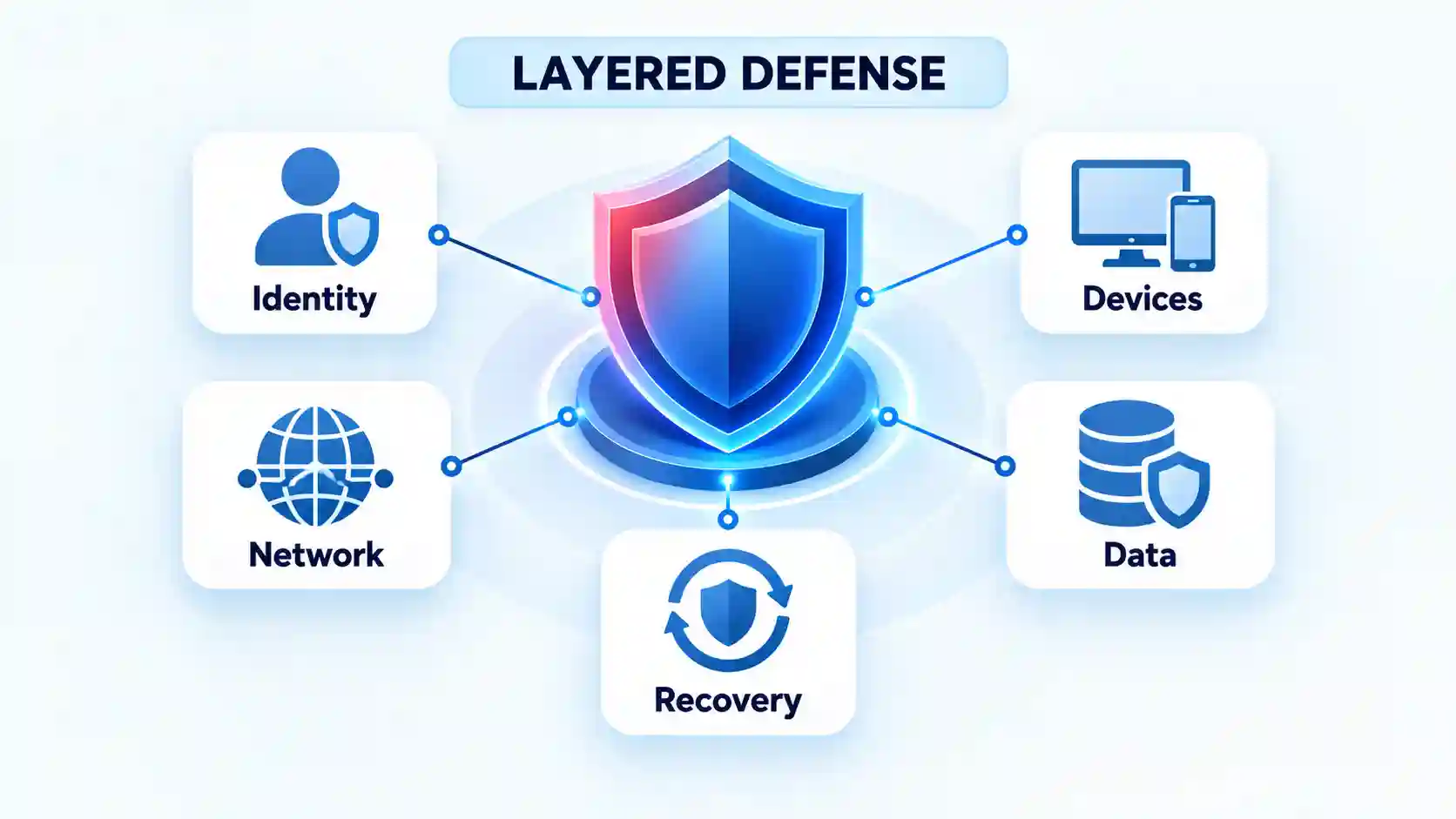
Cybersecurity threats include phishing, malware, ransomware, credential theft, denial-of-service attacks, software exploitation, supply-chain compromise, and insider misuse. Defending against them requires layered controls because no antivirus program, firewall, password, or other single measure can stop every attack path.
Quick Take
Start with the controls that interrupt the widest range of attacks. Use unique passwords stored in a password manager, enable phishing-resistant multifactor authentication where available, install security updates promptly, restrict administrative access, and maintain offline or immutable backups.
- Protect accounts with unique credentials and MFA.
- Keep operating systems, applications, browsers, routers, and security tools updated.
- Limit each user and application to the access they genuinely need.
- Monitor logins, endpoints, networks, and important cloud services for unusual activity.
- Maintain backups that ransomware cannot modify or delete.
- Prepare an incident-response process before an attack occurs.
CISA’s online safety guidance similarly prioritizes phishing awareness, strong passwords, MFA, and software updates. These controls reduce risk, but they must be configured correctly and tested.
Cybersecurity Threats, Vulnerabilities, and Attack Vectors Are Not the Same
Threat versus vulnerability
A cybersecurity threat is something capable of causing harm to a device, account, network, application, or data. A vulnerability is a weakness that makes the harm possible. An attacker is a threat, for example, while an unpatched server or overprivileged account is a vulnerability.
Risk depends on more than the existence of either one. It increases when a capable threat can reach an exploitable weakness and cause a meaningful business or personal impact.
Attack vector versus attack outcome
An attack vector is the route used to reach a target. Phishing emails, exposed remote-access services, malicious downloads, stolen passwords, and compromised software updates are common vectors.
The outcome can be different from the entry method. A phishing message might lead to account takeover, malware installation, fraudulent payment approval, or ransomware. This distinction matters because stopping the email, protecting the account, detecting malicious software, and recovering encrypted data require different controls.
Most attacks affect at least one of three properties: confidentiality, integrity, or availability. Data theft damages confidentiality, unauthorized changes affect integrity, and service disruption affects availability.
The Main Types of Cybersecurity Threats
1. Phishing and social engineering
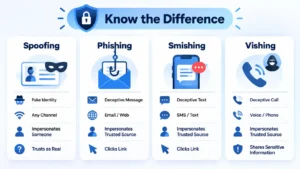
Phishing manipulates someone into revealing information, approving an action, opening a file, or visiting a fraudulent page. Delivery is not limited to email. Attackers also use text messages, phone calls, QR codes, social media accounts, fake support chats, and unexpected MFA prompts.
Warning signs include artificial urgency, unusual payment instructions, a sender domain that differs slightly from the legitimate one, and requests for passwords or security codes. Verify sensitive requests through a separate, trusted channel. Organizations should also provide an easy reporting mechanism, filter suspicious messages, and require stronger authentication for valuable accounts.
Training helps, but it cannot compensate for approval processes that allow one hurried employee to authorize a major payment or disclose sensitive data.
2. Malware
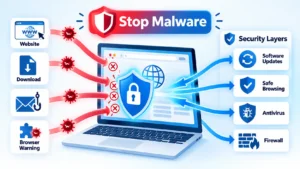
Malware is software designed to perform an unauthorized or harmful action. It includes trojans, spyware, worms, keyloggers, information stealers, bot malware, and destructive programs. It may arrive through a malicious attachment, fake update, compromised website, pirated program, browser extension, or exploited vulnerability.
Use current endpoint protection, application controls, restricted user privileges, safe download policies, and rapid patching. A security suite such as those examined in this endpoint protection review can detect known files and suspicious behavior. It should remain one layer of defense rather than the entire security strategy.
Traditional signature scanning may miss new, modified, or fileless activity. Behavioral monitoring and properly protected logs help detect what initial scanning misses.
3. Ransomware and data extortion
Ransomware can encrypt data, disable systems, steal information, or combine these actions. Some attackers threaten to publish stolen files even when the victim can restore every encrypted system.
Reduce exposure through MFA, network segmentation, prompt patching, restricted administrative privileges, endpoint monitoring, and tested backups. The current CISA ransomware guidance recommends offline, encrypted backups and phishing-resistant MFA, particularly for exposed and important services.
A successful restore proves that data is recoverable. It does not prove that no information was stolen. Organizations must investigate the entry point, affected identities, lateral movement, and possible exfiltration before declaring the incident closed.
4. Password and credential attacks
Credential attacks include brute force, password spraying, credential stuffing, MFA fatigue, password-reset abuse, and theft of authenticated session tokens. Credential stuffing works when attackers take passwords exposed by one service and test them against other accounts.
Use a different password for every account, store credentials in a reputable password manager, rate-limit login attempts, monitor breached credentials, and protect recovery channels. Passkeys or hardware-backed, phishing-resistant MFA provide stronger protection than reusable passwords and SMS codes.
To build a practical credential policy, follow this strong password and password manager guide.
5. Denial-of-service and distributed denial-of-service attacks
A denial-of-service attack attempts to exhaust a system or network resource so legitimate users cannot reach it. A distributed denial-of-service attack, or DDoS attack, sends traffic from many systems, often compromised devices in a botnet.
DNS infrastructure can be targeted directly or abused for traffic amplification, but “DNS attack” is not a precise synonym for every DoS attack. This explanation of a DNS attack sits within the broader denial-of-service context.
Defenses can include rate limiting, content delivery networks, upstream scrubbing, redundant infrastructure, protected DNS services, and escalation procedures with hosting or internet providers. According to CISA’s DoS guidance, service degradation can resemble an ordinary technical failure. Traffic analysis is needed before assuming an outage is malicious.
6. Man-in-the-middle and network interception
A man-in-the-middle attack occurs when an attacker intercepts or alters communication between parties that believe they are communicating directly. Rogue Wi-Fi hotspots, certificate manipulation, compromised routers, session interception, and DNS redirection can enable this activity.
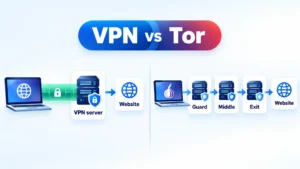
Check the exact network name, take browser certificate warnings seriously, use encrypted services, disable automatic connection to unknown hotspots, and keep network equipment updated. A VPN can reduce local-network exposure in appropriate situations. The steps in this public Wi-Fi security guide explain how to verify a hotspot and configure a device before using it.
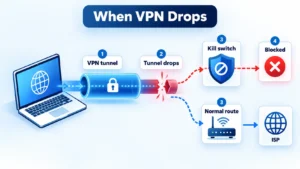
A VPN encrypts the route to the VPN provider. It does not make a fraudulent website legitimate, stop someone from surrendering a password, or remove malware already running on the device.
7. Software vulnerabilities and zero-day exploitation
A software vulnerability is a weakness that may let an attacker execute code, bypass authentication, access data, or disrupt a service. A known vulnerability may remain exploitable because a patch was delayed or an affected asset was overlooked. A zero-day vulnerability is one for which defenders lack an effective fix or had no meaningful opportunity to deploy one when exploitation began.
Maintain an accurate asset inventory, remove unnecessary services, prioritize actively exploited flaws, isolate critical systems, and use behavioral detection. Patching laptops while ignoring routers, virtual appliances, cloud workloads, and internet-facing tools leaves predictable gaps.
8. Web-application and API attacks
Applications can expose data or administrative functions through broken access controls, injection flaws, weak authentication, insecure design, misconfiguration, vulnerable dependencies, and poor logging. These are engineering and configuration problems, so endpoint antivirus alone will not correct them.
The OWASP Top 10:2025 places broken access control, security misconfiguration, software supply-chain failures, cryptographic failures, and injection among the major web-application risks. Defenses include server-side authorization, secure defaults, input handling, dependency management, security testing, and useful application logs.
9. Supply-chain and third-party compromise
A supply-chain attack reaches a target through software, a service provider, a library, an update mechanism, or another trusted business relationship. Because the delivery route is trusted, ordinary allowlists and user caution may not stop it.
Inventory dependencies and integrations, evaluate vendor access, verify signed updates, restrict service accounts, segment sensitive environments, and make third-party credentials easy to revoke. Monitoring should identify unusual activity performed through legitimate tools, not merely block unfamiliar programs.
10. Insider threats and accidental exposure
Insider threats involve authorized access being used in a way that causes harm. The person may act maliciously, make a mistake, have their account compromised, or be manipulated by someone outside the organization.
CISA defines this category broadly in its insider threat framework. Appropriate controls include least privilege, separation of duties, access reviews, protected audit logs, data-loss controls, and clear reporting procedures.
Employee surveillance alone is not a complete solution. Excessive monitoring can create privacy and trust problems while failing to correct overbroad permissions or unsafe workflows.
How Layered Cybersecurity Defense Works
Prevent what can be prevented
Prevention reduces reachable weaknesses and blocks predictable attack paths. It includes secure configuration, MFA, filtering, patching, least privilege, network segmentation, safe software sourcing, and employee training.
Detect what bypasses prevention
Some attacks will evade preventive controls or use legitimate credentials and tools. Detection depends on authentication alerts, endpoint telemetry, network monitoring, application logs, protected audit trails, and clear rules for escalating unusual activity. Collecting logs without reviewing or retaining them does not create meaningful detection.
Respond and recover
An effective response process identifies the affected systems, contains the activity, preserves evidence, revokes exposed credentials, removes persistence, communicates with relevant parties, and restores operations safely. Recovery should include lessons learned and corrective work on the original attack path.
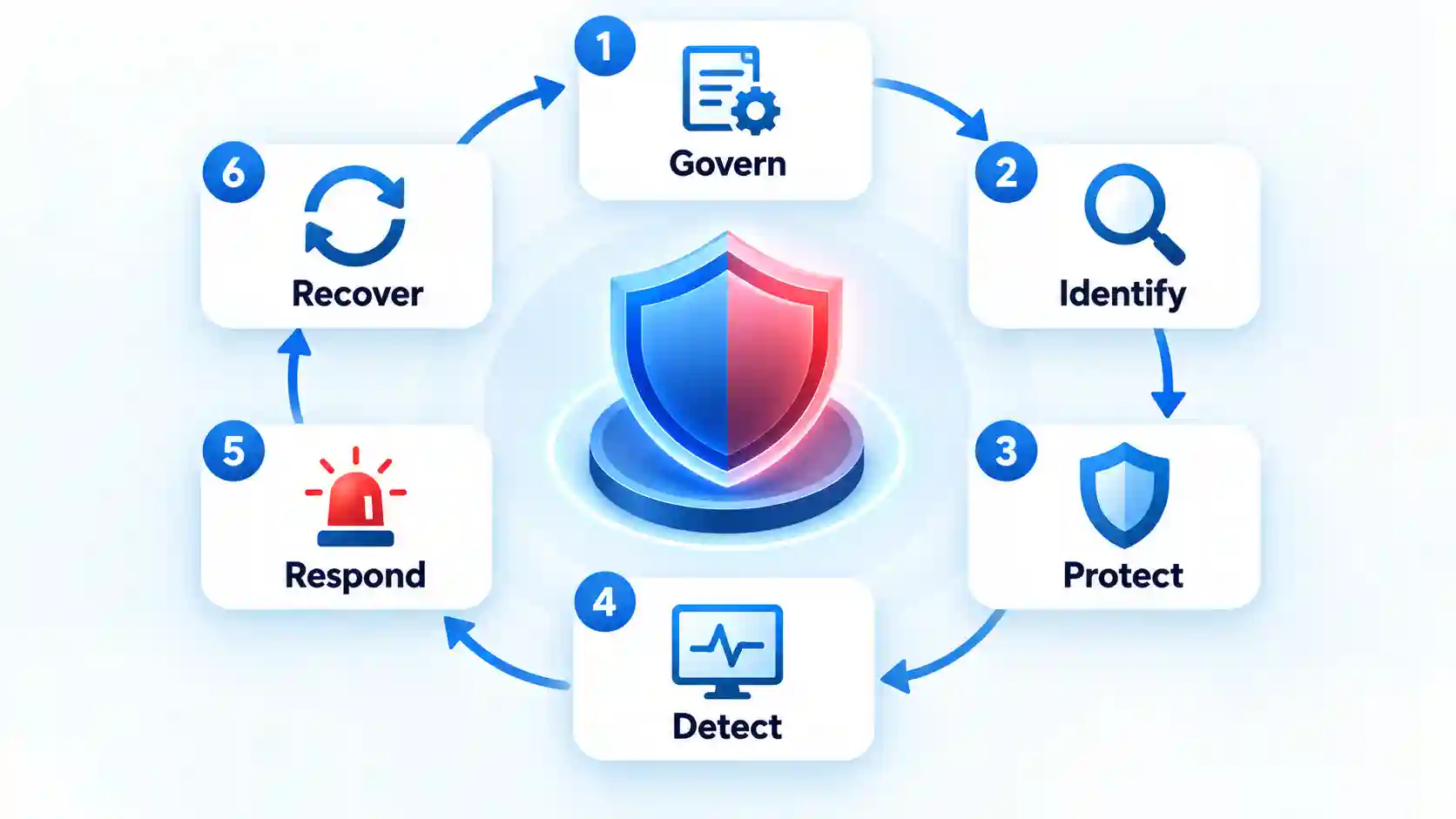
The NIST Cybersecurity Framework 2.0 organizes risk outcomes under Govern, Identify, Protect, Detect, Respond, and Recover. These functions operate together. Recovery planning does not replace prevention, and prevention does not eliminate the need for incident response.
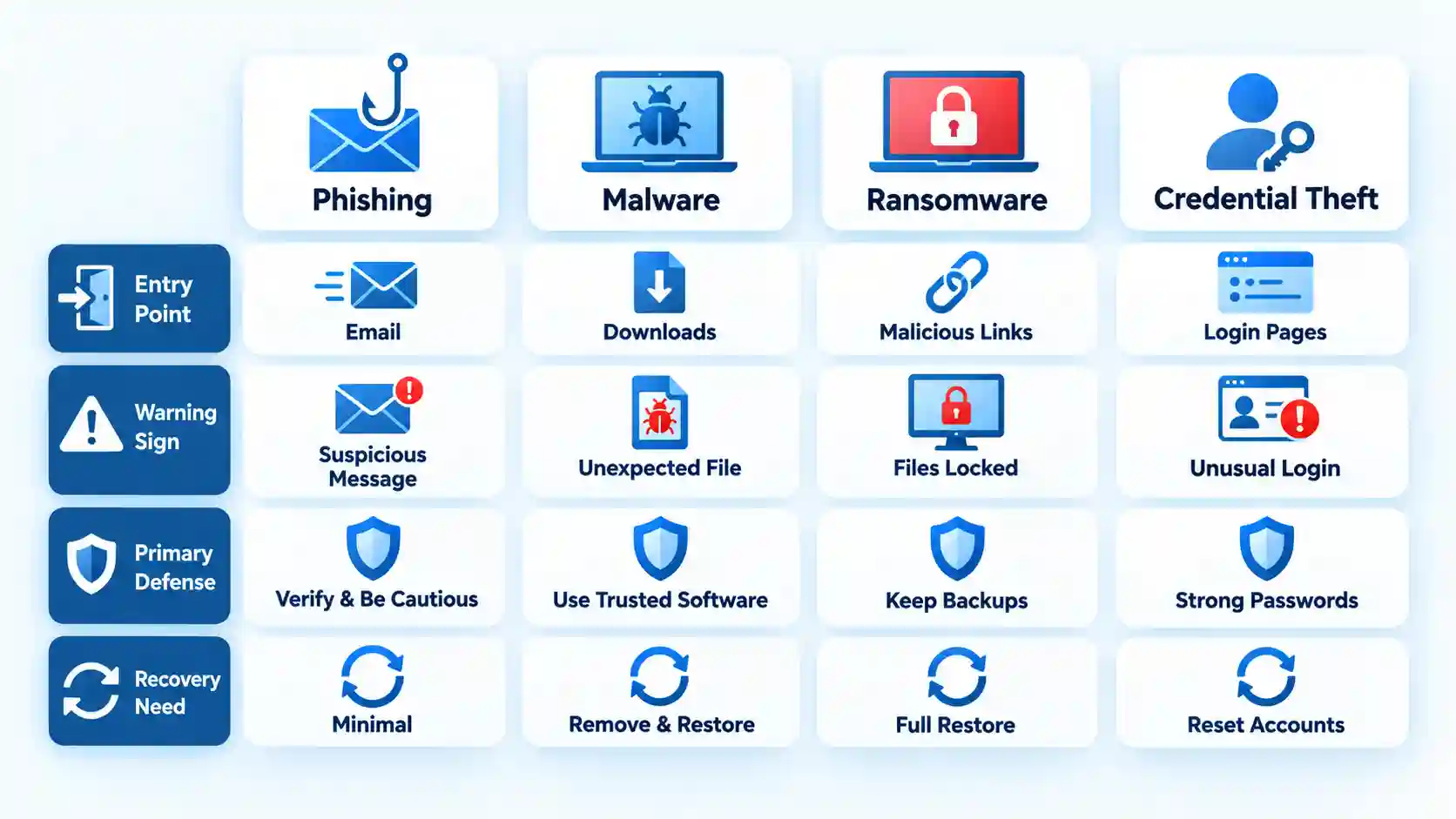
Threat-to-Defense Comparison
| Threat | Typical entry point | Primary target | Useful warning sign | First defensive priority | Recovery requirement |
|---|---|---|---|---|---|
| Phishing | Message, call, QR code, or fake page | People and accounts | Urgent or unusual request | Independent verification and MFA | Revoke sessions and reset exposed credentials |
| Malware | Download, attachment, extension, or exploit | Devices and data | Unknown process or security alert | Endpoint controls and restricted privileges | Isolate, investigate, remove, and restore |
| Ransomware | Phishing, exposed service, or vulnerability | Data and operations | Mass file changes or disabled tools | Segmentation and protected backups | Investigate theft before restoring |
| Credential attack | Reused password, reset abuse, or token theft | Accounts and identities | Unexpected login or MFA prompt | Unique credentials and strong MFA | Revoke tokens, reset access, and review activity |
| DDoS | High-volume distributed traffic | Service availability | Unusual traffic and widespread timeouts | Upstream mitigation and redundancy | Validate service integrity after stabilization |
| Network interception | Rogue network or compromised infrastructure | Sessions and communications | Certificate warning or unexpected redirect | Encryption and network verification | End sessions and rotate exposed credentials |
| Vulnerability exploitation | Unpatched or exposed software | Systems, applications, and data | Unexpected process or access pattern | Asset inventory and rapid remediation | Patch, remove persistence, and assess impact |
| Web or API attack | Application request | Data and business functions | Abnormal requests or authorization failures | Secure design and server-side controls | Fix the flaw and review exposed records |
| Supply-chain compromise | Trusted vendor, update, or dependency | Multiple connected systems | Trusted software behaving unexpectedly | Restricted integrations and dependency control | Revoke vendor access and identify affected assets |
| Insider threat | Authorized access | Data, systems, or operations | Access outside role or normal behavior | Least privilege and separation of duties | Preserve evidence and correct access controls |
Common Cybersecurity Defense Mistakes
Treating compliance as proof of security
Passing an audit does not demonstrate that every important control works against current attack paths.
Forcing frequent password changes while allowing reuse
Predictable variations may be weaker than long, unique passwords managed securely.
Using MFA selectively
Recovery channels, email accounts, administrators, and remote-access systems often need the strongest protection.
Keeping every backup connected
Ransomware may encrypt or delete backups accessible from the compromised environment.
Collecting unreviewed logs
Logs provide little defensive value when nobody can search, interpret, or escalate them.
Ignoring non-computer assets
Routers, appliances, phones, cloud services, APIs, and vendor integrations also require updates and access control.
Depending on one security product
Firewalls and endpoint tools address particular attack paths, not every human, identity, application, and recovery failure.
Skipping exercises
An untested response plan or backup may fail when systems, personnel, and time are under pressure.
For broader personal-security habits, review this guide to staying safe online.
Key Takeaways
- Identify how a threat reaches the target before selecting a defense.
- Protect identities, devices, networks, applications, data, and backups as separate layers.
- Prioritize MFA, unique credentials, prompt updates, least privilege, and tested backups.
- Monitor for malicious activity that preventive controls miss.
- Prepare containment and recovery procedures before an incident occurs.
- Escalate unexpected MFA prompts, certificate warnings, unexplained encryption, suspicious administrator activity, and abnormal service disruption.
Frequently Asked Questions
Can a cyberattack happen without installing malware?
Yes. An attacker may sign in with a stolen password, persuade an employee to approve a payment, exploit an exposed cloud resource, abuse an application permission, or copy publicly accessible data. None of these actions necessarily requires malware on the victim’s device.
What should I do first if I think my computer is under attack?
Disconnect the affected device from wired and wireless networks if doing so will not create a safety risk. Do not continue entering passwords or deleting files. Record visible messages and the time of the event, then contact the responsible security or IT team. Use a separate trusted device to protect important accounts if credentials may have been exposed.
Does multifactor authentication stop every account takeover?
No. MFA greatly reduces risk, but attackers may steal an authenticated session, compromise the recovery process, persuade a user to approve a fraudulent prompt, or operate from an already infected device. Passkeys and hardware-backed authentication resist phishing better than SMS codes and approval prompts, but account monitoring and secure recovery remain necessary.
Can encrypted data still be stolen in a cyberattack?
Yes. Encryption protects data under defined conditions. An attacker who controls an authenticated account or compromised endpoint may access information after it has been decrypted for legitimate use. Stolen encryption keys, weak key management, and unencrypted copies can also defeat the protection.
How often should a business test its cybersecurity defenses?
Testing frequency should reflect risk and the pace of change. Backup restoration, alert escalation, privileged access, exposed services, and incident contacts should be checked on a defined schedule and after material changes. Organizations should also run periodic tabletop exercises so technical and business teams can rehearse decisions before a real incident.

💬 Comments