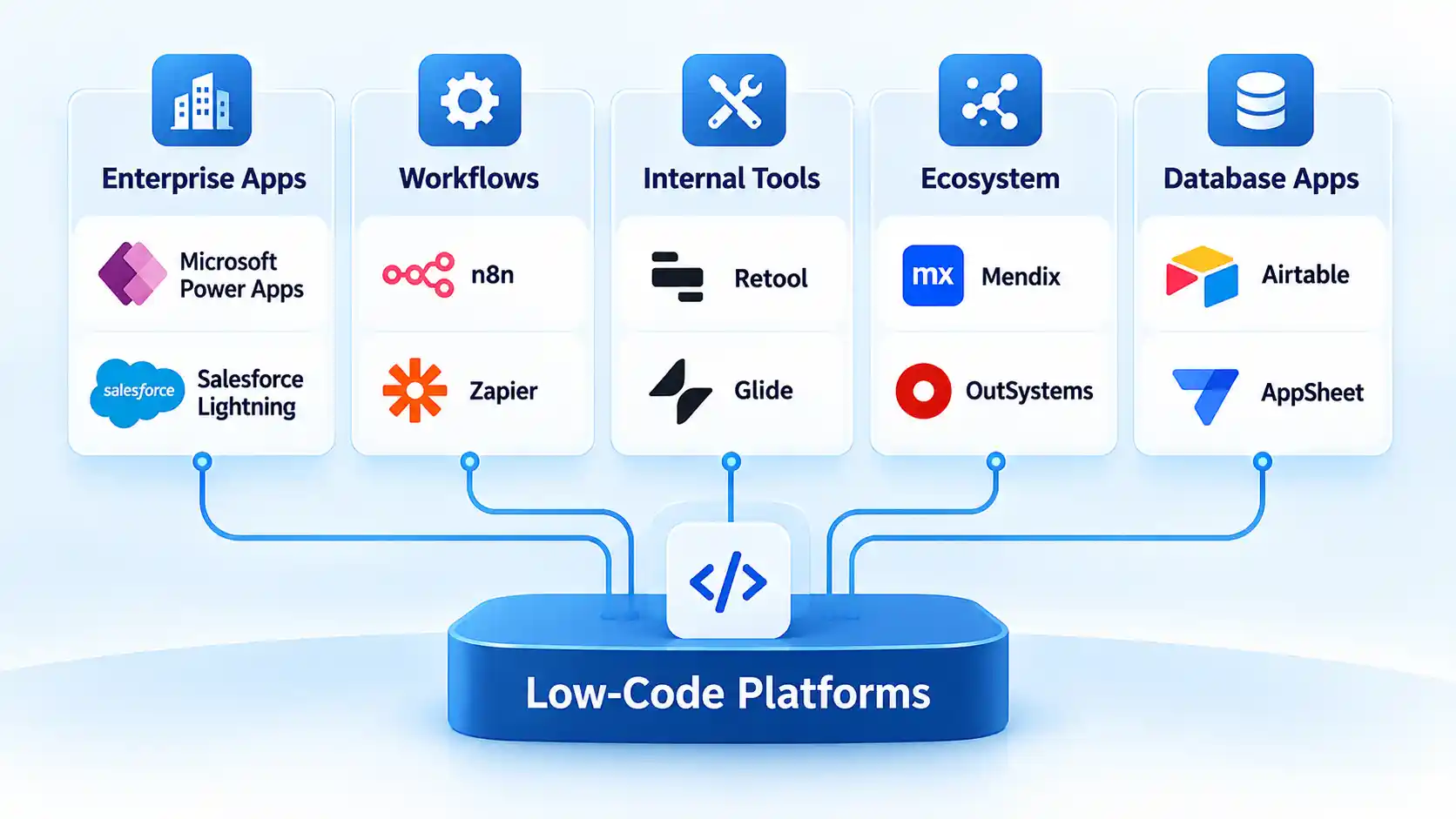
The best low-code development platform depends on what you need to build, who will maintain it, and which systems it must connect to. Microsoft Power Apps is a strong fit for Microsoft-heavy organizations, OutSystems and Mendix suit broader enterprise development, Appian specializes in process-heavy applications, Retool targets internal tools, and Oracle APEX is particularly relevant to Oracle Database environments.
The important point is that these platforms are not interchangeable. A tool designed around enterprise workflow automation solves a different problem from one optimized for internal dashboards or database-centric applications. The list below therefore ranks platforms by their strongest use case rather than pretending that one product is universally best.
Quick Comparison of the Best Low-Code Development Platforms
The table below gives you the fastest way to narrow the field. Start with the type of application you need and your existing technology stack, then investigate governance, integration, deployment, and production licensing before committing.
| Platform | Best for | Typical builder | Pricing approach |
|---|---|---|---|
| Microsoft Power Apps | Microsoft-centric organizations | Business users and professional developers | Free developer environment; production licensing per user and other options |
| OutSystems | Complex enterprise applications | Professional development teams | Commercial platform plans; requirements-based pricing |
| Mendix | Model-driven enterprise development | Mixed business and development teams | Free, Standard, and Premium tiers |
| Appian | Processes and case management | Enterprise developers and process teams | Standard, Advanced, and Premium tiers |
| ServiceNow App Engine | Workflow applications in ServiceNow environments | Citizen and professional developers | Subscription-based; sales-assisted pricing |
| Salesforce Platform | Salesforce-centric business applications | Admins, business builders, and developers | Per-user platform plans |
| Retool | Internal tools and operational applications | Developers and technical teams | Builder and user-based tiers |
| Quickbase | Operational workflows and business-managed apps | Operations teams and business builders | Per-user plans plus platform minimums |
| Zoho Creator | General business applications | Small and midsize business teams | Free and paid per-user tiers |
| Oracle APEX | Oracle Database applications | SQL and Oracle developers | Included with supported Oracle Database editions |
How We Selected These Low-Code Platforms
Low-code development uses visual models, reusable components, configuration, and automation to reduce the amount of hand-written code required for an application. It does not necessarily eliminate programming. Many platforms deliberately provide APIs, scripting, custom components, or conventional code extensions for cases where visual tools are not enough.
This is also why low-code should not automatically be treated as no-code. A citizen developer is a business user who creates applications despite software development not being their primary profession, while professional developers generally need deeper access to code, application programming interfaces (APIs), testing, source control, and deployment processes.
We evaluated the platforms around seven practical criteria: application breadth, integration capabilities, code extensibility, governance, deployment options, production licensing, and the type of builder each platform serves. These criteria matter more than the number of templates in a product demo.
Low-code can reduce repetitive development work, but it does not remove architecture, security, testing, data management, or software-lifecycle responsibilities. Our overview of low-code platforms in the digital workplace provides additional background on where the development model can help organizations.
1. Microsoft Power Apps: Best for Microsoft Environments
Microsoft Power Apps is one of the strongest starting points when an organization already depends heavily on Microsoft 365, Dynamics 365, Azure, Dataverse, or other Microsoft services. It supports visual application development while still providing connectors, custom integrations, automation, and tools for more technical builders.
Microsoft Dataverse provides a managed data layer for Power Apps, while connectors allow applications to work with Microsoft and third-party systems. This makes Power Apps particularly practical for departmental applications such as inspections, approvals, equipment tracking, field operations, and internal request systems.
There is an important difference between experimenting and deploying. Microsoft offers a free Developer Plan for development and testing, while Power Apps Premium pricing is $20 per user per month when paid yearly as of September 10, 2026. Microsoft announced on September 9 that the US list price will rise to $22 per user per month for subscription terms beginning on or after January 1, 2027.
Main limitation: licensing can become more complicated once an application moves beyond a prototype. Model the actual number of users, connectors, environments, Dataverse capacity, and production requirements rather than assuming a free development environment represents production cost.
2. OutSystems: Best for Complex Enterprise Applications
OutSystems targets broader enterprise application delivery rather than simple departmental forms. Its visual development environment covers front-end interfaces, business logic, workflows, data models, APIs, integrations, deployment, monitoring, and application lifecycle management.
A major strength is integration. OutSystems says its platform includes connectors for more than 400 systems and supports REST and SOAP APIs, databases, enterprise applications, and custom connectors. The platform also provides lifecycle, governance, monitoring, and deployment capabilities intended for organizations managing multiple production applications rather than isolated prototypes. Its current enterprise integration documentation describes both prebuilt connectors and custom integration options.
That breadth makes OutSystems a better candidate for customer portals, modernized enterprise systems, workflow-heavy applications, and complex application portfolios than for a small team that needs only a basic form and database.
Main limitation: the breadth that makes OutSystems attractive to enterprises also increases evaluation complexity. Buyers should establish application volume, environments, integration needs, governance requirements, and commercial terms before comparing it with lighter tools.
3. Mendix: Best for Model-Driven Enterprise Development
Mendix uses model-driven development, meaning much of an application’s structure and logic can be expressed through visual models instead of conventional source code alone. It is designed to let business specialists and professional developers contribute at different levels of technical depth.
The platform covers application modeling, collaboration, deployment, reusable components, integrations, and enterprise operations. It is suitable for organizations that want low-code to become a repeatable application-development capability rather than a one-off departmental tool.
Mendix also has unusually useful public pricing for estimating the jump from experimentation to production. Its current pricing page lists a free tier, Standard starting at $1,090 per month for one app, Standard starting at $2,725 per month for an unlimited-app arrangement, and quote-based Premium plans for more demanding systems.
Main limitation: prototype access and serious production deployment are economically different. Features such as higher availability, scaling, dedicated infrastructure, or more advanced enterprise capabilities may push a project into higher tiers.
4. Appian: Best for Process and Case-Management Applications
Appian is particularly strong where the application is inseparable from a business process. Examples include claims handling, onboarding, compliance cases, service requests, investigations, approvals, and other work that moves through defined states, people, documents, rules, and exceptions.
The platform combines low-code application development with process automation, integrations, robotic process automation, data access, portals, mobile applications, case-management capabilities, and AI features. Its data-fabric approach is intended to let applications work across data sources without requiring every system to be replaced first.
Appian’s current platform tiers are Standard, Advanced, and Premium. The feature differences are meaningful: higher tiers expand areas such as data scale, portals, robotic process automation, offline mobile support, case management, autoscaling, and AI capabilities.
Main limitation: Appian makes the most sense when process orchestration is central to the requirement. A team that simply needs a lightweight database interface or internal dashboard may find a narrower platform easier to justify.
5. ServiceNow App Engine: Best for ServiceNow Workflow Applications
ServiceNow App Engine is an especially logical choice when ServiceNow is already a major operational platform inside the organization. App Engine Studio provides a guided low-code environment for building applications from templates or from scratch, with data, user experiences, logic, automation, and security handled within the ServiceNow environment.
The platform’s advantage is context. An organization already running IT, employee, customer, security, or operational workflows in ServiceNow can extend those processes without introducing a completely separate application environment.
ServiceNow describes App Engine Studio as a low-code environment for developers of different skill levels, with templates, visual workflows, third-party connections, and enterprise governance. Its 2026 documentation also distinguishes citizen-developer tools from the broader professional-development environment.
Main limitation: ecosystem fit is the deciding factor. If your organization has little or no ServiceNow footprint, the platform loses one of its strongest architectural advantages.
6. Salesforce Platform: Best for Salesforce-Centric Applications
Salesforce Platform is a strong low-code option when applications revolve around data and processes already living in Salesforce. Lightning App Builder provides point-and-click page construction, while Salesforce’s wider platform adds custom objects, process automation, reports, APIs, AppExchange components, and conventional development options where required.
A practical example is a partner-management application that needs custom records, Salesforce customer data, approval workflows, dashboards, and mobile access. Building within the existing Salesforce security and data model can be simpler than creating a separate application and continuously synchronizing the two systems.
Current Salesforce Platform pricing lists Platform Starter at $25 per user per month and Platform Plus at $100 per user per month when billed annually. Both include Lightning App Builder, while the tiers differ in areas such as custom-object allowances and wider platform capabilities.
Main limitation: the value proposition is much stronger when Salesforce is already a core system. Do not choose it simply because it supports drag-and-drop development.
7. Retool: Best for Internal Tools and Engineering Teams
Retool approaches low-code from a more developer-oriented direction. Instead of hiding technical systems completely, it helps developers assemble interfaces, queries, workflows, integrations, mobile experiences, and operational tools around databases, APIs, and services they already control.
This makes it well suited to internal admin panels, customer-support consoles, approval tools, operations dashboards, inventory interfaces, data-review systems, and similar applications that employees use to interact with existing back-end systems.
Its 2026 cloud pricing illustrates the model clearly: the Free tier supports small-scale exploration, Team is priced separately for builders and internal users, Business adds stronger permissions, auditing, portals, and additional controls, while Enterprise adds options such as SSO, SCIM provisioning, source control, self-hosting, and more extensive governance.
Main limitation: Retool’s developer-first approach is not automatically the best fit for broad citizen-development programs. It is particularly compelling when technical teams already understand the databases and APIs underneath the application.
8. Quickbase: Best for Operational Workflows
Quickbase focuses on operational applications that sit between spreadsheets and fully custom software. Teams can build data-driven applications, dashboards, reports, forms, automations, and workflows without constructing the entire software stack themselves.
This works well for project operations, field processes, asset tracking, work requests, portfolio management, and other cases where information currently moves through spreadsheets, email, and disconnected departmental tools.
As of September 2026, Quickbase lists Team starting at $35 per user per month and Business at $55 per user per month when priced annually. However, those seat prices do not tell the complete story because Quickbase explicitly states that a platform minimum applies. Business also adds features including single sign-on, SCIM provisioning, sandbox capabilities, and expanded governance options.
Main limitation: calculate the commercial model from the actual proposed deployment. Multiplying the advertised seat price by the number of expected users can produce an inaccurate estimate when platform minimums or alternative usage models apply.
9. Zoho Creator: Best for General Business Applications
Zoho Creator is a flexible option for organizations that need custom business applications without the enterprise scope of platforms such as OutSystems or Mendix. Applications can combine forms, reports, pages, workflows, approvals, integrations, mobile interfaces, and custom logic.
The platform also provides Deluge, Zoho’s scripting language, so teams can move beyond purely visual configuration when a workflow requires custom business logic. Higher tiers expand capabilities such as data limits, integrations, custom connectors, development environments, portals, cloud functions, and administrative controls.
A small or midsize organization could use Creator for inventory management, service requests, inspections, approvals, customer portals, or internal data collection while deploying the same application across web and mobile interfaces.
Main limitation: evaluate required record volumes, external calls, connectors, portal users, developer environments, and advanced integrations. The feature differences between plans matter more than the existence of a low starting tier.
10. Oracle APEX: Best for Oracle Database Applications
Oracle APEX takes a distinctly database-centric approach. It is a declarative application platform included with supported editions of Oracle Database and is particularly useful when the application’s data and business logic already live in the Oracle ecosystem.
Developers can create browser-based applications around Oracle data while still using SQL, PL/SQL, REST services, JavaScript, and other extensions when required. This makes APEX less about replacing database development and more about accelerating the application layer around it.
Oracle states that APEX has no separate license fee when used with supported Oracle Database editions and does not impose separate APEX limits on the number of applications, developers, or end users. Infrastructure and Oracle Database costs can still apply depending on where and how the system is deployed.
Main limitation: its strongest advantage is also its clearest boundary. An organization with no Oracle Database footprint should compare the total architecture with more database-neutral platforms rather than choosing APEX solely because the development layer itself has no additional license fee.
How to Choose the Right Low-Code Development Platform
The fastest way to make a poor choice is to start with vendor feature lists. Start with the application instead. A polished demonstration can make almost any low-code environment look easy because it removes the integration problems, security requirements, production traffic, organizational controls, and awkward edge cases that appear later.
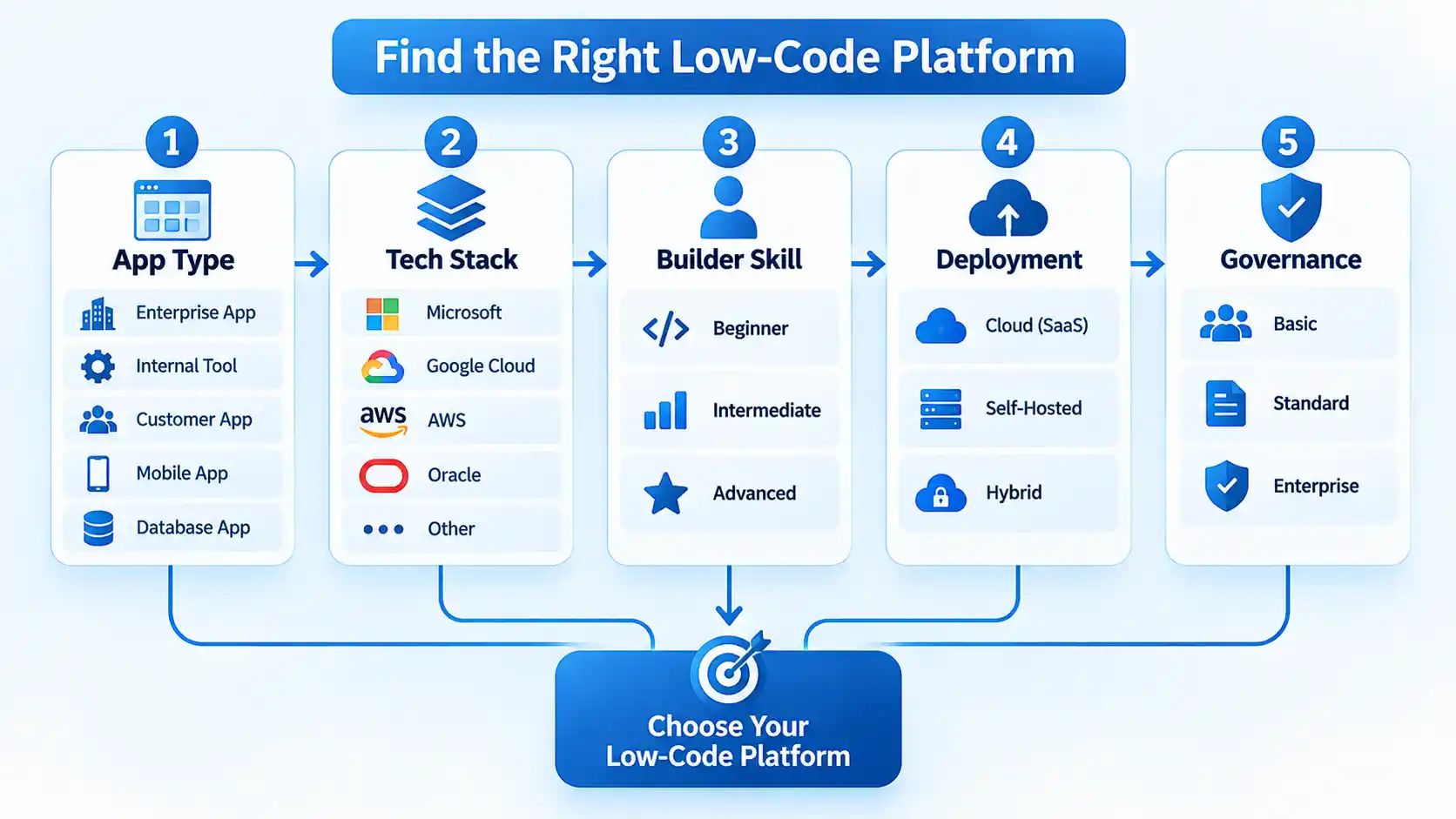
- Define the type of application.
Decide whether you are building an internal operational tool, a customer-facing application, a workflow system, a case-management application, or a data-centric application. This immediately eliminates platforms optimized for a different workload. - Map the systems the application must reach.
List databases, enterprise resource planning systems, customer relationship management platforms, identity providers, cloud services, APIs, files, and legacy applications. A connector only has value if it supports the authentication, data volume, operations, and reliability your use case requires. - Identify who will build and maintain it.
A citizen-development program has different requirements from a professional engineering team. Business users may prioritize templates and visual workflows, while developers may need source control, reusable modules, APIs, custom code, automated testing, and continuous integration and continuous delivery (CI/CD). - Check the escape hatches.
Determine what happens when the visual environment cannot express a requirement. Look for supported custom code, APIs, custom components, database access, scripting, and extension mechanisms rather than assuming every edge case can be handled visually. - Evaluate governance before rollout.
Check role-based access, single sign-on, audit logs, environment separation, approvals, application ownership, data policies, backups, monitoring, and deployment controls. Citizen development without governance can replace one software backlog with dozens of unmanaged applications. - Model production pricing.
Separate builder licenses from application users, external users, environments, data capacity, workflow executions, premium connectors, platform minimums, infrastructure, and support. A free prototype can become an expensive production application once hundreds of employees need access. - Test how you deploy, operate, and eventually leave.
Understand versioning, rollback, environment promotion, observability, data export, APIs, generated artifacts, proprietary runtime dependencies, and migration options before the platform becomes embedded in core operations.
Our broader checklist of questions to ask before committing to new software is relevant here because low-code adoption is still a software purchasing and architecture decision, not merely a faster way to draw application screens.
For larger teams, development workflow matters as well. Source control, testing, deployment automation, monitoring, and ownership remain relevant even when less code is written manually. These concepts are covered separately in our explanation of DevOps practices.
Limitations of Low-Code Platforms
Low-code changes where engineering work happens; it does not make software complexity disappear. Before standardizing on a platform, account for the following limitations.
Licensing Can Grow Faster Than the Prototype
A free development environment or inexpensive starter plan is useful for proving an idea, but production may involve hundreds of internal users, external portal users, premium integrations, multiple environments, extra data capacity, or enterprise security features. Compare total deployment cost rather than the cheapest advertised plan.
Vendor Dependency Can Become Architectural Dependency
Applications may depend on a vendor’s proprietary workflow model, UI components, runtime, database abstractions, security model, or deployment system. Even when data can be exported, rebuilding application behavior elsewhere can still require substantial work.
The practical issue is not whether vendor dependency exists, because virtually every platform creates some dependency. The useful question is how difficult it would be to move data, business rules, integrations, and user interfaces if commercial or technical requirements change. A deeper examination of low-code vendor lock-in helps frame portability around data, runtime dependencies, APIs, and generated code rather than treating lock-in as a simple yes-or-no property.
Visual Development Still Has Technical Limits
Complex algorithms, unusual user interfaces, high-volume integrations, specialized security controls, and strict performance requirements may exceed what a visual builder handles cleanly. Professional developers should determine early whether the platform provides a supported code-level extension path.
Citizen Development Needs Governance
Giving more employees the ability to create applications can reduce a central development backlog, but it can also create duplicated systems, inconsistent data handling, orphaned applications, excessive permissions, and undocumented business logic. Organizations need ownership rules and lifecycle controls alongside the builder.
Low-Code and No-Code Are Not the Same Buying Decision
The terms overlap, but the evaluation changes when developers need to extend the application with APIs, scripts, components, or conventional code.
Which Low-Code Platform Should You Choose?
If your organization already operates heavily inside Microsoft services, Power Apps deserves an early evaluation. Salesforce and ServiceNow offer a similar ecosystem advantage when the application revolves around those platforms.
OutSystems and Mendix make more sense when low-code is intended to support a broader portfolio of serious enterprise applications. Appian is particularly strong where complex processes, cases, documents, people, and automation need to be orchestrated together.
Retool is attractive when developers need to build internal operational software quickly on top of APIs and databases they already control. Quickbase and Zoho Creator address a more business-oriented range of operational applications, while Oracle APEX is difficult to ignore when Oracle Database is already the foundation of the system.
For enterprise buyers comparing the largest general-purpose candidates, Power Apps vs OutSystems vs Mendix comparison should examine ecosystem fit, extensibility, deployment, governance, and licensing rather than awarding a winner from feature counts alone.
Key Takeaways
- There is no universally best low-code platform; workload and ecosystem fit matter more than headline feature counts.
- Power Apps is particularly relevant to Microsoft-heavy organizations, while Salesforce and ServiceNow gain similar advantages inside their own ecosystems.
- OutSystems and Mendix are stronger candidates when low-code must support broad enterprise application portfolios.
- Appian stands out for process-heavy and case-management scenarios, while Retool is geared toward technical teams building internal tools.
- Oracle APEX is especially compelling for applications already centered on Oracle Database.
- Production licensing, governance, integrations, deployment, extensibility, and migration risk should be evaluated before a proof of concept becomes operational software.
Frequently Asked Questions
Which low-code platform is best for professional developers?
There is no single answer. OutSystems and Mendix provide broad enterprise application-development environments, while Retool is particularly developer-oriented for internal applications and Oracle APEX gives SQL and Oracle developers a low-code layer around database applications. Professional teams should compare APIs, custom-code options, source control, testing, deployment, reusable components, and observability rather than judging a platform only by its visual editor.
Can low-code platforms build customer-facing applications?
Yes, but the capability varies substantially. Some platforms support customer-facing web and mobile applications, external portals, authentication, and large user populations, while others are primarily optimized for employees and internal workflows. Check external-user licensing, authentication, branding, performance, accessibility, traffic limits, deployment architecture, and public-facing security requirements before choosing a platform.
Is low-code suitable for mission-critical enterprise software?
It can be, provided the selected platform meets the application’s architecture and operational requirements. Mission-critical systems require appropriate availability, scaling, testing, security, auditability, disaster recovery, monitoring, change control, and support regardless of whether their logic was written manually or modeled visually. The low-code label by itself says little about whether a specific application is production-ready.
Do low-code platforms replace software developers?
No. They automate or abstract parts of software construction, but requirements analysis, architecture, security, integration, data modeling, testing, debugging, operations, and difficult edge cases still require technical judgment. Low-code can shift developers toward higher-level problems and can allow non-developers to handle suitable applications, but it does not remove engineering responsibility.
Can you migrate an application away from a low-code platform?
Usually some parts can be moved more easily than others. Data may be exportable and integrations may already use standard APIs, but user interfaces, workflows, permissions, proprietary components, and runtime behavior may depend on the original platform. Before adopting a platform for important systems, document the data-export process, API boundaries, custom code, external dependencies, and what would have to be rebuilt elsewhere.

💬 Comments