Digital staging in real estate is the process of using 3D rendering software, artificial intelligence, or graphic design tools to insert photorealistic furniture, decor, and architectural updates into digital photos of vacant or outdated properties. By giving prospective buyers an accurate visualization of a home’s potential without physical furniture moving, digital staging increases online listing engagement while reducing staging expenses by over 90 percent compared to traditional physical staging.
Quick Take
Essential Highlights for Real Estate Professionals:
- Extreme Cost Efficiency: Digital staging costs $20 to $100 per photo as a one-time fee, compared to traditional physical home staging, which ranges from $2,800 to $7,800 upfront plus recurring monthly furniture rental fees.
- Rapid Turnaround: Full-service digital renders are typically delivered within 12 to 48 hours, whereas physical staging requires several days to coordinate movers, designers, and inventory.
- 2026 MLS & Legal Compliance: MLS rules and state disclosures (such as California AB 723) require visible “Virtually Staged” watermarks or captions. Removing permanent structural defects, power lines, or adjacent commercial buildings violates NAR Code of Ethics Article 12.
- High-ROI Target Rooms: Focus digital staging budgets on the living room, primary bedroom, and kitchen/dining area, which drive over 80 percent of buyer visualization decisions online.
What Is Digital Staging in Real Estate?
Digital staging—frequently referred to as virtual home staging—replaces or supplements traditional interior design by editing high-resolution digital photographs of real estate listings. Rather than hauling physical tables, sofas, and artwork into a vacant property, graphic artists and automated rendering algorithms apply precise 3D spatial CAD geometry to project furniture into existing photo frames.
Unlike basic image filters or decorative photo overlays, modern virtual home staging platforms utilize perspective matching, dynamic shadow synthesis, and realistic light ray tracing. Advanced digital staging artists evaluate the light source direction in the raw photograph (such as natural sunlight entering through a south-facing window) and model realistic shadows under virtual coffee tables and sofas to match the ambient room conditions.
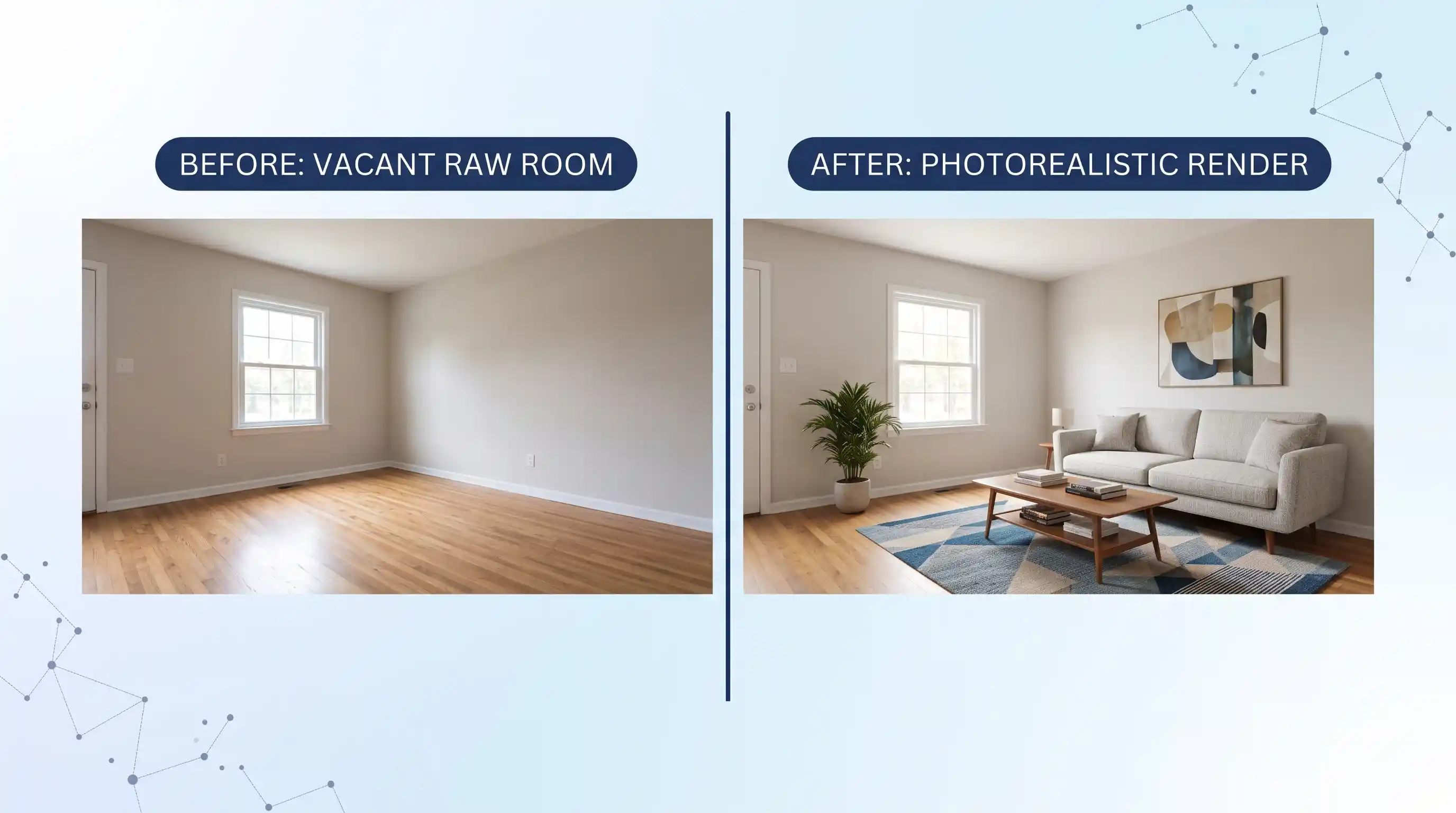
Real estate agents working with high-end properties or unique architectural layouts often review professional virtual staging portfolio standards to assess how well graphic rendering teams handle complex room proportions, ceiling angles, and floor reflections. Digital staging encompasses several distinct graphic capabilities:
- Vacant Room Furnishing: Inserting 3D furniture, rugs, window treatments, and artwork into completely empty rooms.
- Digital Decluttering & Virtual Item Removal: Erasure of tenant belongings, outdated furniture, boxes, or personal clutter from living spaces while preserving the background wall and floor textures.
- Virtual Renovation & Redesign: Digitally altering paint colors, replacing worn carpeting with hardwood flooring, modernizing kitchen cabinetry, or updating lighting fixtures to show full renovation potential.
- Virtual Twilight Conversions: Converting photos taken in harsh midday sunlight into warm, golden-hour exterior evening shots with glowing window illumination.
For additional strategies on taking clean baseline images that yield photorealistic renders, review our dedicated guide on real estate photography preparation tips.
Digital vs. Physical Staging: Cost & Buyer Psychology Comparison
The core commercial advantage of digital staging lies in its dramatic cost savings and logistical simplicity. Traditional physical staging requires an initial interior design consultation, delivery truck logistics, installation labor, and ongoing monthly rental fees for furniture inventory. If a listing remains on the market for several months, physical staging rental costs can accumulate rapidly.
By contrast, digital staging is a flat, one-time per-image expense. Once the digital assets are rendered, the staged images remain available indefinitely for use across the Multiple Listing Service (MLS), social media marketing, real estate portals, and printed property brochures.
| Feature / Metric | Traditional Physical Staging | Automated AI Staging Apps | Full-Service Digital Staging |
|---|---|---|---|
| Upfront Cost | $2,800 – $7,800 | $3 – $15 per image | $20 – $75 per image |
| Recurring Monthly Fees | $1,500 – $4,000 / month | $0 (One-time or subscription) | $0 (One-time fee) |
| Turnaround Speed | 3 to 7 business days | 30 seconds to 5 minutes | 12 to 48 hours |
| In-Person Home Viewing Impact | High (Furniture present in physical room) | None (Physical room remains vacant) | None (Physical room remains vacant) |
| Photorealism & Scale Accuracy | 100% real physical furniture | Moderate (Risk of scale warping & floating legs) | High (Human graphic designer quality control) |
| Design Customization | Limited to warehouse inventory | Selected via automated style filters | Unlimited access to 3D design catalogs |
While physical staging provides an undeniable sensory experience during in-person open houses, current buyer search behavior prioritizes digital discovery. Over 90 percent of home buyers initiate their search online, where property photos serve as the primary filter. Utilizing digital staging allows listing agents to maximize click-through rates and capture buyer interest on real estate portals without incurring heavy physical rental liabilities. Agents seeking to optimize their overall tech stack can evaluate options calculated in our comprehensive virtual staging cost calculator analysis alongside broader essential real estate technology tools.
Service Tiers: AI Apps vs. Professional Staging Agencies
The virtual staging software ecosystem has expanded into two primary categories: fully automated mobile AI applications and professional graphic design agency services. Choosing the right tier depends on the listing price point, marketing timeline, and technical quality standards required.
1. Self-Service AI Staging Applications ($3 – $15 per photo)
Automated platforms allow users to upload raw photos and select an interior design theme (such as Modern, Scandinavian, or Farmhouse). Computer vision algorithms scan room boundaries and insert 3D objects automatically within minutes. While cost-effective for lower-tier listings or quick rental ads, AI generators frequently suffer from scale distortion—such as sofas appearing floating above flooring or coffee tables scaled disproportionately large relative to doorways.
2. Full-Service Professional Designer Rendering ($20 – $75 per photo)
Full-service staging companies employ experienced interior graphic designers who manually align perspective grids, adjust drop shadows, and calibrate color balance. According to price benchmarks published in industry pricing evaluations across top virtual staging providers, leading custom firms charge between $24 and $75 per render, including formal revision rounds within 12 to 48 hours. Human oversight ensures that furniture dimensions accurately match realistic floor dimensions and structural boundaries.
For mid-to-luxury property listings ($500,000+), full-service rendering remains the industry standard because inaccurate item proportions or floating decor immediately erode listing credibility. Agents exploring interactive media formats should also consider pairing digital staging with virtual home tour software solutions to create immersive 3D walkthroughs.
Technical Workflow: Preparing Property Photos for Photorealistic Renders
The visual quality of a virtually staged photo depends heavily on the technical execution of the original baseline photograph. Subpar lighting, improper camera angles, or heavy lens distortion in the source file will cause rendered 3D furniture to look synthetic or unnatural. Follow this structured photography workflow before submitting files for rendering:
- Calibrate Camera Height and Lens Focal Length: Position the camera tripod between 50 and 54 inches from the floor (approximately chest height). Use a wide-angle lens with a focal length of 16mm to 24mm on a full-frame sensor. Avoid extreme ultra-wide fisheye lenses (under 12mm), which warp room corners and distort perspective grids during 3D modeling.
- Maximize Ambient Indoor Lighting: Turn on all interior overhead lights, lamps, and accent light fixtures to eliminate dark shadows. Open window blinds fully to allow natural daylight to enter, but balance interior exposure so windows do not blowout to solid white.
- Execute Physical Room Decluttering: Clear out smaller portable items such as wastebaskets, floor cords, refrigerator magnets, and personal framed photos before taking the photo. Eliminating minor clutter manually yields cleaner digital renders than paying for complex digital removal.
- Capture High-Resolution Source Files: Shoot in RAW format or export high-resolution JPEGs with a minimum resolution width of 1920 pixels (preferably 3000+ pixels wide at 300 DPI) to ensure 3D rendering engines have sufficient pixel density for shadow texture blending.
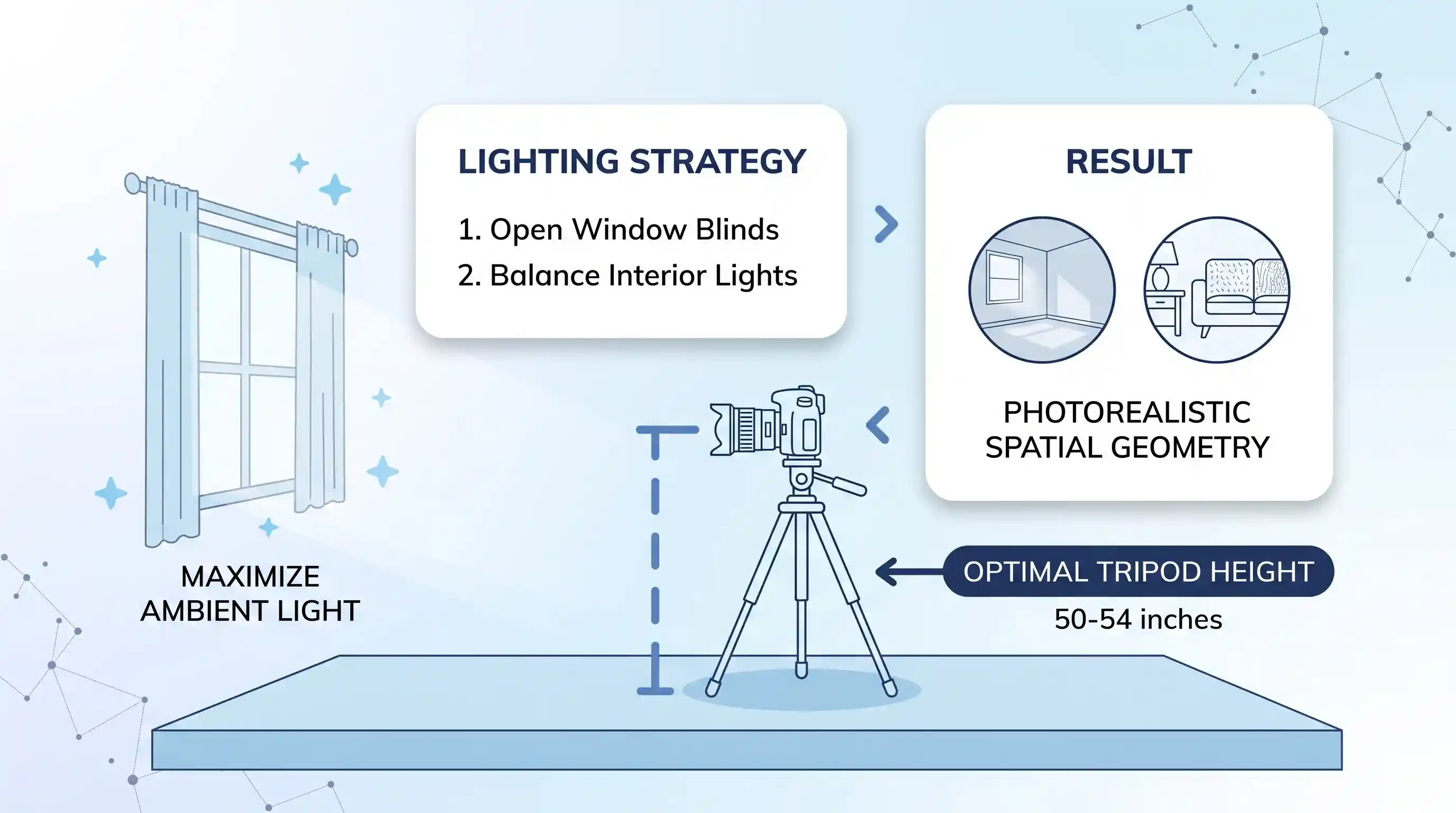
Consistently prioritizing high-impact spaces—specifically the primary living room, primary bedroom suite, and kitchen/dining space—ensures maximum visual appeal where buyers focus their evaluation, as highlighted in practical home staging visualization guidelines.
MLS Compliance, Ethics & Legal Disclosures
While digital staging is a legal and effective marketing tool, misrepresenting property condition or structural realities carries significant legal liability. Industry regulators and local MLS boards enforce strict disclosure rules to ensure digital alterations do not mislead buyers.
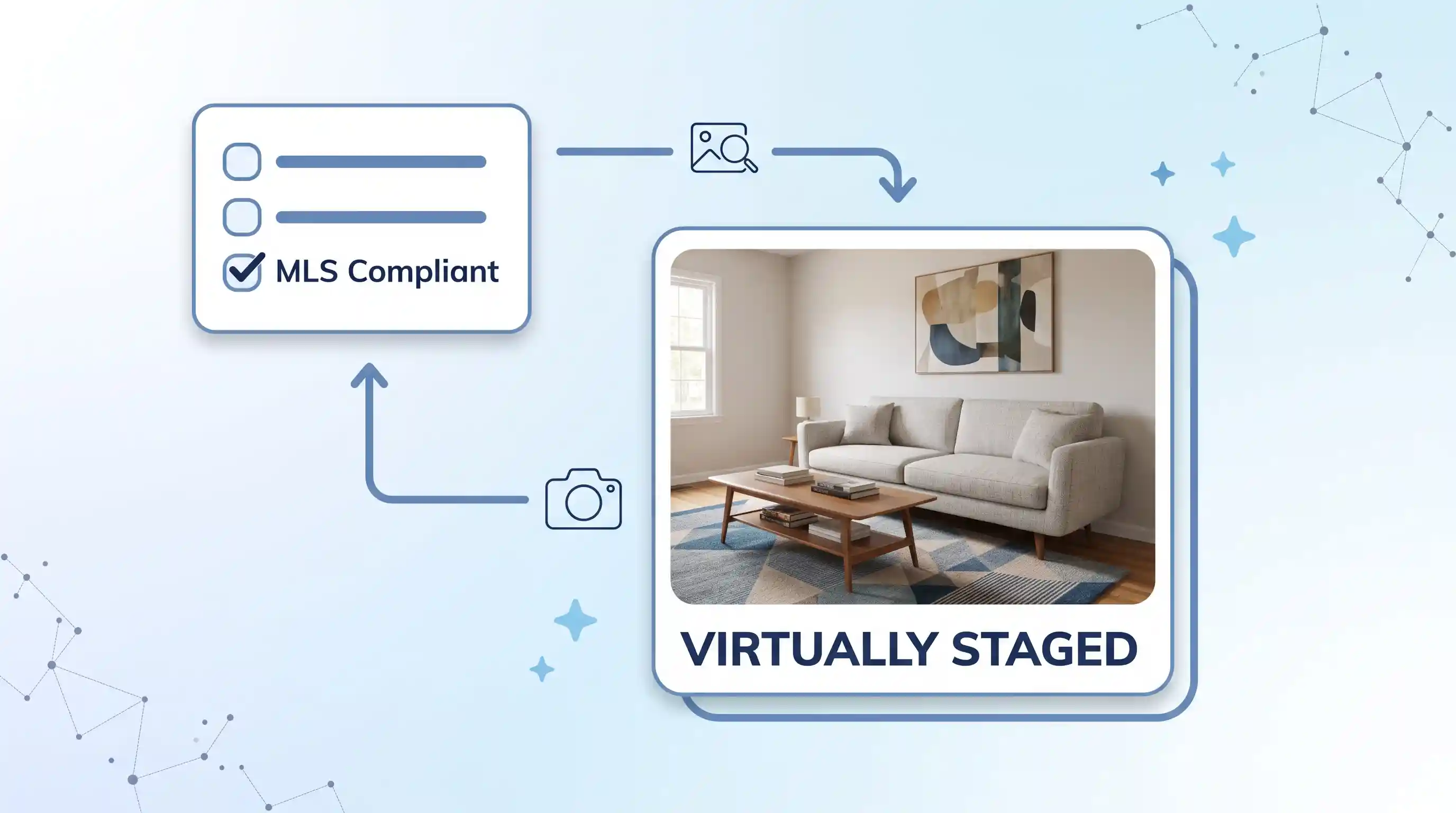
To remain compliant with 2026 regulations, agents must adhere to three core ethical and legal standards:
- Mandatory Photo Labeling and Watermarking: State legislation (such as California AB 723) and local MLS regulations require all digitally modified images to display clear, visible text overlays or watermarks reading “Virtually Staged,” “Digitally Altered,” or “Virtual Furniture Included.” This text must be positioned legibly on the image itself, not buried exclusively in private agent notes.
- Strict Prohibition Against Structural Alterations: Under Article 12 of the National Association of Realtors (NAR) Code of Ethics, real estate professionals must present a true picture in their advertising. Graphic editors must never digitally remove permanent structural defects, water stains, cracked plaster, power lines, adjacent commercial buildings, or easements. Removing permanent flaws constitutes fraudulent misrepresentation.
- Original Raw Photo Inclusion on MLS: Best practice dictates uploading the original, un-edited vacant room photo immediately adjacent to the virtually staged version within the MLS media gallery. This allows prospective buyers to toggle seamlessly between the staged vision and the actual physical reality.
Brokers looking to protect their agency against compliance citations should review local MLS listing rules or consult our guide on MLS listing compliance and optimization.
Where Digital Staging Has Limits
Despite its versatility, digital staging is not a universal solution for every real estate sales scenario. Understanding its boundaries prevents disappointed buyers during in-person walkthroughs:
- The In-Person Viewing Gap: When prospective buyers step inside a vacant property after viewing photorealistic staged photos online, they may experience an initial psychological disconnect. To bridge this gap, listing agents should display printed, high-resolution color signboards of the digitally staged renders on easels inside the physical rooms.
- Severe Property Rehabilitation Needs: If a property requires significant structural repairs or complete floor replacement, basic furniture overlays cannot conceal major distress. In such cases, full architectural digital renovation or traditional physical staging paired with contractor bids is recommended.
Key Takeaways
- Digital staging offers a 90% cost savings over traditional staging, delivering rendered marketing photos for $20 to $100 per image versus thousands in physical rental expenses.
- Full-service professional rendering provides superior photorealism, perspective alignment, and lighting maps compared to automated AI staging apps.
- Always label digitally staged images with explicit watermarks (“Virtually Staged”) and keep original vacant photos in the MLS listing to comply with California AB 723 and NAR ethics rules.
- Never use digital editing software to erase permanent property defects, structural damage, or unfavorable surrounding environmental features.
- Display printed boards of virtually staged renders inside vacant rooms during open houses to maintain emotional engagement during physical showings.
Frequently Asked Questions
How much does virtual staging cost per image in 2026?
In 2026, self-service automated AI staging apps cost between $3 and $15 per image. Full-service professional design agencies charge between $20 and $75 per image, depending on turnaround speed, resolution, and revision options. Complex virtual renovations or exterior twilight conversions typically range from $75 to $150 per photo.
Do virtually staged photos violate MLS rules?
Virtually staged photos do not violate MLS rules provided they are properly labeled and do not hide permanent physical defects. MLS guidelines require visible captions or watermarks on the photo (e.g., “Virtually Staged”) and prohibit removing structural flaws, power lines, or neighboring structures. Detailed compliance requirements are monitored by real estate publishers such as DMR Media in their virtual staging guidelines.
Which rooms are most important to virtually stage first?
The living room is the single most critical space to stage, followed by the primary bedroom and the dining/kitchen area. These three core spaces drive over 80 percent of buyer engagement online. Secondary bedrooms, hallways, and bathrooms can usually remain unstaged without negatively impacting click-through rates.
What is the standard turnaround time for digital staging?
Automated AI staging tools generate renders in 30 seconds to 5 minutes. Professional human-edited rendering services deliver finalized high-resolution photos within 12 to 48 hours. Express 12-hour turnaround options are frequently available for urgent weekend listing launches.

Great article! Thanks