The five car technologies worth prioritizing are automatic emergency braking, useful lane assistance, blind-spot and rear-cross-traffic detection, capable parking and reversing aids, and reliable smartphone integration. The first four can improve safety or situational awareness, while the fifth can make navigation, calls, audio, and everyday driving easier to manage.
Quick Take: What Car Technology Is Actually Worth Paying For?
Car technology is easiest to evaluate when you ignore package names and ask three questions: What problem does the feature solve, does it warn you or actively intervene, and does it work well enough that you will actually use it?
That distinction matters because manufacturers often group several functions under branded names such as a “driver assist” or “safety” package. Two vehicles with similarly named packages may provide different capabilities.
For example, forward collision warning can alert you to a developing crash, while automatic emergency braking can apply the brakes. Lane departure warning can tell you that the car is drifting, while lane keeping assistance can add steering input.
The NHTSA technology guide separates these features into warning, collision-intervention, and driving-control categories. That is a more useful way to compare vehicles than relying on marketing names.
When choosing between trims, prioritize systems that address meaningful driving risks first. Then compare their usability, adjustability, independent test performance, repair implications, and any subscription requirements.
How These Five Car Technologies Were Prioritized
A useful feature does not need to be futuristic. It needs to solve a frequent or serious problem without creating more distraction or frustration than it removes.
The five categories below were selected using four practical criteria:
- Safety value: Can the system help prevent a collision, reduce its severity, or reveal a hazard that is difficult to see?
- Frequency of use: Will the feature matter regularly rather than only in rare situations?
- Independent evidence: Is there regulator guidance, crash research, or independent testing supporting the technology?
- Ownership practicality: Is the system understandable, tolerable in daily driving, and reasonably straightforward to maintain?
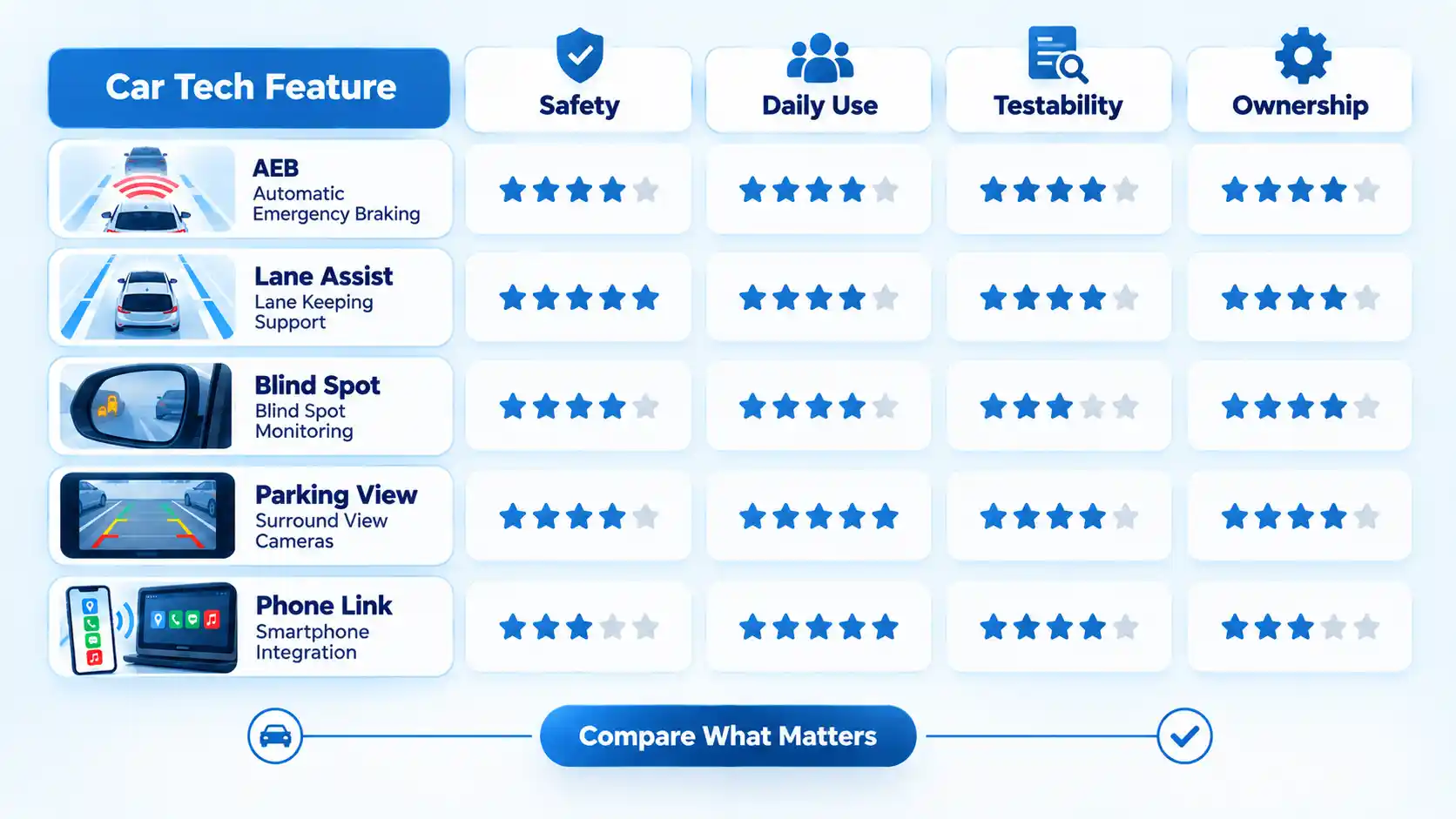
Equipment presence alone is not enough. Independent test organizations increasingly evaluate how crash-prevention systems perform in harder scenarios instead of merely checking whether the feature exists. IIHS, for example, uses more demanding vehicle-to-vehicle scenarios in its current front crash prevention testing.
That makes model-specific performance worth checking when two vehicles appear equally equipped on paper.
1. Forward Collision Warning and Automatic Emergency Braking
If safety is the main priority, front crash prevention deserves to be near the top of the list.
Forward collision warning, or FCW, monitors for a developing frontal collision and alerts the driver. Automatic emergency braking, or AEB, goes further by applying the brakes automatically when the system determines that a collision is imminent.
Pedestrian automatic emergency braking, usually shortened to PAEB, extends that concept to pedestrians detected in the vehicle’s path.
According to NHTSA, FCW is a warning technology, while AEB and pedestrian AEB are intervention technologies. That distinction is important because a car advertised as having “collision warning” may not necessarily provide automatic braking.
The safety case is supported by real-world research. An IIHS study found that vehicles with FCW plus AEB had substantially lower rates of rear-end striking crashes than comparable vehicles without those systems. The same research found a smaller reduction for FCW alone, reinforcing the value of automatic intervention rather than warning alone. See the IIHS crash study for the study design and results.
Pedestrian AEB also has documented benefits, although its effectiveness is not identical in every environment. IIHS research found lower pedestrian crash risk overall for vehicles equipped with the technology, while also identifying conditions in which effectiveness was not established. Those findings are a reminder that AEB should be treated as a backup, not permission to reduce attention or following distance.

Federal rules also show how central AEB has become. Current 49 CFR 571.127 requires covered passenger cars and light vehicles manufactured on or after September 1, 2029 to meet specified AEB and forward-collision-warning requirements, with a later compliance date for certain small-volume and final-stage manufacturers and alterers.
That rule does not mean every 2026 vehicle already has identical AEB capability. Buyers still need to check the exact trim and system specification.
How to verify AEB on a car you are considering
- Read the equipment list: Look specifically for automatic emergency braking and pedestrian detection rather than assuming a collision-warning package includes both.
- Check independent testing: Compare the exact model year and trim when ratings are available.
- Review the settings: Some vehicles allow adjustment of warning timing or sensitivity.
- Ask about sensors: Find out where the forward camera or radar is located and whether repairs may require calibration.
- Do not deliberately trigger it: Never drive toward another vehicle, pedestrian, wall, or obstacle to test AEB yourself.
What can limit the system?
Camera visibility, radar obstruction, weather, lighting, vehicle speed, road geometry, and the type of object ahead can affect performance. The owner’s manual should explain conditions in which the system may be limited or unavailable.
2. Lane Departure Warning, Lane Keeping Assist, and Lane Centering
Lane technologies are often bundled together, but they do not all do the same job.
Lane departure warning, or LDW, monitors the vehicle’s position relative to lane markings and alerts you when the vehicle appears to be drifting out of the lane.
Lane keeping assistance, or LKA, adds corrective input. NHTSA describes it as a system that can steer gently to help prevent an unintended lane departure.
Lane centering assistance is more continuous. Rather than responding mainly when the vehicle approaches the edge of the lane, it continually provides steering input intended to keep the vehicle near the center.
This difference becomes important when comparing trims. A specification that lists “lane warning” does not necessarily mean the vehicle can provide active centering.
The technologies can be particularly useful during long highway journeys, but they are still assistance systems. NHTSA states that drivers remain responsible for steering, braking, accelerating, and monitoring the road when using consumer-available Level 0, Level 1, and Level 2 assistance features.
What to look for on a test drive
Choose a normal, well-marked road where the system can be used safely. Observe whether the steering assistance feels predictable and whether alerts are clear without becoming distracting.
Useful questions include:
- Can you adjust the warning sensitivity?
- Does the system provide only a warning, corrective steering, or continuous centering?
- How clearly does the vehicle indicate when lane assistance is active or unavailable?
- Does it require frequent reactivation after restarting the car?
- Can you temporarily override it with normal steering input?
Do not intentionally drift toward traffic, barriers, or the road edge to see what the system will do.
Where lane assistance can struggle
Poorly painted lane markings, road construction, unusual lane geometry, glare, weather, and sharply curving roads can make lane detection more difficult.
Driver acceptance matters too. A theoretically capable system has less value if its warnings or steering corrections are irritating enough that the owner routinely switches it off.
A more detailed comparison of adaptive cruise control versus lane centering is useful because one primarily manages following speed while the other manages lateral position.
3. Blind Spot Warning and Rear Cross-Traffic Alert
Blind-spot systems help with hazards that may be difficult to see in mirrors during lane changes.
NHTSA describes blind spot warning as a system that alerts the driver when a vehicle is detected in the blind spot. Some vehicles go further with blind spot intervention, which may apply braking or steering input if the driver begins moving toward an occupied adjacent lane.
Those are different capabilities, so check which one the vehicle actually has.
Blind-spot warning also has real-world crash evidence behind it. IIHS research has associated the technology with lower rates of police-reported lane-change crashes in studied vehicles.
Rear cross-traffic alert addresses a different problem. It warns about traffic approaching from the side while the vehicle is reversing, including traffic that may fall outside the backup camera’s visible area.

Imagine reversing from a parking space between two tall SUVs. The backup camera can show what is directly behind you, but its view to the left and right may be restricted. Rear cross-traffic sensors can provide an additional warning about an approaching vehicle.
How to evaluate the system
- Check indicator placement: Mirror-mounted lights should be visible in daylight without being excessively bright at night.
- Listen to the alerts: Make sure you can distinguish a blind-spot warning from parking or lane alerts.
- Confirm intervention capability: Do not assume a warning system can steer or brake.
- Ask about trailers: If you tow, confirm how the system behaves with a trailer connected.
- Keep visual checks: Mirrors and shoulder checks remain necessary even when the warning is active.
Fast-moving motorcycles, unusual approach angles, blocked sensors, trailers, and crowded environments can all complicate detection. Read the model-specific manual rather than assuming every radar-based system has the same detection range.
4. Backup Camera, Parking Sensors, and Rear Automatic Braking
A backup camera is no longer a premium differentiator on newer U.S. vehicles. Rear visibility requirements apply to covered vehicles under 10,000 pounds manufactured on or after May 1, 2018.
The original rear visibility rule established requirements intended to improve the driver’s view of the area directly behind the vehicle.
The more useful question for a buyer today is how good the reversing system is and what additional assistance accompanies it.
Parking sensors use proximity detection to warn you as the vehicle approaches an object. Rear cross-traffic alert looks laterally for moving traffic. Rear automatic braking can intervene by applying the brakes if the vehicle detects an imminent collision while reversing.
A 360-degree or surround-view camera combines feeds from multiple cameras to create a composite view around the vehicle. It can make tight parking easier, but it should not be treated as a substitute for checking the surroundings directly.
IIHS evaluates several of these technologies in its rear crash prevention ratings, with rear automatic braking carrying particular weight because research has found stronger crash-reduction benefits.
What to inspect before buying
- Camera clarity: Check whether signs, curb edges, people, and low objects are easy to identify.
- Low-light visibility: A large screen is not useful if the camera becomes muddy and indistinct at night.
- Guidelines: Dynamic lines that change with steering angle can make trajectory easier to judge.
- Sensor coverage: Make sure the audible warning corresponds sensibly to the object’s distance and direction.
- Lens position: Consider whether the camera is exposed to road grime, rain, snow, or mud.
Backup cameras have limits. NHTSA specifically warns that they are not a replacement for mirrors or physically checking behind the vehicle.
5. Apple CarPlay and Android Auto
The first four categories focus mainly on crash avoidance and awareness. Smartphone integration is different. Its main value is everyday usability.
Apple CarPlay and Android Auto allow compatible phone functions to appear on a vehicle’s display, reducing the need to learn an entirely separate interface for basic navigation, calls, audio, and messaging.
Apple says CarPlay supports functions including directions, calls, messages, and music through a compatible vehicle interface.
Google’s Android Auto guidance similarly describes navigation, communication, and media functions on compatible car displays.
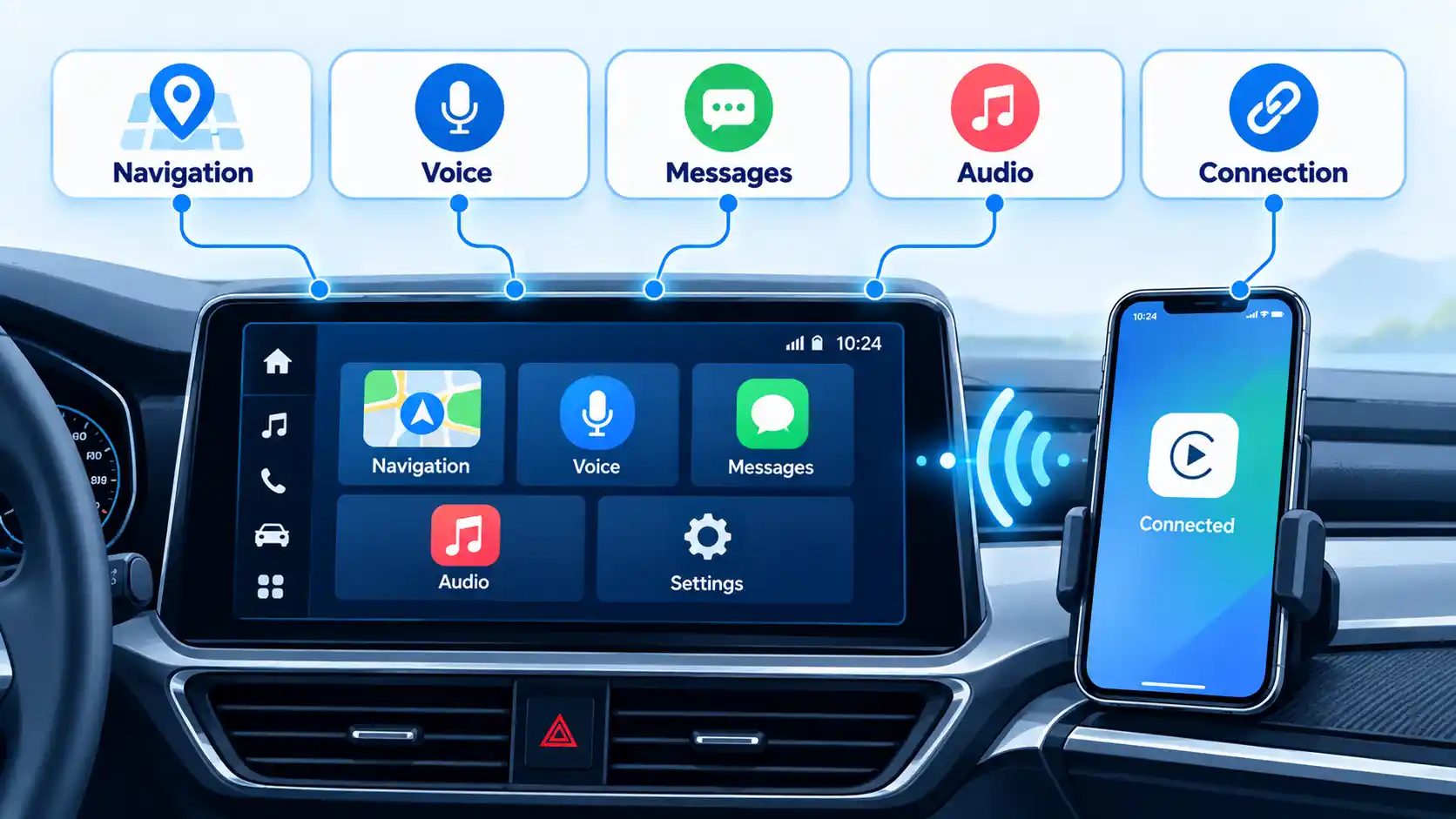
Compatibility should still be tested rather than assumed.
Bring your phone to the test drive
Connect the phone you actually use. Then try the tasks you perform regularly:
- Start navigation to a destination.
- Make a hands-free call.
- Play audio from your preferred app.
- Reconnect after turning the vehicle off and back on.
- Check whether the connection is wired, wireless, or both.
Wireless operation is convenient, but it can increase phone battery consumption. Check whether the car also offers adequate wired charging, USB-C power, or wireless charging.
Pay attention to the interface as well. A responsive system that reconnects reliably is generally more useful than a feature-rich setup that frequently drops the phone connection.
Car Technology Comparison: What Each Feature Actually Does
The table below separates each technology by its primary job. This makes it easier to distinguish systems that only warn you from systems that can actively intervene.
| Technology | Primary function | Warning or intervention? | Best practical use | What to verify | Main limitation |
|---|---|---|---|---|---|
| FCW + AEB | Detects a developing frontal collision and may brake automatically | Warning plus intervention | Rear-end and certain pedestrian crash scenarios | Exact AEB capability, pedestrian detection, independent ratings | Performance varies with conditions and system design |
| LDW + LKA / lane centering | Detects lane position and may add steering support | Warning or steering assistance | Highway lane management | Whether the system warns, corrects, or continuously centers | Depends on visible lanes and road conditions |
| Blind spot + rear cross traffic | Detects adjacent or crossing vehicles that may be hard to see | Usually warning; some systems intervene | Lane changes and reversing from parking spaces | Indicator clarity, intervention capability, rear coverage | Detection range and conditions vary |
| Backup camera + parking aids | Improves rear visibility and proximity awareness | Visual warning, audible warning, or braking | Parking and low-speed reversing | Night image, guidelines, sensors, rear braking | Camera view can be obstructed or incomplete |
| CarPlay / Android Auto | Integrates navigation, communications, and media from a phone | Convenience interface | Daily navigation and connected functions | Your phone, cable, wireless connection, charging | Compatibility and connection quality vary by vehicle |
The key distinction is that a warning does not equal intervention. A vehicle can have an impressive list of alerts while providing little automatic assistance, so the equipment description needs to be read carefully.
How to Test Car Technology Without Taking Risks
A useful test drive should evaluate how the systems behave without deliberately creating hazardous situations.
- Get the exact trim-level equipment list.
Confirm which features are standard and which belong to an option package. - Identify warning versus intervention systems.
Ask whether each technology only alerts the driver or can also brake or steer. - Pair your own phone.
Check CarPlay or Android Auto using your normal apps rather than relying on a showroom demonstration phone. - Drive on an ordinary marked route. Observe lane-assistance behavior during normal driving without intentionally drifting from the lane.
- Inspect the reversing view.
Check image clarity, parking-sensor behavior, guidelines, and the surround-view system if fitted. - Review the settings menu.
Look for warning timing, sensitivity, volume, and driver-assistance status indicators. - Check independent ratings.
Feature presence does not guarantee equal performance across models. - Ask about long-term ownership.
Find out whether cameras or radar require calibration after certain repairs and whether connected features carry subscription fees.
Before choosing a trim for your next car, compare the exact equipment list against the systems you actually tested rather than relying on the package name alone.
If you are buying used, a used-car ADAS inspection can also help identify damaged sensors, warning lights, calibration issues, or previously repaired areas before purchase.
Repair and Calibration Costs Are Part of the Decision
Driver-assistance hardware is often integrated into areas that can be affected by ordinary repairs.
A forward-facing camera may be mounted near the windshield. Radar modules may sit behind the grille or bumper. Parking and blind-spot sensors can be integrated into bumpers or rear body panels.
If one of those areas is replaced, moved, or repaired, some vehicles may require inspection or calibration before the driver-assistance system can operate as intended.
IIHS has documented the growing repair and calibration implications surrounding advanced driver assistance systems.
The exact procedure varies by manufacturer and vehicle. Do not assume that every windshield or bumper repair requires the same service.
For a vehicle you intend to keep for several years, ask three questions:
- Which cameras, radar units, or sensors are installed?
- What repairs can trigger a calibration procedure?
- Can qualified independent repair facilities perform that calibration, or is specialized equipment required?
A detailed guide to ADAS calibration after windshield replacement can help explain why some seemingly simple glass repairs involve additional driver-assistance checks.
Features Worth Considering After the Core Five
Once the main safety and usability priorities are covered, several secondary technologies may still be worth paying for depending on your driving.
Adaptive cruise control
Adaptive cruise control automatically changes vehicle speed to maintain a preset following gap. It can make long highway journeys less tiring, but braking and acceleration smoothness vary considerably between systems.
Rear automatic braking
If it is not already included with the parking package, rear automatic braking deserves consideration because it can intervene rather than merely warn when a reversing collision is imminent.
Head-up display
A head-up display can place speed, navigation, or assistance information closer to the driver’s normal line of sight. Its usefulness depends heavily on layout and visibility.
Remote start
Remote start is valuable in very hot or cold climates, but determine whether it works from the key fob or requires an app and paid connected-service plan.
Over-the-air updates
Software updates can fix bugs or add functionality without a dealer visit. Ask what portions of the vehicle can actually be updated remotely and whether update policies continue throughout the expected ownership period.
Key Takeaways
- Prioritize technologies that help prevent or mitigate crashes before paying for novelty features.
- Automatic emergency braking provides more capability than forward collision warning alone because it can intervene.
- Lane departure warning, lane keeping assistance, and lane centering are separate functions.
- Blind-spot warning and rear cross-traffic alert solve different visibility problems.
- A backup camera is the baseline. Camera quality, parking sensors, surround view, and rear automatic braking are the differentiators.
- Test CarPlay or Android Auto with the phone you actually own.
- Independent testing, repair requirements, calibration, and subscriptions matter alongside the feature list.
- None of these systems removes the driver’s responsibility to watch the road and control the vehicle.
FAQ
Is automatic emergency braking standard on every new car in 2026?
No. Many 2026 vehicles include automatic emergency braking, but the current federal requirement in 49 CFR 571.127 applies to covered vehicles manufactured on or after September 1, 2029, with later treatment for certain small-volume and final-stage manufacturers and alterers. Check the exact model and trim rather than assuming every new vehicle already complies with the future requirement.
Is lane centering the same as lane keeping assist?
No. Lane keeping assistance typically responds when a vehicle is approaching or leaving the edge of its lane. Lane centering provides more continuous steering assistance intended to keep the vehicle closer to the middle of the lane. Manufacturers sometimes use different marketing names, so compare the described function rather than the badge.
Can replacing a windshield affect driver-assistance systems?
It can. Some vehicles mount a forward-facing camera near the windshield, and certain glass replacements may require inspection or camera calibration. The requirement depends on the vehicle and repair procedure, so follow the manufacturer’s service information rather than assuming every replacement is identical.
Is a 360-degree camera better than parking sensors?
They solve different problems. A surround-view camera helps you see the vehicle’s position relative to curbs, lines, and nearby objects, while parking sensors provide proximity warnings even when you are not looking directly at the display. A vehicle with both can provide more information than either system alone.
Do Apple CarPlay and Android Auto always work wirelessly?
No. Some vehicles support wireless integration, others require a cable, and some support both. Compatibility can also vary by phone and model year, so connect your own phone before buying.
Do driver-assistance features make a car self-driving?
No. Features such as AEB, lane keeping assistance, adaptive cruise control, and lane centering assist the driver within limited conditions. NHTSA states that drivers remain responsible for monitoring and controlling consumer vehicles using Level 0, Level 1, and Level 2 assistance technologies.

💬 Comments