The most useful tools and apps for students are those that automate lecture note synthesis, optimize long-term memory retention through active recall, and eliminate time-management overhead. Instead of accumulating dozens of single-purpose utilities, college students achieve the highest academic performance by pairing a primary workspace like Notion, an AI audio transcription engine like Otter.ai, an active recall system like Anki, and a calendar-based focus manager like Google Calendar and Forest.
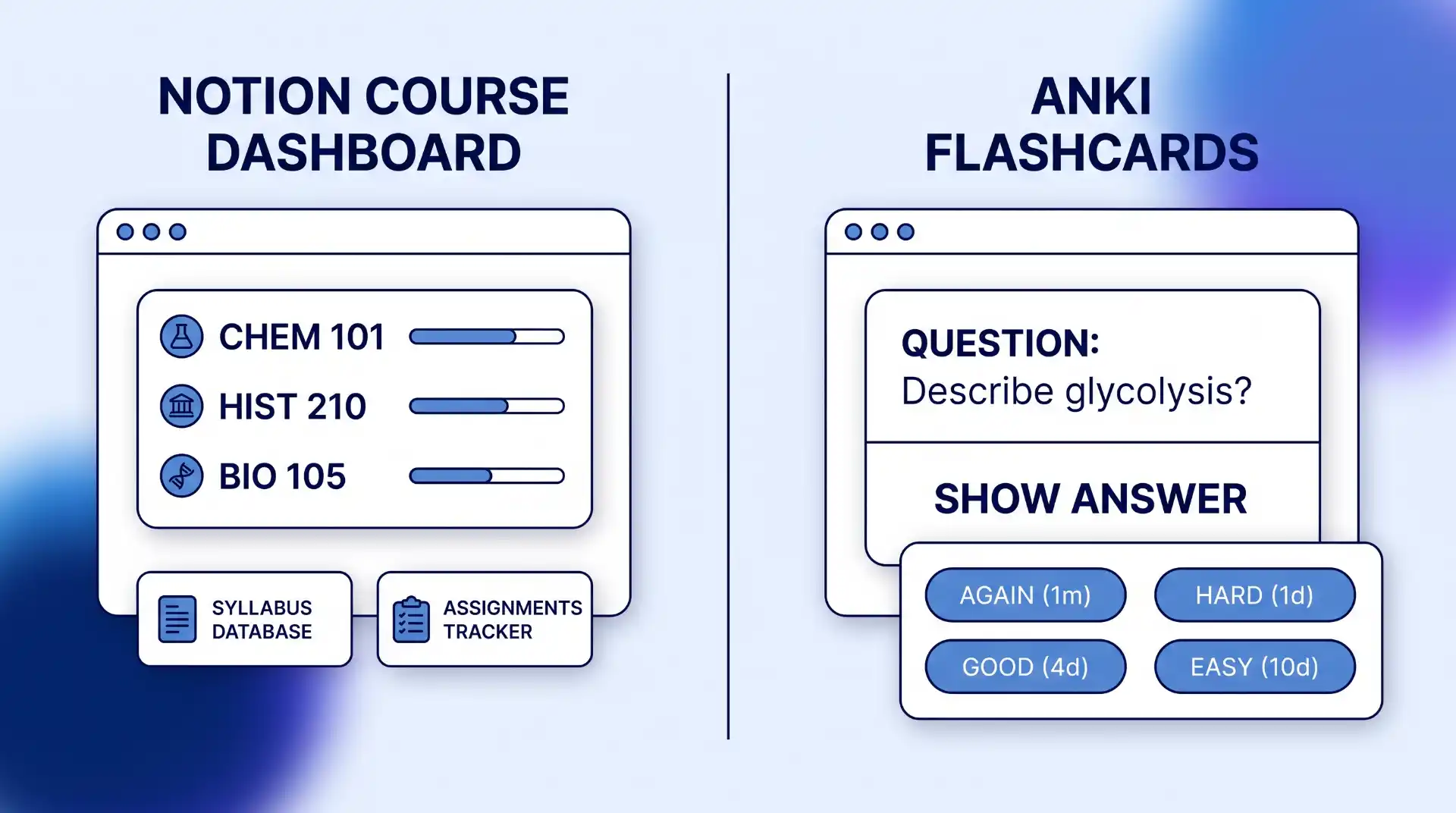
Quick Take: The Essential 5-App Student Stack
Managing college coursework, study groups, campus life, and personal wellness requires a system, not a random collection of phone apps. App overload often creates more friction than it solves. The table below highlights the top five tools that solve core student bottlenecks with minimal daily overhead.
| Tool / App | Primary Category | Best For | Main Limitation | Price Tier |
|---|---|---|---|---|
| Otter.ai | Lecture Capture | Real-time lecture transcription & AI summaries | Requires clear room audio; technical terms need manual review | Free (300 mins/mo); Paid tiers available |
| Notion | Course Workspace | Syllabus databases, assignment tracking & notes | Higher setup learning curve; layout tweaking distraction | Free Plus Plan for verified .edu emails |
| Anki | Active Recall | Long-term memory retention using spaced repetition | Minimalist interface; deck setup takes initial effort | Free on Web/Android; $24.99 on iOS |
| Google Calendar | Time Management | Time-blocking lectures, study windows, and exams | Requires strict manual discipline to update daily | 100% Free |
| Forest | Focus & Deep Work | Gamified phone distraction blocking during study blocks | Incentive is purely habit-based; desktop extension needed for web | Free on Android (w/ ads); $3.99 on iOS |
How We Evaluated These Student Tools (Selection Criteria)
To qualify for this guide, each application was rigorously evaluated against four practitioner criteria specifically tailored to modern higher education:
- Cross-Platform Synchronization: Seamless real-time data sync across desktop, web browsers, and mobile devices (iOS/Android).
- Authentic Free Tiers or Edu Discounts: High functional utility on free tiers without immediate paywalls forcing paid upgrades during exam week.
- Cognitive Alignment: Support for proven learning science, such as spaced repetition, active recall, and distraction-free pomodoro focus cycles.
- Low Administrative Overhead: Fast data entry that saves study time rather than consuming hours in configuration.
Top Lecture Capture and Note-Taking Tools
Relying on verbatim handwritten notes during fast-paced university lectures usually leads to missing critical details or falling behind the instructor’s pace. While researching digital note-taking vs. handwritten notes shows benefits for conceptual understanding, modern lectures require intelligent audio capture and structured storage to ensure complete review materials.
Otter.ai — Best for Real-Time Lecture Transcription & Audio Summaries
Otter.ai transforms raw lecture audio into searchable text, automatically capturing speaker shifts, highlighting key academic terminology, and generating automated outline summaries. Instead of scrambling to copy down every word on a slide, students can sit back, engage in discussion, and mark timestamped highlights directly inside the live transcript.
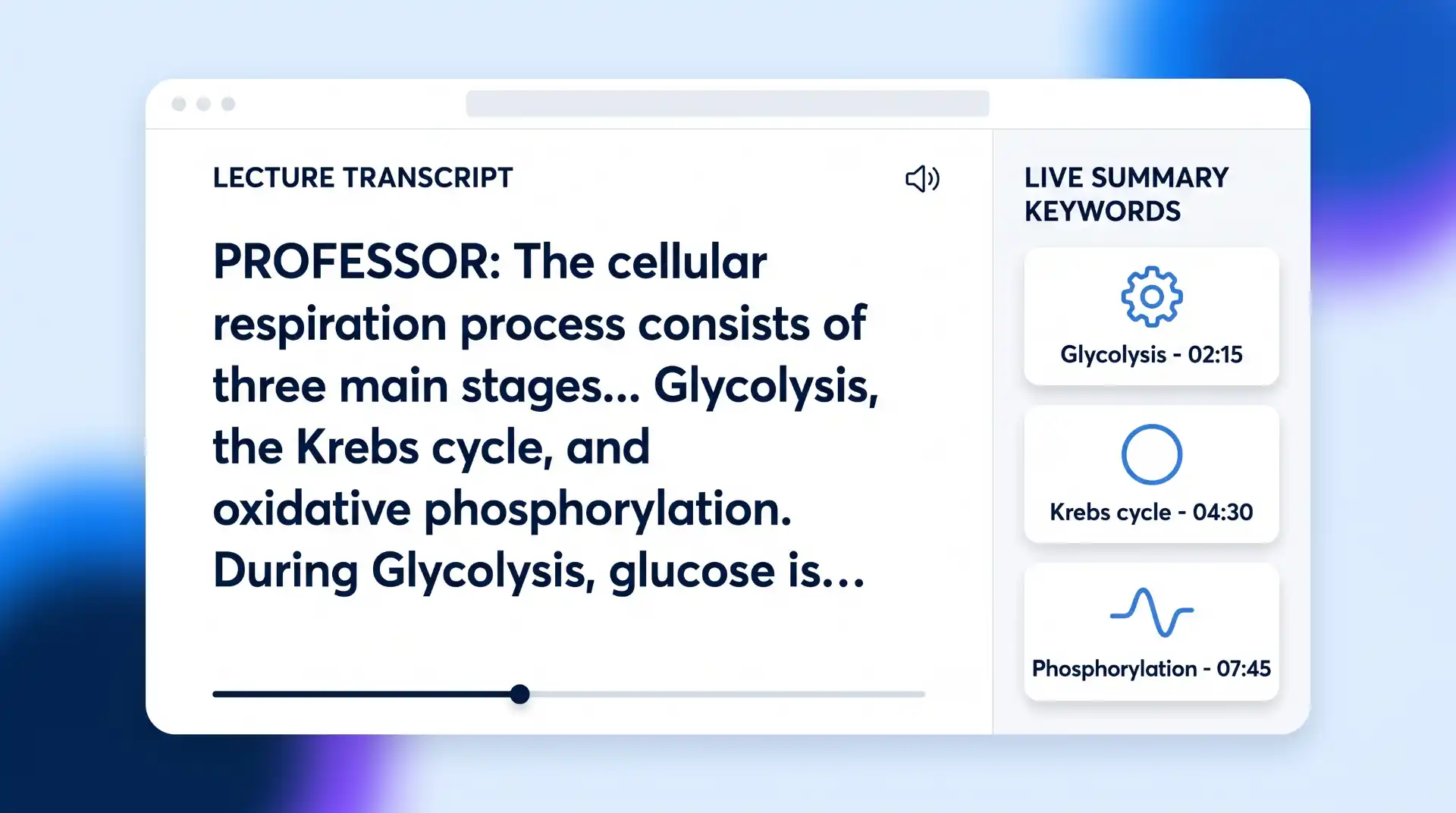
The Otter.ai lecture transcription platform offers a generous free tier including 300 monthly transcription minutes and 30-minute individual conversation limits. This allows students to record complex STEM lectures or guest panels and instantly export generated notes to their primary note-taking system. If you ever experience lost audio sync or missing export files, learning proper backup methods for recovering lost lecture documents prevents deadline panic.
Where It Has Limits: In massive lecture halls with poor acoustics or echo, background noise can reduce transcription accuracy. Technical jargon, rare chemical names, and advanced mathematical formulas often require brief manual editing after class.
Notion — Best for Course Workspaces, Syllabi & Assignment Databases
Notion serves as an all-in-one digital binder, relational database, and project manager. Rather than scattering course documents across desktop folders and paper notebooks, Notion allows students to build centralized dashboards for every semester. You can link reading lists directly to assignment due dates, embed lecture notes, and track project milestones across group members.
College students and accredited educators can unlock Notion’s free Plus Plan for students by signing up with a valid institutional email address (.edu). This plan removes page upload blocks and provides extensive file version history, making it ideal for storing large PDF textbooks and media assets.
In international academic settings or hybrid language seminars, hardware integration plays a vital role alongside software capture. Integrating simultaneous interpretation equipment systems into large institutional setups allows for the seamless interpretation and recording of multilingual lectures, ensuring clear audio capture across diverse student populations.
Where It Has Limits: Notion’s flexibility is its biggest trap. Students frequently fall into “productivity procrastination”—spending hours customizing aesthetic templates, toggling colors, and tweaking databases instead of actually reviewing course material.
Best Apps for Active Recall, Flashcards, and Exam Prep
Passive reading—highlighting textbook chapters or re-reading slides—is one of the least effective methods for long-term memory retention. True exam preparation requires active recall: forcing the brain to retrieve information without looking at the answer. Combining active recall with spaced repetition algorithms ensures you review concepts right before your brain naturally forgets them.
Anki — Best for Long-Term Retention & Medical/Language Spaced Repetition
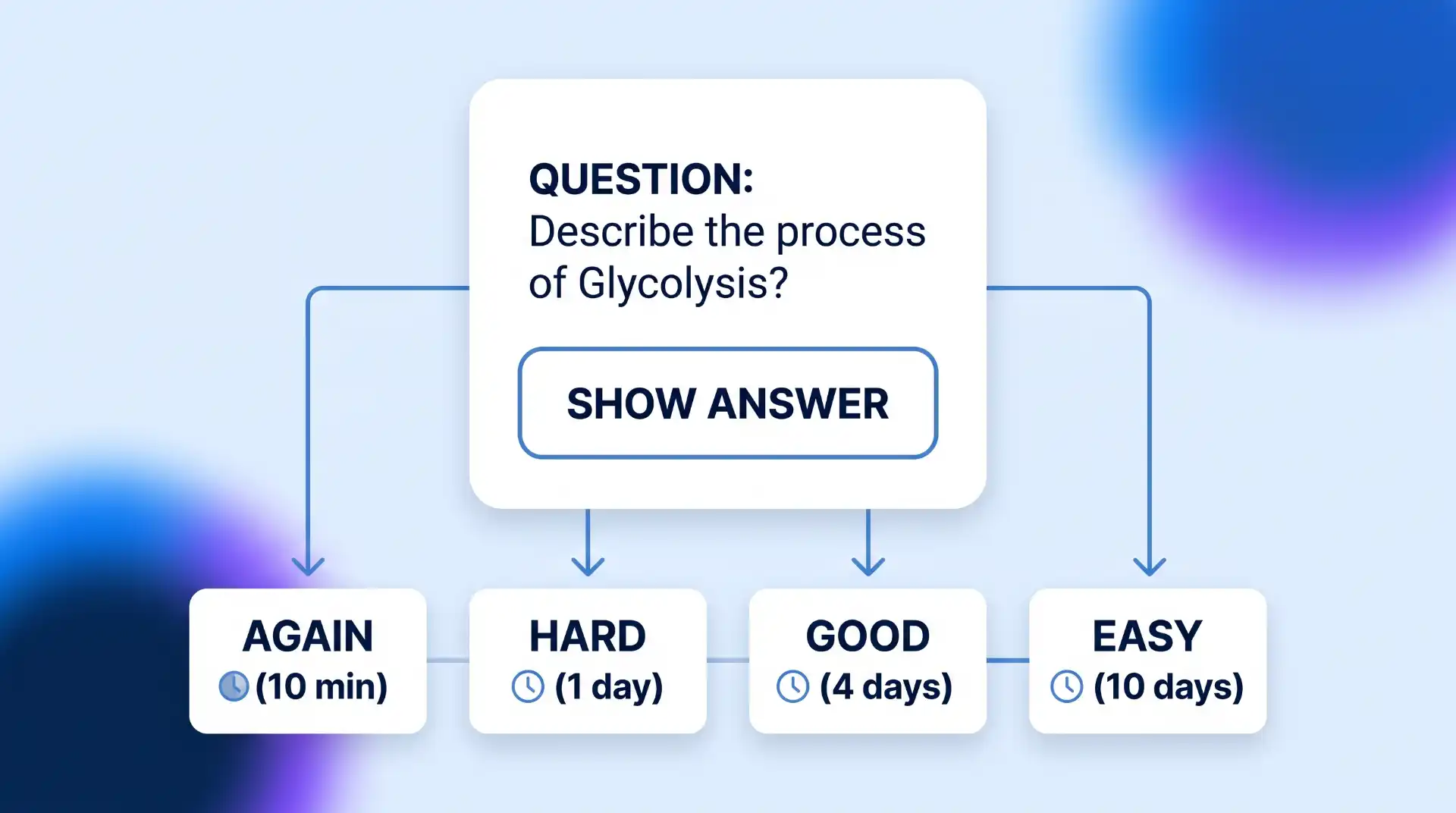
Anki is the gold standard for students facing massive memorization workloads, such as pre-med, biology, law, and foreign language majors. Based on the SuperMemo SM-2 spaced repetition algorithm, Anki customizes the review interval for every card based on your rated difficulty. A card rated “Easy” might not reappear for two weeks, while a card rated “Again” will re-enter your daily queue immediately.
According to the official Anki documentation and downloads, the software is fully open-source and free across Windows, macOS, Linux, and Android (via AnkiDroid). The iOS application carries a one-time cost of $24.99, which directly funds open-source core development. Decks sync across devices through the free AnkiWeb service.
Where It Has Limits: Anki’s user interface is utilitarian and steep. Beginners must invest time learning card types (Cloze deletions, basic front/back) and deck parameters. Creating good flashcards requires atomizing complex concepts into concise single-fact cards.
Quizlet — Best for Rapid Study Sets & Pre-Made Class Decks
For students who need to prepare quickly for weekly quizzes or vocabulary checks without building custom algorithms from scratch, Quizlet provides an immediate, user-friendly solution. The Quizlet study set platform features millions of pre-made decks created by students and educators worldwide, covering virtually every high school and introductory college curriculum.
Quizlet offers multiple interactive study modes, including matching games and digital flashcards. It excels in group study settings where classmates divide a textbook chapter and build shared study modules in minutes.
Where It Has Limits: Because many decks are user-generated, accuracy is not guaranteed; studying unverified decks risks memorizing incorrect facts. Additionally, advanced practice test modes and adaptive learning curves are locked behind the Quizlet Plus subscription model.
Anki vs. Quizlet: Feature Comparison
| Feature | Anki | Quizlet |
|---|---|---|
| Primary Algorithm | Custom SM-2 Spaced Repetition | Standard linear review (Advanced adaptive w/ Plus) |
| Cost | 100% Free (Web, PC, Mac, Android); $24.99 (iOS) | Free basic tier; ~$35.99/yr for Quizlet Plus |
| Setup Time | Moderate to High (Manual card creation) | Low (Access millions of pre-existing decks) |
| Best Academic Use | Multi-year retention (MCAT, USMLE, Bar Exam) | Short-term vocabulary & weekly course quizzes |
Best Time Management and Semester Planning Apps
College schedules are fragmented. Between variable lecture hours, lab blocks, work shifts, and assignment deadlines, relying on memory leads to missed assignments and late-night cram sessions. Integrating structured time-blocking techniques helps establish stable daily study habits.
Google Calendar — Best for Time-Blocking Lectures, Exams, and Study Windows
Google Calendar remains the most reliable time-management tool for college students due to its universal cross-platform availability, zero subscription costs, and seamless integration with university Google Workspace accounts. Rather than treating a calendar as a simple list of events, top-performing students use time blocking: assigning every hour of the day a specific job (e.g., “9 AM-11 AM: Chemistry Lab; 2 PM-4 PM: Organic Chem Anki Review”).
Setting up recurring events for class hours, color-coding academic vs. personal events, and enabling mobile notifications ensures you never walk into an exam unprepared. You can also share specific sub-calendars with project teammates to schedule group meeting times without endless back-and-forth messaging.
Where It Has Limits: A calendar shows *when* you are free, but it does not manage granular task steps within an assignment. Pairing Google Calendar with a dedicated task manager or workspace is essential for detailed tracking.
Todoist — Best for Tracking Assignments, Reading Lists, and Daily Homework
Todoist is a powerful task manager that excels at turning overwhelming course syllabi into actionable daily checklists. Its natural language processing allows students to type “Submit History essay next Thursday at 5pm p1 #History” and automatically creates a scheduled, prioritized task in the appropriate project folder.
Students can break large term papers down into sub-tasks (e.g., “Draft thesis statement,” “Find 5 library sources,” “Complete outline”) and assign priority flags (P1 through P4) to ensure urgent assignments are tackled first. Combining Todoist with general managing student expenses and budgets keeps both your academic deadlines and personal life balanced.
Where It Has Limits: Natural language processing requires learning specific formatting shortcuts. Essential features like automated location reminders and custom task filters require the paid Pro tier.
Best Focus and Physical Wellness Apps for Students
Sustained academic output requires protecting your focus from digital distractions and maintaining physical well-being. Academic burnout frequently occurs when students confuse total hours sitting at a desk with productive deep work. Implementing structured focus blocks alongside regular physical activity provides sustainable energy throughout the semester.
Forest — Best for Gamified Phone-Free Deep Work Sessions
The Forest focus timer app turns focus sessions into a visual game. When you need to study, you open the app, set a timer (e.g., 25 minutes for a Pomodoro cycle), and plant a virtual seed. As you stay focused on your coursework, your tree grows. If you leave the app to check social media or text messages, your virtual tree dies.
Over time, focused study blocks accumulate into a detailed visual forest representing your weekly productivity. Forest also partners with a real-tree-planting organization, Trees for the Future, allowing users to spend earned virtual currency to plant real trees across tropical regions.
Where It Has Limits: Forest blocks phone distractions effectively, but it does not natively restrict web browsing on your laptop unless you install its accompanying browser extension and configure domain blocklists manually.
Zombies, Run! & Strava — Best for Campus Fitness and Mental Breaks
Physical movement directly improves cognitive function, memory consolidation, and stress management. For students who find conventional treadmill running or gym workouts repetitive, Zombies, Run! transforms cardiovascular exercise into an audio-driven immersive game. While listening to your own music playlists, audio story cues play between songs, requiring you to speed up during sudden “zombies attacks” to gather supplies for your base camp.
For outdoor campus runners and cyclists, Strava offers precise GPS route tracking, distance logging, and friendly social competition across campus route segments. Engaging in regular physical workouts is one of the most reliable strategies for preventing student burnout during midterm and final exam weeks.
Where It Has Limits: Continuous GPS tracking in apps like Strava and Zombies, Run! drains smartphone battery reserves quickly during extended outdoor activities. Ensure your phone is charged before leaving for long campus runs.
Decision Framework: How to Build Your Minimalist 3-App Study Stack
Downloading ten different applications leads to software fatigue and fragmented notes. To build an efficient, low-overhead productivity system, select exactly one tool per operational tier based on your major and primary academic bottleneck.
| Operational Tier | Primary Function | Option A (Low Friction) | Option B (High Customization) |
|---|---|---|---|
| Tier 1: Capture & Workspace | Lecture notes, syllabi, class assignments | Google Docs / Google Calendar | Notion workspace database |
| Tier 2: Memory & Retention | Exam revision, active recall, flashcards | Quizlet (Pre-made sets) | Anki (Spaced repetition engine) |
| Tier 3: Focus & Time Blocking | Pomodoro blocks, distraction defense | Google Calendar time blocks | Forest focus timer app |
3 Steps to Deploy Your Stack This Week
- Audit Your Current Friction: Identify your biggest bottleneck over the past month. If you forget deadlines, start with Tier 1 (Google Calendar/Notion). If you struggle with exam recall, start with Tier 2 (Anki).
- Set Up Single Sign-On: Register for your chosen tools using your university (.edu) email to claim available educational discounts and free tier upgrades (such as Notion Plus).
- Protect Study Blocks: Schedule two 50-minute focused study blocks on your calendar daily, activate Forest on your phone, and complete your active recall queues before opening social media. Mastering these routines is essential when mastering effective exam revision workflows.
Key Takeaways
Key Takeaways
- Prioritize Active Recall Over Passive Reading: Use algorithms like Anki or study modules like Quizlet to force memory retrieval rather than passively highlighting textbooks.
- Automate Lecture Capture: Use Otter.ai to transcribe lectures in real time so you can actively engage in class discussions without missing crucial details.
- Eliminate Productivity Procrastination: Keep your workspace clean. Choose simple tools that solve immediate bottlenecks rather than spending hours customizing database layouts.
- Time-Block Your Calendar: Treat study blocks like mandatory lectures by assigning specific times and tasks to every hour of your academic day.
- Balance Cognition with Rest: Combine phone-free deep work timers (Forest) with regular physical activity (Zombies, Run! / Strava) to prevent burnout.
Frequently Asked Questions (FAQ)
What are the best free study tools for college students without paid subscriptions?
The top free study tools with exceptional functionality include Google Calendar for scheduling, Anki (free on Web, PC, Mac, and Android) for spaced repetition flashcards, Notion (free Plus plan with a verified .edu email) for course note databases, and Otter.ai (300 free monthly transcription minutes) for lecture capture.
Should I use Anki or Quizlet for exam preparation?
Choose Anki if you are studying for long-term cumulative exams (e.g., pre-med coursework, law school, language acquisition, or professional board exams) where custom spaced repetition optimizes memory retention over months or years. Choose Quizlet if you need to quickly review user-generated decks for weekly quizzes, short vocabulary tests, or collaborative group study sessions.
How many study apps should I actually use at once?
You should use a maximum of 3 to 4 complementary tools at any given time. A minimalist stack consisting of one course workspace (Notion or Google Workspace), one active recall tool (Anki or Quizlet), one master schedule (Google Calendar), and one focus timer (Forest) covers every operational requirement without creating administrative distraction.
Is Notion completely free for college students?
Yes, Notion provides a completely free Personal Plus Plan upgrade for verified college students and educators. To activate the discount, sign up or change your primary Notion account email address to your official university email domain (.edu), navigate to your account settings, and select the educational upgrade option.

💬 Comments