Manual testing before an app release should move through a defined sequence: set the release scope, design risk-based scenarios, prepare the release build and test environment, execute the tests, retest defects, run appropriate regression checks, and assess whether the remaining risk is acceptable for release.
The goal is not to prove that an application contains zero defects. It is to gather enough reliable evidence about the release candidate for the team to make an informed release decision and clearly document anything that remains untested, blocked, or unresolved.
What Manual Pre-Release Testing Should Accomplish
Manual testing is more than opening an app and clicking through a few screens until nothing obvious breaks. A useful pre-release pass starts with a specific release candidate, meaning the build being considered for production, and checks it against agreed requirements and acceptance criteria, the conditions used to decide whether a feature or release behaves as expected.
This matters because behavior observed during development may not fully represent what users receive. Google instructs Android developers to configure, build, and test a release version before distribution. Apple likewise recommends testing release builds in user-like conditions because development and deployment environments can differ.
Pre-release testing should therefore focus on important user journeys, recent changes, integrations, realistic failure conditions, and areas where a defect would have a significant consequence. Stable, repetitive checks may also become candidates for automation testing, while manual testing remains useful when a person needs to investigate behavior, usability, unexpected states, or newly changed workflows.
The distinction matters because manual testing and automated testing serve different testing needs rather than functioning as interchangeable substitutes.
How to Perform Manual Testing Before an App Release
Use the seven steps below as one connected release workflow. Each stage provides information or preparation needed by the stages that follow, so skipping directly to execution can leave important requirements, environments, or risks untested.
- 1. Define the release scope and acceptance criteriaStart by identifying exactly what the release contains. Record new features, changed behavior, bug fixes, integrations, configuration changes, and areas that could reasonably be affected by those changes. Then establish what must work for the release to be considered acceptable.
Do not limit the scope to the screen where code changed. A password-reset update, for example, can affect the login screen, email delivery, reset-token expiration, account rules, existing sessions, and error handling. A relatively small visible change can therefore require checks in several connected areas.
Separate essential release requirements from lower-priority observations. A broken payment flow, inability to sign in, data corruption, or another failure that prevents a critical user journey may be release-blocking. A minor visual inconsistency may be treated differently depending on the product and the team’s agreed criteria.
Also record what is intentionally outside the test scope. Making exclusions explicit prevents a later assumption that an area was tested simply because the overall release completed a test cycle.
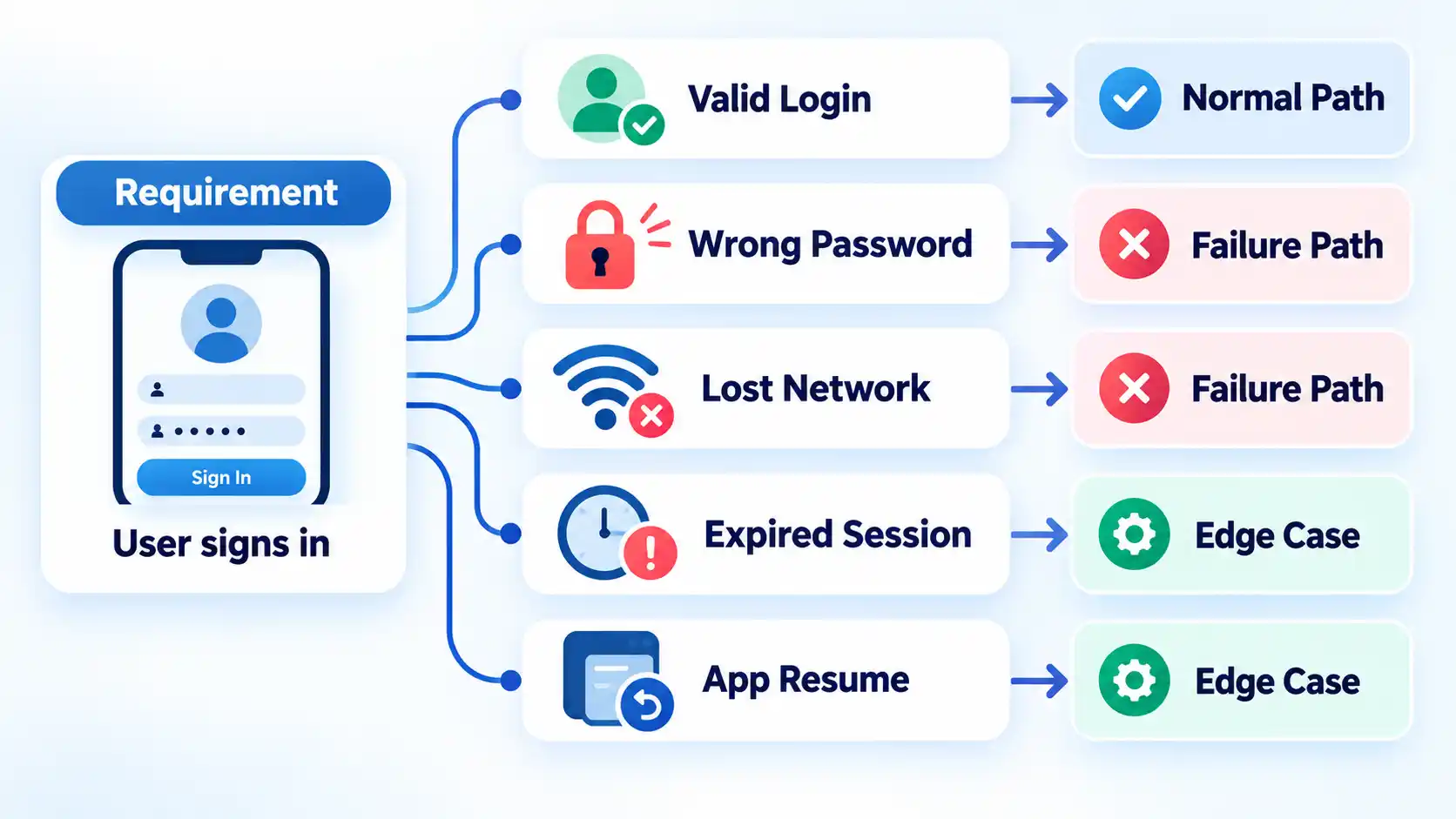
- 2. Turn requirements and risks into test scenariosConvert each important requirement into situations that a user could actually encounter. A test scenario describes something that needs to be checked at a relatively high level, while a test case usually describes the specific setup, actions, data, and expected result needed to perform that check.
For example, the requirement “users can sign in” should not produce only one successful-login test. Relevant scenarios could include correct credentials, the wrong password, an expired account, interrupted connectivity, an expired session, and returning to the application after it has been placed in the background.

Prioritize scenarios according to risk. Give more attention to core user journeys, recently changed code, integrations with external services, areas with a history of defects, and failures that could cause data loss, financial consequences, account lockout, or another serious interruption.
Risk-based prioritization is especially useful when release time is limited. It is generally more valuable to cover consequential paths deliberately than to distribute the same effort evenly across every screen regardless of impact.
- 3. Prepare the release build, test environment and test dataBefore execution starts, make sure testers are working with the intended build and a suitable environment. Results from the wrong build, incomplete backend configuration, unusable accounts, or unsuitable test data can make an otherwise careful test cycle unreliable.
Prerequisites
- The exact release-candidate build or version intended for the test cycle.
- A working test environment with required backend services and integrations available.
- Test accounts and data that cover normal, boundary, failure, and permission states where relevant.
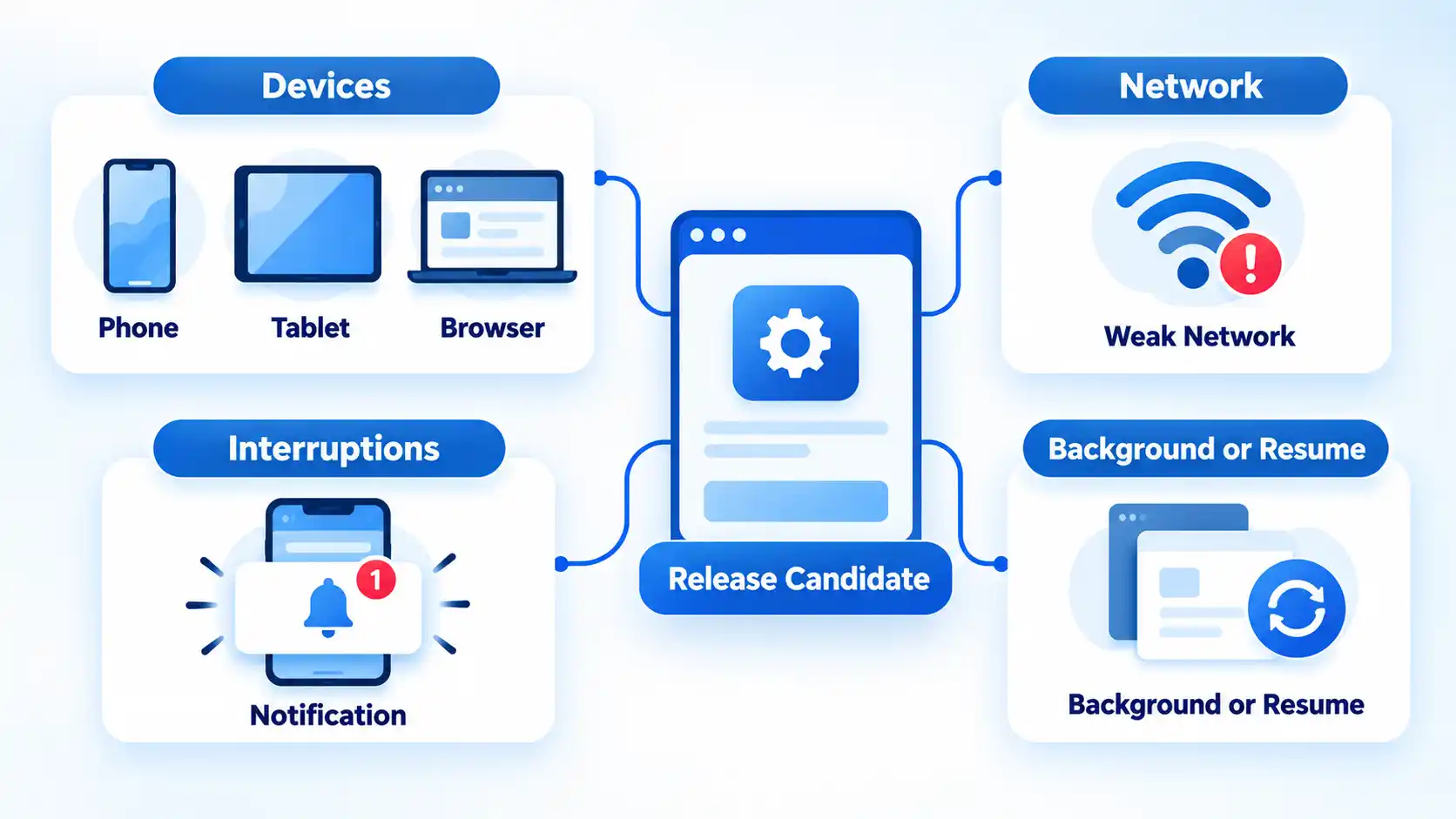
- Representative browsers, devices, screen sizes, operating-system versions, or other supported configurations.
- Access to the defect tracker and any logs or diagnostic information the team normally uses to reproduce failures.
For an app that is being updated rather than installed for the first time, test the appropriate fresh-install and upgrade paths. Apple specifically recommends testing both fresh installation and update scenarios where prior application data may affect the new release, along with relevant devices, operating-system versions, and deployment conditions.
Record the build number, environment, device or browser, operating-system version, and other relevant configuration details with the results. That context makes configuration-specific failures substantially easier to reproduce.
- 4. Write and prioritize manual test casesWrite repeatable test cases for checks that need clear pass-or-fail evidence. A useful case normally identifies its preconditions, required data, actions, expected result, priority, and actual result. The detail should be sufficient for another tester to reproduce the same test without guessing what the original tester intended.
Instead of writing “test checkout,” for example, define the cart state, account state, payment method, action being performed, and expected order result. That makes a failure easier to reproduce and prevents different testers from silently testing different situations under the same case name.
Not every activity needs to be scripted to the same degree. Repeatable release checks benefit from precise cases, while exploratory testing deliberately gives the tester more freedom to investigate unusual sequences and behavior around risky areas.
Teams that need additional QA capacity may also use external manual testing services, but the release scope, expected behavior, test environment, and acceptance criteria still need to be communicated clearly.
- 5. Execute the release-candidate testsRun the highest-priority cases against the release candidate and record what actually happens. Do not restrict execution to ideal conditions. Depending on the product, useful checks can include changing networks, denying permissions, leaving an app in the background, entering unexpected values, interrupting workflows, reopening sessions, and using different supported devices or browsers.
Begin with the critical user journeys that create the application’s main value. Depending on the product, these may include account creation, sign-in, search, checkout, payment, file upload, synchronization, messaging, saving data, or account recovery.
Then exercise relevant failure and interruption paths. Examples include a failed network request, denied permission, expired session, invalid input, unavailable dependency, backgrounding and resuming the app, or repeating an action after an apparent failure. These checks can expose problems that a single successful happy-path test would not reveal.
Use representative configurations rather than assuming one successful device or browser proves broad compatibility. Google’s current Android core app quality guidance recommends testing representative hardware and software combinations and explicitly notes that teams do not need to test every device on the market.
For browser-based products, the same release pass should include relevant browser and device coverage alongside the primary user journeys; broader web application testing can also include compatibility, performance, security, and other checks outside a narrow manual functional pass.
- 6. Log defects, retest fixes and run focused regressionWhen a test fails, capture enough information for the team to reproduce the problem. A useful defect record identifies the affected build and environment, the steps that produced the failure, the expected behavior, the actual behavior, and the practical impact. Screenshots, recordings, logs, request details, or other diagnostic information can be attached when they materially help reproduction.
Once a fix is available, retesting means executing the failed scenario again to confirm that the specific defect has been corrected. Regression testing is broader: it checks whether the change has adversely affected behavior that previously worked.
For example, if a validation bug in checkout is fixed, retest the exact failing checkout case first. Then consider regression around adjacent payment, order creation, confirmation, saved-cart, and account-state behavior according to the scope and risk of the change.
Regression depth should reflect change impact and release risk. A local text correction does not automatically justify rerunning every manual case, while a change to authentication, data storage, payment processing, shared APIs, or another central dependency may justify much broader regression.
- 7. Check exit criteria and document the release decisionFinish the cycle by comparing the evidence with the exit criteria agreed at the beginning. Testing should not be declared complete merely because the planned release date has arrived or because no new defects appeared near the end of the test window.
Verify the result
- The agreed critical user journeys have been executed against the intended release candidate.
- Release-blocking defects have been resolved or explicitly escalated for a release decision.
- Relevant fixes have been retested and the required regression checks have been completed.
- Blocked, skipped, or untested areas are documented rather than silently treated as passed.
- Known issues and remaining release risks are visible to the person or group responsible for the release decision.
Passing the checklist does not mean the software is guaranteed to be defect-free. It means the team has a clearer record of what was tested, what passed, what remains unresolved, and what risk is being accepted.
A broader app release testing checklist may also include automated suites, performance testing, security assessment, operational monitoring, analytics verification, store requirements, and deployment checks that sit outside this manual-testing workflow.
Manual Testing Does Not Cover Every Quality Risk
Manual functional testing is one part of release assurance, not a replacement for every other form of testing. Repetitive regression checks may be more efficient to automate, while load, stress, and other performance questions generally require dedicated tools and test environments.
Security also needs its own level of assessment when the application’s risk warrants it. The OWASP Mobile Application Security project maintains a mobile security verification standard, a catalog of mobile-specific security and privacy weaknesses, and a dedicated testing guide. A normal manual feature test should therefore not be presented as proof that an application has received comprehensive security testing.
Teams handling sensitive data, authentication, payment information, privileged actions, or other higher-risk functionality should define appropriate security requirements separately. A dedicated mobile app security testing checklist can cover those controls without overloading a functional release pass.
Manual pre-release testing works best when its role is clear: validate important user behavior on the intended release candidate, investigate realistic failure conditions, verify fixes, expose residual risk, and give the release decision-maker evidence rather than assumptions.

💬 Comments