You can download many publicly accessible Facebook videos for free by copying the video’s link, processing it with a browser-based video downloader, and saving the resulting MP4 file to your phone or computer. For videos you uploaded yourself, Facebook’s own information-export tools are the better first option because they avoid handing the video URL to a third party.
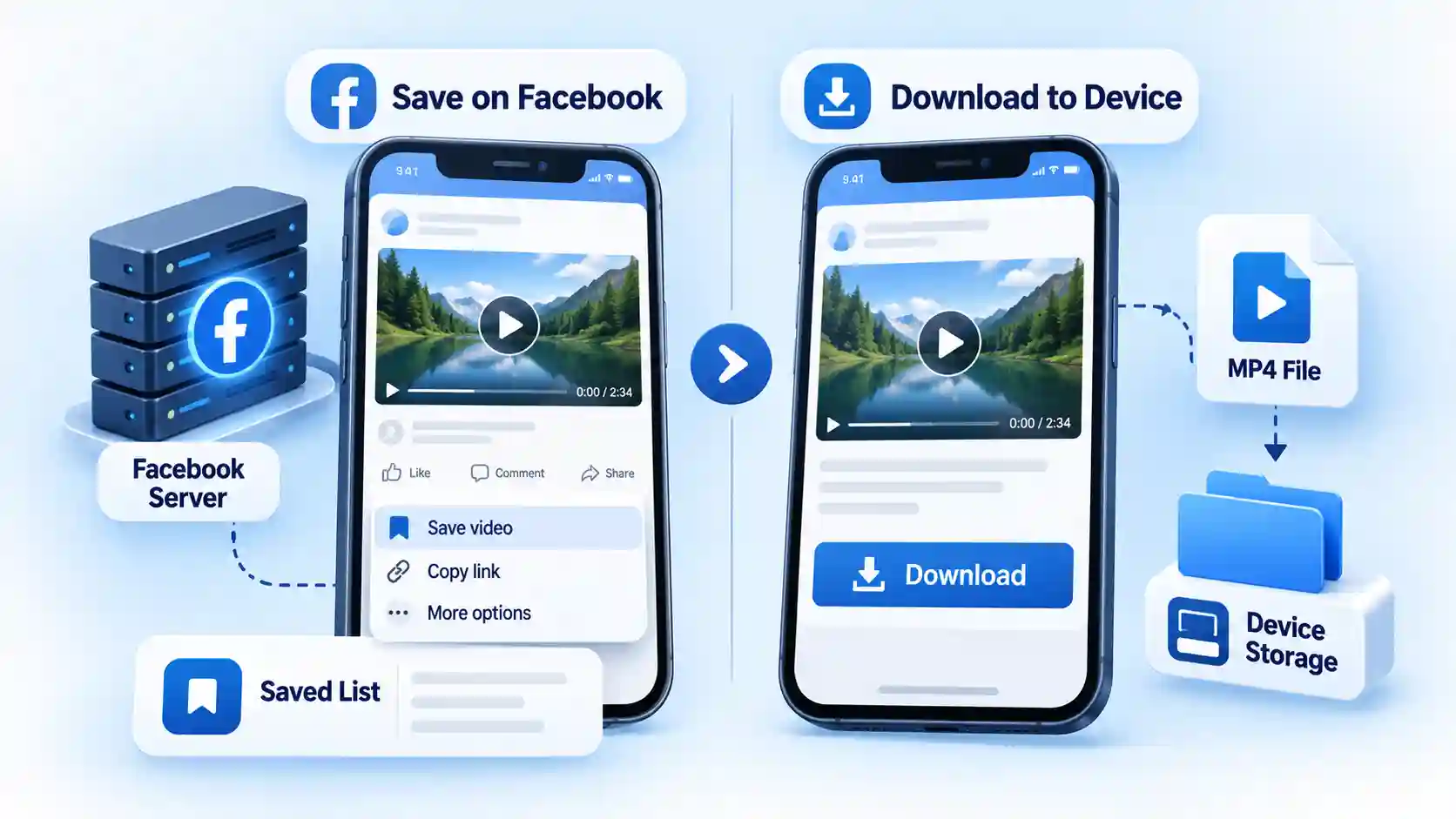
Facebook’s Save feature is different from downloading. Saving normally bookmarks content inside Facebook so you can find it later, while downloading creates a local file that can be opened from your device storage.
Quick Take
- If the video is yours, check Facebook’s native download or information-export options first.
- For an authorized public video, copy its Facebook URL and use a browser-based downloader that does not require your Facebook password.
- Choose HD only when the source video and downloader actually expose an HD stream.
- On an iPhone or iPad, Safari may put the downloaded MP4 in Files instead of Photos.
- A video that you can watch while logged in may still fail in a third-party downloader if its audience is restricted.
- Do not install an unknown APK, browser extension, or desktop program just to perform a basic Facebook video download.
- Downloading a file does not transfer copyright or automatically give you permission to republish it.
What You Need Before Downloading a Facebook Video
The basic workflow is simple, but three checks prevent most failed downloads.
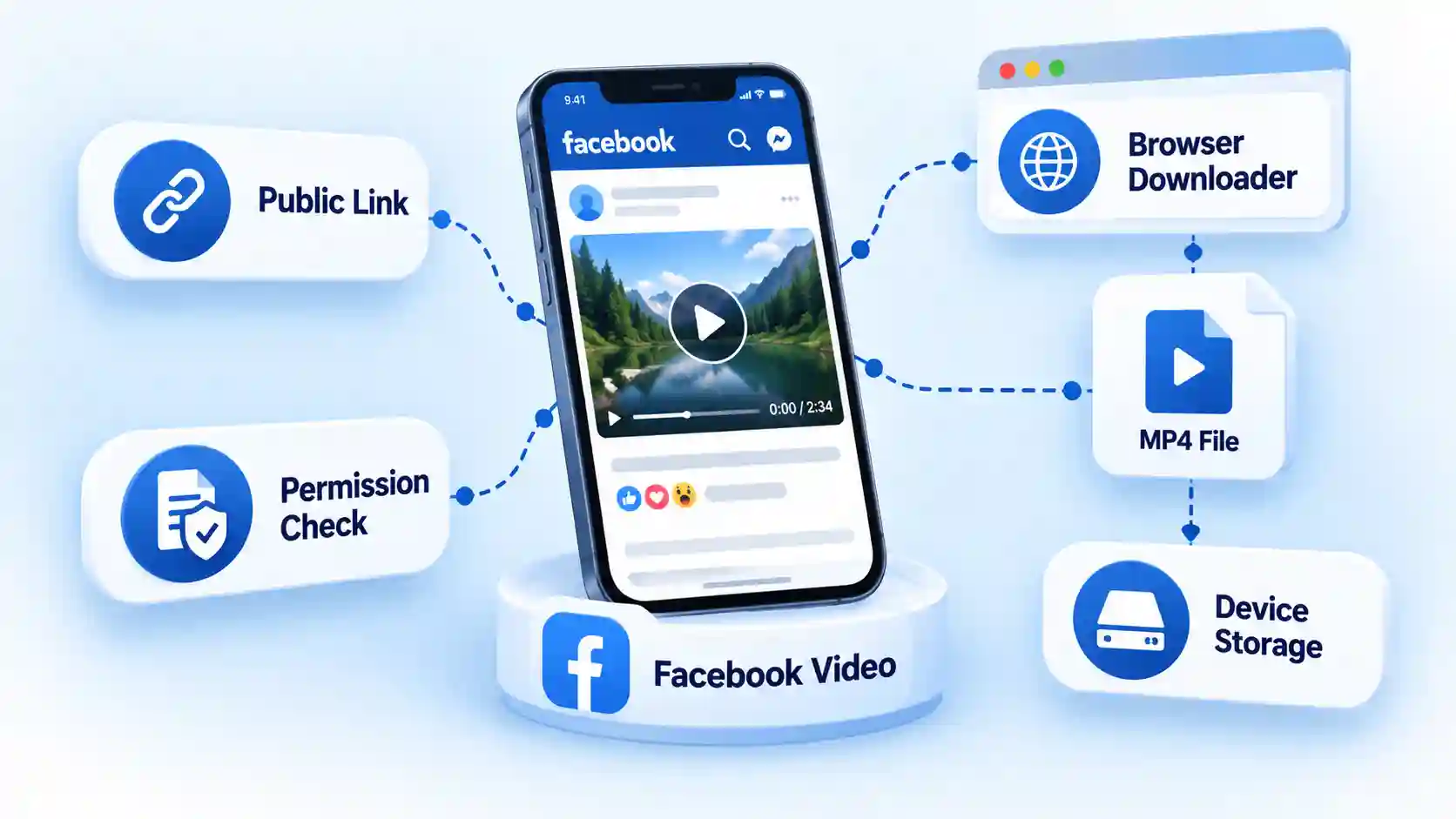
Check that you can access the video
Open the video normally in Facebook first. Facebook lets creators control who can see their reels and other content. A reel can, for example, be available to the public, friends, or a more limited audience. Meta’s reel audience documentation confirms that public reels may be visible even to people outside Facebook, while restricted audiences require the appropriate access.
This distinction matters because a browser downloader operates separately from your logged-in Facebook session. If a post is visible only because your account has access to it, an external service may receive no usable video stream when it opens the copied URL.
Get the actual Facebook video link
Open the individual video or Reel rather than copying the address of your general Feed. On the Facebook app, use the Share menu and choose Copy link when that option is available. On a desktop browser, you can also open the individual post and copy its URL from the address bar.
Facebook’s video interface has changed. Meta says the Videos tab was renamed to Reels in June 2025 and that Facebook has been moving its video publishing experience toward Reels. Its current Facebook Reels guidance is therefore a better reference than old tutorials built around the former Watch or Videos interface.
Decide whether you need Save or Download
If you only want to return to a video later, Facebook’s Save function may be enough. If you need an MP4 that can be opened from Files, Downloads, Photos, a media player, or an editor, you need an actual download.
For other social platforms, the distinction is similar. Our guide to downloading TikTok videos without a watermark covers a related URL-to-file workflow, while its guide to ways to save Instagram videos covers Instagram-specific options.
How to Download a Facebook Video for Free
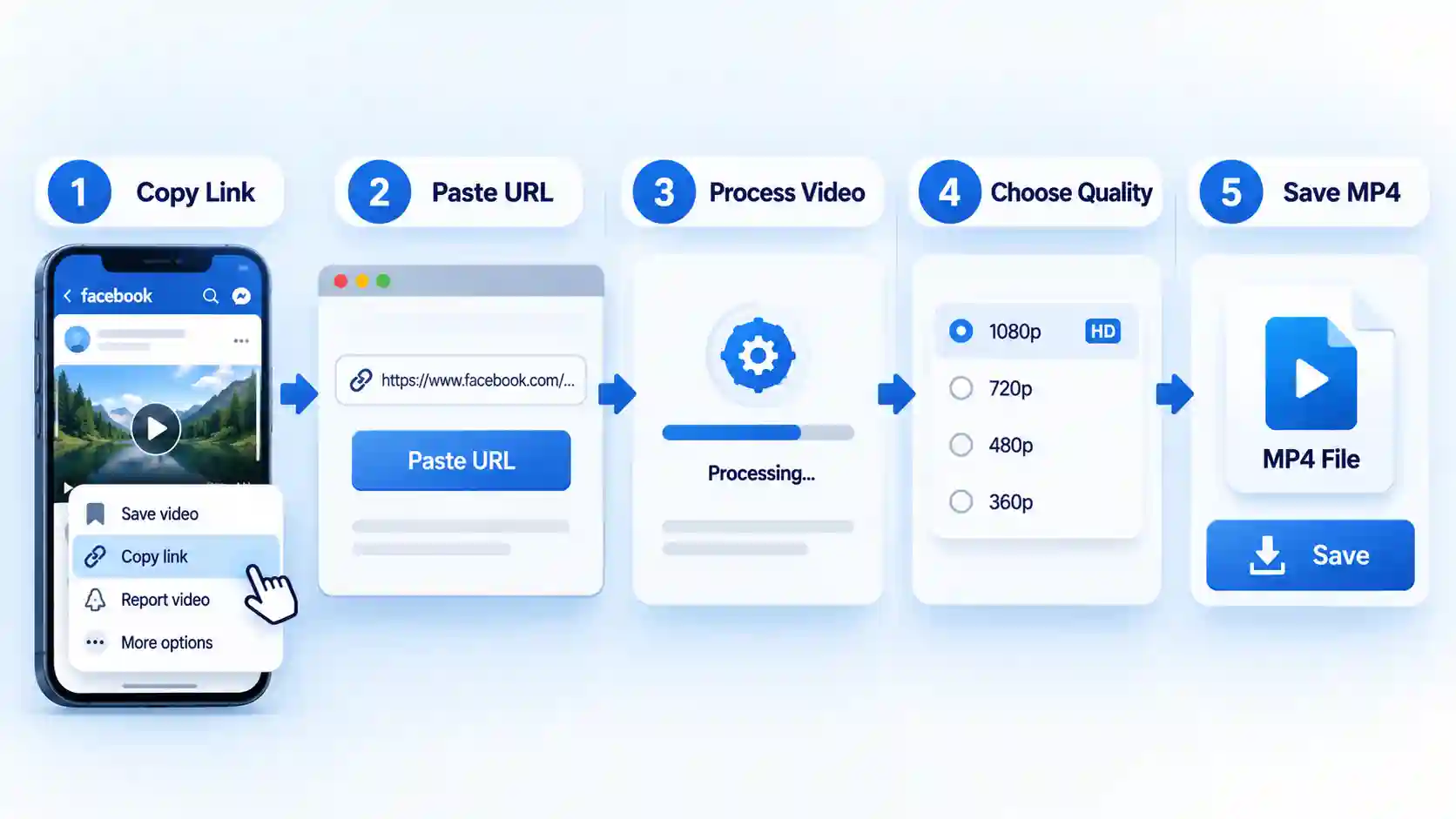
- Open the Facebook video or Reel.Tap or click the video so you are viewing its individual post. Avoid copying a generic facebook.com homepage, Feed, search, or profile URL because a downloader needs a link that resolves to the specific media post.
- Copy the video’s link.Open the Share menu and choose Copy link. On a computer, copying the URL from the browser address bar also works when the individual video post is open. The Facebook URL should now be in your clipboard.
- Open a browser-based Facebook video downloader.Use a current web downloader that accepts Facebook post URLs without requiring an account. There is little reason to install software for a one-off public-video download.Before using any service, check the page carefully. A basic downloader should not need your Facebook username, password, authentication code, browser cookies, or permission to install an unknown program. The FTC advises users to avoid unfamiliar websites offering free media downloads because these sites can expose devices to malware. Its malware prevention guidance also warns against suspicious software downloads and unwanted redirects.
- Paste the Facebook link into the URL field.Tap or click the downloader’s input field, paste the URL, and start processing. The service normally retrieves the public Facebook page, identifies an available media stream, and returns one or more download choices.
- Choose an available video quality.Select HD when you want the better-quality copy and the option is genuinely available. SD can make sense when storage space or mobile data matters more than resolution.Do not assume that a button labeled 1080p or 4K means the service can improve the original footage. A downloader cannot recover detail that Facebook never supplied in that stream. The useful choice is normally the highest authentic source resolution that the service can retrieve.
- Download the MP4.Select the video download link and approve the browser’s save prompt if one appears. A successful download should produce a normal video file, commonly an MP4, rather than asking you to install an executable application.
Where the Downloaded Facebook Video Goes
Android
Chrome and other Android browsers normally save downloaded files to the device’s Downloads directory. You can open the completed download from the browser’s download notification or find it later with Files by Google, Samsung My Files, or your phone manufacturer’s file manager.
A compatible MP4 may also appear automatically in Google Photos or your Gallery after Android’s media index scans the file. If it does not appear immediately, check Downloads before assuming the transfer failed.
iPhone and iPad
Safari commonly saves downloaded files through the Files app rather than putting them directly into Photos. After the download completes, open Safari’s Downloads list or open Files and check the Downloads folder.
If you want the clip in the Photos library, open the video from Files, use the Share menu, and choose Save Video when that option is available. This extra step is why an iPhone download can succeed even though nothing new appears in Photos at first.
Windows, Mac, and Chromebook
Desktop browsers normally use the operating system’s Downloads folder unless you previously changed the download location. Chrome, Edge, Firefox, and Safari also maintain a download-history panel that can reopen the completed file or show its location.
If a large download repeatedly stalls, verify the connection before switching tools. Our guide to checking your internet speed explains how to separate connection problems from browser or website problems.
How to Download Videos You Uploaded to Facebook
If you need copies of your own Facebook content, start with Meta’s native account tools rather than a third-party downloader. Facebook says users can access their information and export information to a device or external service through Accounts Center. See Meta’s privacy and information controls for the current route into those account-management features.
This approach is particularly useful when you need more than one old upload or want a broader archive. Interface labels can change, so follow the current Accounts Center options on your account rather than relying on an old sequence of menu screenshots.
Verify That You Downloaded the Correct Video
Do not stop at seeing a completed-download notification. Open the local file and perform a quick check:
- Play the beginning and a point near the end of the video.
- Confirm that the runtime approximately matches the Facebook version.
- Make sure the audio track is present and synchronized.
- Check that the resolution is reasonable for the quality option you selected.
- Confirm that the file is stored locally rather than opening only through a temporary web page.
For a simple offline test, disconnect from Wi-Fi and mobile data after the file is saved, then reopen it from your device’s Downloads, Files, or Photos location. If it still plays, you have a local copy rather than a bookmark or streaming shortcut.
Facebook Video Download Problems and Fixes
| Problem | Likely cause | What to do |
|---|---|---|
| Downloader says the video is private | The post requires an authenticated or restricted Facebook audience | Check the video’s audience and use a file supplied by the creator instead of trying to defeat the restriction. |
| URL is not recognized | You copied a Feed, profile, redirect, or malformed URL | Open the individual video post again and use Share > Copy link. |
| Download button opens ads or redirects | The downloader is using aggressive advertising or deceptive buttons | Close the page. Do not install anything or approve notification prompts. Use a different service. |
| Only SD is available | The processor did not receive a higher-resolution source | Try another current parser or use the best authentic resolution available. |
| Downloaded video has no sound | The returned media stream may be missing audio or the source may use separate streams | Try another offered format or a different downloader. Verify that the original Facebook playback actually contains audio. |
| Video downloaded on iPhone but is not in Photos | Safari stored it in Files | Open Files > Downloads, open the MP4, then use Share > Save Video. |
| Download starts but repeatedly stops | Connection instability, browser interruption, or a remote-server problem | Retry on a stable network, check available storage, and test another browser if necessary. |
| A Reel worked previously but now fails | The downloader’s Facebook parser may be outdated | Copy a fresh link and try another current service rather than repeatedly submitting account credentials. |
If you regularly encounter parsing errors, the dedicated troubleshooting guide why Facebook video downloads stop working will cover private posts, redirects, expired links, browser failures, and format problems in more depth.
Limits, Privacy, and Copyright
Do not give a downloader your Facebook password
A service processing an ordinary public Facebook URL should not need your Facebook password or two-factor authentication code. Treat a login request as a reason to stop, especially when the service also asks you to install an extension, APK, desktop executable, or unknown configuration profile.
There is another technical limitation behind this caution. Meta defines scraping as automated collection from websites and says unauthorized scraping may violate its terms. Meta also describes measures such as rate limits, data limits, and automated-request blocking in its data scraping guidance. That helps explain why a third-party Facebook parser can work one week and fail later even when your procedure has not changed.
Public does not mean copyright-free
The ability to view or technically download a public video does not transfer ownership of the work. Download videos you created, have permission to save, or are otherwise legally entitled to copy.
In the United States, fair use is decided case by case. The U.S. Copyright Office’s fair use guidance identifies four factors: the purpose and character of the use, the nature of the copyrighted work, the amount used, and the effect on the potential market. There is no universal rule saying that personal use, a certain percentage of a video, or merely giving credit automatically makes copying lawful.
If your actual goal is to reuse the sound rather than keep the video, that is a separate workflow with its own format and copyright considerations. See the planned guide to converting a Facebook video to MP3 rather than treating audio extraction as part of the normal MP4 download process.
Private videos are a hard boundary
Do not hand an unknown service your session cookies, login credentials, or authentication tokens to make a private video accessible. Those credentials can expose more than the target clip.
If a friend, group administrator, client, or coworker owns a restricted video that you legitimately need, ask them to provide the original file or another authorized copy. A dedicated Facebook download troubleshooting guide can explain the difference between technical failures and genuine access restrictions without relying on privacy bypasses.
What About Facebook Reels?
The same general public-link workflow may work for Reels when the downloader supports Facebook’s current video format. This matters more now because Meta has been consolidating Facebook video into its Reels experience.
Reels deserve their own device-specific treatment, however, particularly as Facebook continues changing its interface. The follow-up guide on how to download Facebook Reels will cover Reel links, Android, iPhone, desktop storage, and Reel-specific failures without bloating this general guide.
Key Takeaways
- For an authorized public Facebook video, start by opening the individual post and copying its link.
- A browser-based downloader can convert an accessible Facebook media URL into a local video file without requiring paid software.
- Use Facebook’s native export controls when you need copies of your own uploaded content.
- Facebook Save and a local MP4 download are different outcomes.
- Never give a third-party video downloader your Facebook password, two-factor code, or session cookies.
- Private or restricted posts can fail because the downloader does not share your authenticated Facebook access.
- After downloading, verify the file’s playback, audio, duration, and storage location.
- Permission to view a Facebook video does not automatically grant permission to republish or commercially reuse it.
Frequently Asked Questions
Can I download a Facebook video without logging in?
Sometimes. A genuinely public Facebook video may be accessible through its public URL without your Facebook session, and some browser downloaders can process that URL. Videos limited to friends, private groups, or other restricted audiences normally require access that an external downloader does not have.
Why can I watch a Facebook video but a downloader says it is private?
You may be watching through an authenticated Facebook session. Facebook knows who you are and can confirm that your account belongs to the permitted audience. The third-party downloader receives the URL separately and may appear to Facebook as an unauthenticated visitor, so it cannot retrieve the same media.
Can I download a Facebook video in 1080p or 4K?
Only when a suitable high-resolution source is available. A downloader can retrieve an existing stream, but it cannot create genuine source detail that Facebook did not provide. Treat services promising automatic 4K output from low-resolution source footage cautiously.
Why does my downloaded Facebook video appear in Files instead of Photos?
This is common on iPhone and iPad because Safari downloads files into its configured Downloads location. Open the file through the Files app, use the Share menu, and select Save Video if you want a compatible MP4 copied into Photos.
Can I download a Facebook Live video after the broadcast ends?
If the broadcaster leaves an accessible replay on Facebook and you have permission to save it, a downloader may be able to process the replay URL like another video post. If the recording was deleted, restricted, or never published as a replay, the normal public-link method will not restore it.
Why does one Facebook downloader work while another fails?
Each service maintains its own parser and method for locating Facebook media streams. Facebook can change page markup, URLs, access controls, and delivery behavior, so one parser may be updated while another is temporarily broken. Switching tools is safer than supplying additional account credentials to force a failing service to work.

💬 Comments