To download TikTok videos without a watermark for free, copy the video link from the app and run it through a direct Content Delivery Network (CDN) extraction tool rather than using the native in-app save function. Web-based extractors bypass client-side rendering to capture the unencoded MP4 source file directly from TikTok’s media servers before the platform adds its logo overlay.
Quick Take
The standard “Save Video” option in the TikTok application automatically encodes a bouncing username watermark over the footage. You can bypass this overlay entirely by fetching the canonical URL and processing it through a browser-based parser on iOS, Android, or desktop. The extracted file downloads as an uncompressed, clean MP4 file in full source resolution without requiring account registration or software installation.
Understanding Native Saving vs. Direct Stream Extraction
When you use the official TikTok application to save a video directly to your camera roll, the app does not hand you the raw upload. Instead, the mobile client executes a post-processing pass that stamps the creator’s handle and the official logo across the top-left and bottom-right corners of the frame. This ensures brand attribution when files are shared across secondary networks.
In contrast, web-based extractors capture the raw video source streams hosted across TikTok’s edge servers. When a creator uploads a clip, the raw master file is stored on the server before client-side watermark rendering takes place. Specialized parsers inspect the public webpage markup, isolate the direct CDN video address, and download the original media file without graphical modifications. This technical separation ensures you receive the original video bitrate without destructive visual cropping or blurring filters.
Prerequisites and URL Retrieval
To extract an unwatermarked video file, you need the clean canonical link to the targeted public post. Obtaining an accurate URL prevents parsing failures during the extraction step.
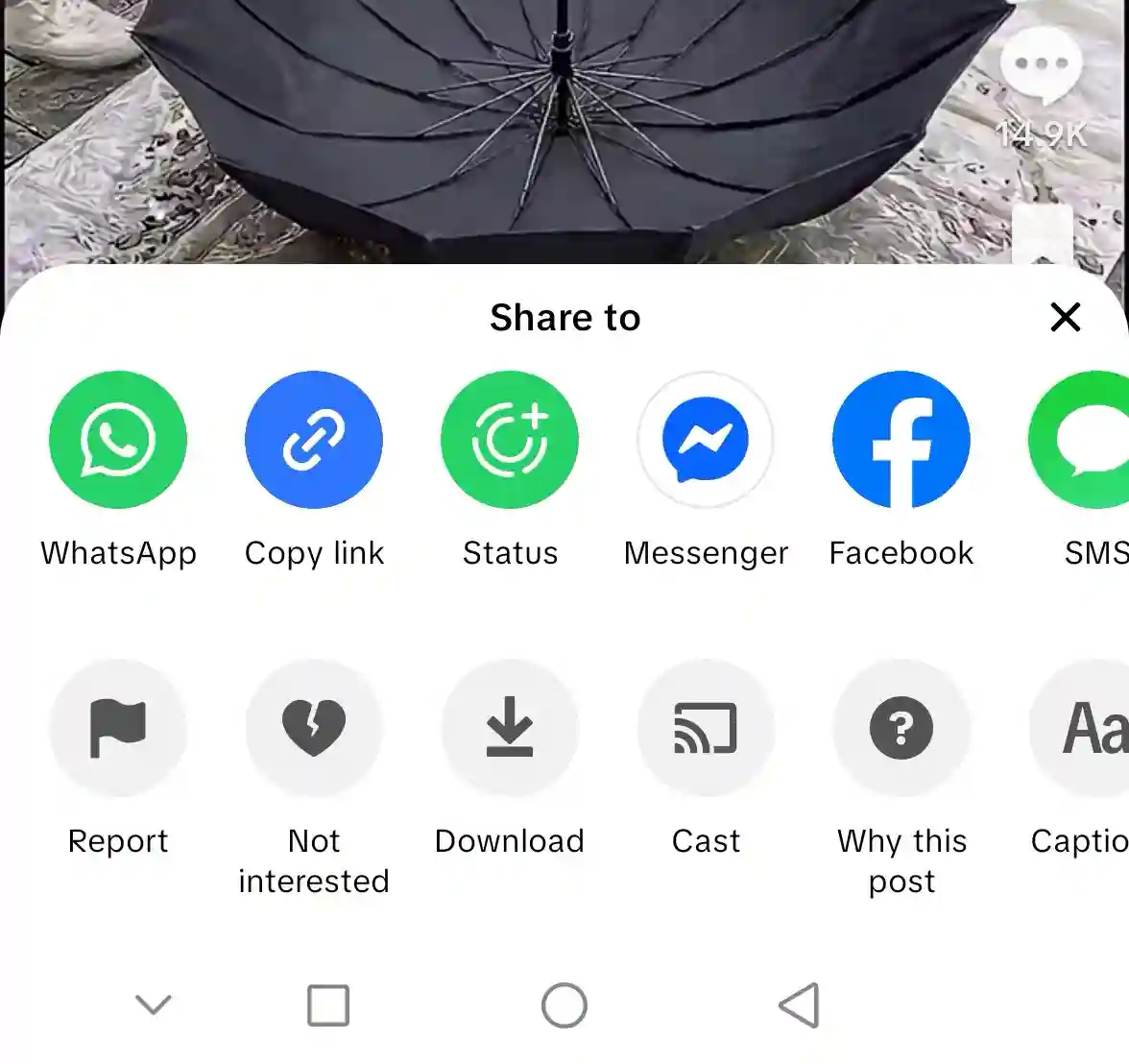
- Locate the source video: Open TikTok on your mobile device or web browser and navigate to the public video you want to save.
- Open the share sheet: Tap the Share icon (the right-pointing arrow) on the right side of the screen.
- Copy the link: Tap Copy Link. The clipboard now contains a short link (such as
vt.tiktok.com/...ortiktok.com/@user/video/...). - Strip tracking parameters (Optional for Desktop): If copying from a desktop browser address bar, remove trailing tracking parameters like
?is_from_webapp=1to ensure clean URL processing in clean video editing workflows.
How to Download Watermark-Free TikToks (By Device)
Choose your operating system below to follow the exact file handling workflow for your hardware configuration.
Method 1: Web-Based Downloader for iOS (iPhone & iPad)
Apple enforces strict file-sandboxing rules in mobile Safari. Follow these steps to ensure the downloaded video transfers from your browser cache directly into the iOS Photos application:
- Open Safari: Launch Safari on your iPhone or iPad. Do not use embedded in-app browsers (such as those inside Instagram or Gmail), as they block local file system write access.
- Access the extractor: Navigate to reputable browser-based extraction platforms.
- Paste and convert: Tap and hold the input box, select Paste, and tap Download.
- Trigger file transfer: On the results screen, tap Without Watermark. When Safari displays a confirmation prompt asking “Do you want to download this file?”, tap Download.
- Save to Camera Roll: Tap the Downloads icon in the Safari address bar (the downward arrow inside a circle), select the downloaded video, tap the bottom-left Share button, and choose Save Video. Review your Safari file download settings if the file does not appear in your Downloads directory.
Method 2: Mobile Browser Extraction for Android
Android provides open file management, making direct downloads straightforward across Google Chrome, Firefox, and Samsung Internet:
- Launch your mobile browser: Open Google Chrome on your Android smartphone.
- Submit the URL: Navigate to the web downloader, paste your copied TikTok link into the primary URL field, and press Download.
- Select format: Tap Without Watermark (HD). Chrome will automatically write the MP4 stream to your device storage.
- Access the media: Open the notification tray and tap the completed download, or open Google Photos and browse to the Download folder within your Android local storage directory.
Method 3: Desktop Browser & High-Bitrate Audio Saving
Desktop environments offer the fastest performance for downloading high-resolution assets and separate audio tracks without mobile sandboxing constraints.
- Open a desktop browser: Open Chrome, Firefox, Edge, or Brave on Windows, macOS, or Linux.
- Use an open-source or web parser: Navigate to your preferred tool or use privacy-focused open-source media extractors that run zero-logging serverless architectures.
- Paste the video URL: Insert the complete TikTok URL into the field and initiate processing.
- Save the video stream: Click the Download link to save the unwatermarked 1080p MP4 directly into your default desktop download path.
- Extract standalone audio tracks: If you only need the original sound or background music for offline listening, use a dedicated TikTok sound downloader to capture the source audio as a clean, high-bitrate MP3 stream without extracting audio tracks manually through secondary software.
Technical Comparison: Watermark-Free Extraction Methods
Different extraction methods offer distinct trade-offs between speed, privacy, and batch efficiency. Review the specifications below to determine the best approach for your workflow:
| Extraction Method | Supported Platforms | Output Format | Setup Requirement | Privacy Profile |
|---|---|---|---|---|
| Browser Web Extractors | iOS, Android, Windows, macOS | MP4 (Clean), MP3 | None (Zero-install) | Ad-supported; third-party analytics |
| Open-Source Portals | Universal Web / Self-Hosted | MP4, WebM, MP3, OPUS | None (or optional self-host) | Zero logs; tracker-free |
| Command-Line (yt-dlp) | Windows, macOS, Linux | Source container (Lossless MP4) | Python / CLI runtime | Local execution; 100% private |
Troubleshooting Common Download Errors
If an online downloader fails to return an MP4 stream, inspect the URL and server response for these common technical failure points:
HTTP 403 Forbidden / Link Expired
TikTok media links use short-lived session tokens that expire within minutes. If a downloader hangs or displays a 403 error, the media token has timed out due to dynamic CDN session authentication. Refresh the original video in TikTok, copy a fresh URL, and re-enter it into the tool immediately to resolve network connection failures.
Private or Region-Restricted Accounts
Web parsers can only read publicly accessible media endpoints. If the targeted video belongs to a private account, third-party scrapers cannot authenticate the request. Any utility claiming to access private accounts is misleading and poses potential security risks.
Photo Mode and Carousel Posts
Posts consisting of photo slideshows set to music do not output standard single-stream MP4 files. Most web extractors will package photo carousels as a ZIP archive of individual JPEG images along with a separate MP3 audio file.
Muted Audio on Downloaded Files
If the exported video has no audio, the original sound has likely been muted or claimed under copyright by rights-holders. When TikTok mutes an asset on its platform, the CDN audio stream is stripped at the source level.
Platform Limitations and Copyright Boundaries
Removing the visual watermark does not transfer copyright ownership. TikTok’s official intellectual property guidelines state that creators retain exclusive rights to their original media assets. Watermark stripping is intended for personal offline storage, archival reference, or fair use commentary.
If you plan on repurposing social media content for external projects, always secure direct written permission from the original creator and provide explicit attribution. Re-uploading unwatermarked content to commercial channels without authorization violates international copyright protections and platform terms of service.
Key Takeaways
- Native app downloads bake watermarks directly into the video frames, whereas web extractors intercept the unrendered MP4 source file from TikTok’s CDN.
- iOS users must save files via Safari and manually export them from the Downloads folder to the Camera Roll to bypass sandboxing restrictions.
- HTTP 403 errors occur when CDN session tokens expire; generate a fresh link from the live app to resolve the issue.
- Private accounts and regionally blocked posts cannot be retrieved by third-party parsers due to server-side authentication barriers.
Frequently Asked Questions
Does downloading a TikTok without a watermark reduce video quality?
No. Direct stream extraction fetches the identical source file uploaded to TikTok’s servers, maintaining the original resolution and bitrate without compression artifacts.
Can I download watermark-free videos from a private TikTok account?
No. Third-party extractors only process publicly indexed CDN URLs. Private posts require authenticated user sessions that external tools cannot access.
Why does a downloaded video have no sound?
If a video downloads without audio, the audio track was either silenced due to music licensing restrictions or uploaded via a split multi-channel format that requires separate MP3 remuxing.
Is it legal to download watermark-free TikTok videos for personal use?
Downloading publicly accessible media for personal, offline archival is generally permitted under fair use principles, but re-distributing or monetizing unwatermarked third-party content without creator consent infringes on intellectual property rights.

💬 Comments