Maintaining a healthy remote work culture comes down to five deliberate uses of technology: switching to asynchronous workflows, centralizing communication in one platform, building structured two-way feedback loops, scheduling real virtual team building, and giving employees a tech-enabled way to advocate for culture themselves. None of it happens by accident just because everyone has Slack and Zoom installed.
Quick Take
The teams that keep a strong culture remote aren’t the ones with the most software. They’re the ones that picked a small set of tools and built real habits around them: default to async unless a conversation genuinely needs to happen live, keep company-wide updates in one place instead of scattered across email and chat, make feedback structured and sometimes anonymous instead of hoping people speak up in meetings, put team building on the calendar instead of leaving it to chance, and let employees run at least part of the culture work themselves. Skip any one of these and the others tend to underperform — a great feedback tool doesn’t fix a culture where every disagreement still needs a synchronous meeting to resolve.
Why These Five Tactics (and Not Ten Others)
Every one of the five below meets three criteria: it’s implementable with tools most companies already have or can adopt cheaply, it addresses a documented failure mode of remote culture (isolation, timezone friction, silence, disengagement), and it fails in a specific, predictable way when done badly. That last part matters more than it sounds — a tactic that “always works” in a listicle usually just hasn’t been stress-tested. Tools that support hybrid and remote work keep multiplying, but the five categories below cover the actual culture gaps that technology can close, not just the ones vendors market against.
1. Move to Asynchronous Work, Not Just Remote Work
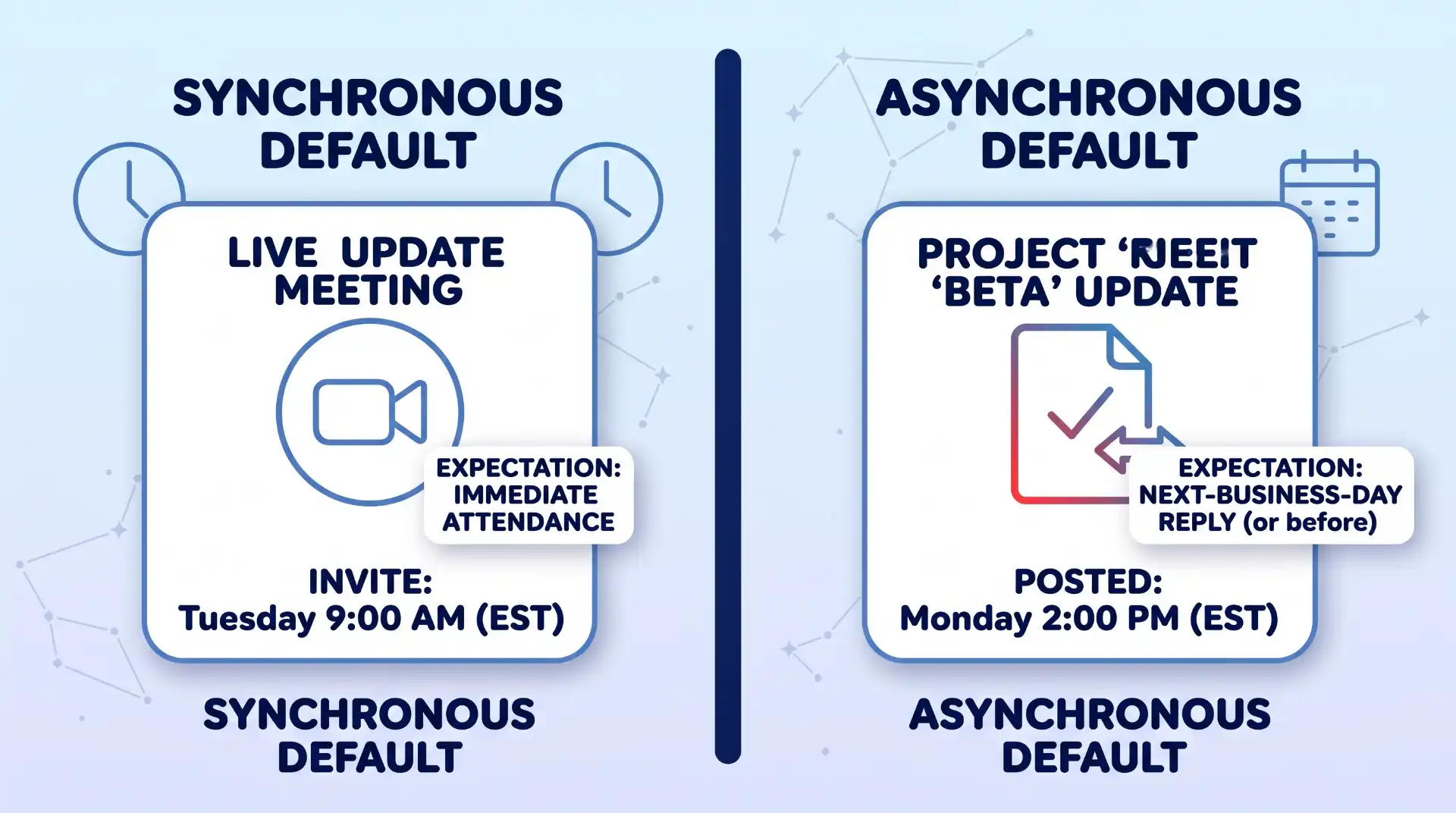
A distributed team means someone is always working outside your hours. If your team still runs on synchronous defaults — meetings to make decisions, real-time chat expected to get an instant reply, standups that require everyone online at 9 a.m. sharp — a one-hour time difference already creates friction, and a six-hour one makes half your team second-class participants in their own company.
Asynchronous work flips the default: decisions and updates get documented in a shared, searchable place, and people respond within an agreed window instead of immediately. According to Slack’s own comparison of the two models, asynchronous work “gives people more flexibility and autonomy,” protects focus time for deep work, and creates a written record that’s searchable later, while synchronous work is better reserved for topics that are genuinely complex or emotionally sensitive enough to need real-time back-and-forth. The practical shift: replace status-update meetings with a shared doc or channel post, set explicit response-time expectations (same-day, next-business-day) instead of assuming instant availability, and record anything presented live so people in other time zones aren’t stuck watching a 6 a.m. replay.
Where async breaks down
Async work fails when it’s used as an excuse to avoid hard conversations, or when nobody actually documents decisions — you end up with the worst of both worlds: no live discussion and no written record either. It also slows down anything that genuinely needs quick iteration, like debugging a live incident or negotiating a contract point in real time. The fix isn’t abandoning async, it’s being explicit about which categories of work stay synchronous on purpose.
2. Centralize Communication in One Dedicated Platform
Messaging platforms like Slack or Microsoft Teams exist to replace the two worst remote-communication defaults: email threads nobody reads in order, and phone numbers exchanged just so people can ask a quick question. Organized into channels, they let a company separate day-to-day team chatter from company-wide announcements without either one drowning the other, and stepping up communication in a small business usually starts with exactly this kind of consolidation rather than adding more tools.
The upside is real: problems that used to need a scheduled meeting can now get resolved in a thread in minutes, and more frequent, lower-friction check-ins tend to keep people feeling connected to the rest of the company. Slack reports that customers using the platform to replace meetings with channels, async video clips, and searchable threads see meaningfully less time in meetings and faster project turnaround, though that figure comes from the vendor’s own customer survey and should be read as directional rather than a guarantee your team will see the same result.
The two ways this goes wrong
Too little communication and people feel cut off from the rest of the org; too much, and notifications turn into a second job. The most common mistake here is treating the messaging platform as the only channel for everything — onboarding docs, project specs, quick jokes, and executive announcements all competing in the same feed. Separate the channels by purpose and permission (open discussion vs. read-only broadcast) before rollout, not after people have already built bad habits.
3. Build Structured, Two-Way Feedback Channels
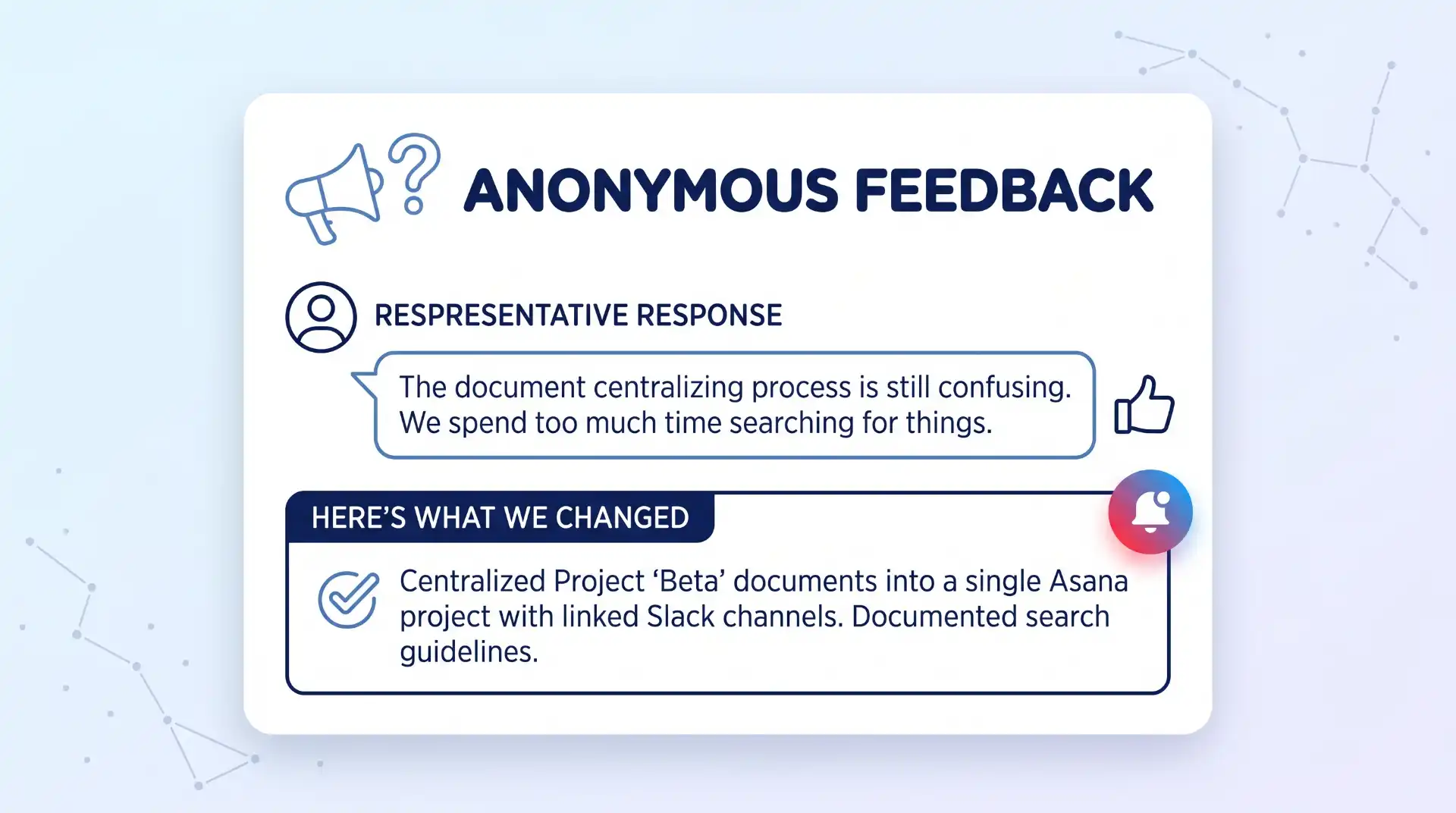
Text-based communication is fast, but it strips out tone, and a lot of honest feedback dies in a chat thread because nobody wants to be the one who “sounds negative” in writing where it’s archived forever. This is the gap that dedicated employee engagement platforms are built for: structured check-ins, public recognition, and — critically — anonymous or semi-anonymous feedback channels that lower the social cost of speaking up.
Lattice, for example, is built around combining performance reviews, engagement surveys, and goal tracking on one platform rather than scattering feedback across ad hoc chat messages and annual reviews. The value isn’t the software itself; it’s that a dedicated system makes feedback a habit instead of an event, and gives quieter team members a route to raise concerns they’d never bring up live. The same infrastructure that gathers this feedback can double as an early warning system for the HR problems HR management systems are built to catch, from disengagement to compliance gaps, before they become resignations.
This won’t work if leadership treats the feedback as decorative. Anonymous surveys that never visibly change anything train people to stop bothering within two or three cycles — close the loop publicly, even when the answer is “we heard this and aren’t changing it yet, here’s why.”
4. Schedule Virtual Team-Building Activities (Actually Put Them on the Calendar)
Working from separate locations doesn’t mean people can’t build real rapport with each other. Interacting with coworkers in a setting that isn’t purely task-focused is one of the more reliable ways to build camaraderie on a distributed team, and it doesn’t require anything elaborate: a video hangout, an online game night, or a themed trivia session can be enough to make people more comfortable working with each other day to day. More structured options exist too — virtual team building activities that range from guided cultural experiences to playful group challenges tend to land better than an unstructured “social hour” that half the team quietly skips.
The part teams get wrong is treating this as optional and squeezing it into whatever thirty minutes is left at the end of a Friday. Put it on the company calendar the same way you’d schedule a planning meeting, and budget real time for it — a half-day off the clock for team building often produces more real output the following week than that same half-day spent working would have, because people come back more willing to collaborate instead of just coexisting on the same channels.
When this doesn’t land
Mandatory fun reads as mandatory, not fun, especially for employees juggling caregiving or working outside standard hours. Offer more than one time slot or format, make attendance genuinely optional without penalty, and rotate who plans the activity so it doesn’t always reflect one person’s idea of a good time.
5. Create a Virtual, Employee-Led Team for Cultural Advocacy
The clearest sign of a healthy work culture is whether people feel safe and heard, and that’s easy to lose when most interactions happen through a screen. Encouraging employees to form a diverse advocacy group — often structured like an employee resource group, or ERG — gives the company a standing channel focused on inclusivity, respectful communication, and mental health, run by the people actually affected rather than announced top-down by HR.
This isn’t a symbolic gesture if it’s resourced properly. Research from the Society for Human Resource Management found that belonging to an employee resource group is associated with higher performance and lower turnover and absenteeism, and that roughly 90% of Fortune 500 companies now support some form of ERG. Even a fully remote, tech-enabled version of this group can gather feedback on how different segments of the team are actually experiencing the culture and flag issues before they show up as resignations.
The failure mode to watch for
An advocacy group with no budget, no time allotted, and no line to leadership becomes a volunteer project that burns people out for free. If you stand one up, give it a real meeting cadence, a small budget, and an executive sponsor who actually reads what it reports — otherwise it’s a culture initiative in name only.
How to Choose the Right Tools for Your Team
Not every team needs every category below on day one. Match the investment to team size and where the culture is actually breaking down first.
| Tool category | Solves | Best for | Watch out for |
|---|---|---|---|
| Async documentation tools | Timezone friction, undocumented decisions | Teams spanning more than a 3-hour time difference | Becomes a stale doc graveyard without clear ownership and review cadences |
| Dedicated messaging platforms | Fragmented communication, email silos | Teams of 10+ people or multi-department setups | Notification fatigue if channel scopes aren’t enforced |
| Feedback and engagement platforms | Low psychological safety, lost input in chat | Post-early-stage teams where direct founder/leadership access scales down | Rapid trust erosion if survey feedback isn’t acted on visibly |
| Virtual event and culture tools | Weak camaraderie, isolated silos | Distributed teams needing structured informal connection | Low turnout without timezone-friendly and inclusive scheduling |
| ERG and advocacy tools | Underrepresented groups feeling unheard or depersonalized | Organizations large enough to support distinct identity/interest groups | Fails quickly without budget, time, and executive sponsorship (a shared channel plus video tool is often sufficient early on) |
Where This Approach Has Limits
Technology narrows the gap between remote and in-person culture, but it doesn’t close it entirely, and being upfront about that matters more than pretending otherwise. Remote workers, particularly those living alone, face a measurably higher chance of going an entire day with no in-person social contact, and researchers have linked a meaningful share of the broader rise in workplace isolation and mental distress directly to the shift toward remote work. No messaging platform or feedback tool fully substitutes for physical presence — the tactics above reduce the risk, they don’t eliminate it.
There’s also a real tension between the monitoring capability modern remote tools offer and the trust these same tactics are trying to build. AI-driven monitoring tools can track activity in detail, but leaning on surveillance to enforce “engagement” tends to undercut every one of the five tactics above at once — people don’t give honest feedback to a system they suspect is also watching their keystrokes. If your organization uses monitoring software, keep it separate, disclosed, and unrelated to the feedback and culture tools described here.
None of this works if it’s applied inconsistently. A team that gets serious about async work but still expects instant chat replies, or that funds team-building once a year and calls it culture, will find that tools alone don’t fix a policy that contradicts itself.
Key Takeaways
- Default to asynchronous work for anything that doesn’t require real-time discussion, and be explicit about which categories of work stay synchronous on purpose.
- Centralize communication in one platform with channels scoped by purpose, so day-to-day chatter and company-wide announcements don’t compete for attention.
- Give feedback a structured, sometimes-anonymous home, and close the loop publicly on what changes as a result.
- Put virtual team building on the calendar with real time attached, offer more than one format, and rotate who plans it.
- Fund and resource any employee-led culture or advocacy group the same way you’d fund a real business function, not as unpaid volunteer work.
- Match tool investment to where culture is actually breaking down, not to whatever category is trending.
FAQ
Does switching to asynchronous work mean canceling all meetings?
No. It means meetings become the exception reserved for topics that genuinely need real-time discussion — complex problem-solving, sensitive conversations, or fast-moving incidents — instead of the default for every update or decision.
How many communication tools should a remote team actually use?
As few as will genuinely cover the need. Most distributed teams can run on one messaging platform, one async documentation or project tool, and one feedback/engagement platform; adding more than that usually creates fragmentation rather than solving it, since employees end up unsure which tool is authoritative for which kind of update.
Is anonymous feedback actually more honest, or does it just feel that way?
It tends to surface concerns people wouldn’t raise under their own name, particularly about management or interpersonal issues, but it’s not automatically more accurate than named feedback — it just lowers the social cost of raising something uncomfortable. The bigger factor in whether feedback stays honest over time is whether leadership visibly acts on it, not whether it’s anonymous.
What’s a realistic budget for an employee-led culture advocacy group?
There’s no universal figure, since it depends heavily on company size and what the group takes on, but the minimum viable version needs three things regardless of budget: dedicated meeting time that counts as work (not after-hours volunteering), a small discretionary budget for events or resources, and a named executive sponsor who reviews what the group reports.
Can remote work culture ever match an in-person office culture?
It can match it on some dimensions, particularly flexibility, documentation, and inclusion of people who don’t thrive in loud open offices, but current research suggests fully remote workers still face a higher risk of social isolation than people with regular in-person contact. Treat remote culture tactics as risk reduction rather than a full substitute for physical presence, and watch for isolation symptoms in employees who live alone or are new to the team.

💬 Comments