For independent learners without a SAS-specific requirement, R removes the commercial licensing barrier and provides a code-centered environment for learning statistics and data science. SAS becomes especially relevant when your course, employer, or target role already uses SAS and you need to work productively in that environment.
The useful question is therefore not whether R or SAS is universally better. It is which environment matches the work you need to do, the way you want to learn, and the software your course or organization actually uses.
R vs SAS at a glance
R and SAS overlap substantially in statistics, data preparation, visualization, and machine learning, but they differ in software model, access, programming workflow, and extensibility. The table below focuses on the differences that matter when deciding what to learn first.
| Feature | R | SAS |
|---|---|---|
| Software model | Free, open-source programming language and statistical-computing environment. | Commercial analytics software and platform family with programming and task-assisted interfaces. |
| Learning access | The core R environment can be downloaded and used without a commercial license. | Commercial deployments require licensing, while SAS also provides free cloud access for students, instructors, and independent learners through SAS OnDemand for Academics. |
| Programming workflow | Primarily code-centered, with a programming language that supports functions, conditionals, loops, and packages. | Supports SAS programming, while current browser-based tools can also generate SAS code from predefined tasks. |
| Statistics | Built around statistical computing and extensible through contributed packages. | Provides statistical procedures and broader analytics capabilities across the SAS platform. |
| Visualization | Includes built-in graphics and can be extended with additional visualization packages. | Provides reporting, graphical output, and visual-analysis tools across its analytics products. |
| Machine learning | Supports machine-learning workflows through the language and its package ecosystem. | Current SAS Viya includes data preparation, feature engineering, statistical modeling, data mining, machine learning, and documented deep-learning capabilities. |
| Extensibility and integration | Extensible through packages and interfaces to languages such as C, C++, and Fortran. | SAS Viya exposes analytical services through SAS as well as interfaces for Python, R, Lua, and REST. |
This makes the comparison more nuanced than the older idea that R is the modern coding tool while SAS is mainly a traditional statistical package. Both can support substantial analytical work, but they approach access and workflow differently.
What R is today
The R Project describes R as both a programming language and an environment for statistical computing and graphics. Its built-in capabilities include data handling, statistical modeling, statistical tests, time-series analysis, classification, clustering, programming constructs, and graphical output.
R is free software distributed under the GNU General Public License. The project remains actively maintained: R version 4.6.1 was released on June 24, 2026.
A major part of learning R is learning to express an analysis as code. You work with objects, functions, data structures, conditions, loops, and reusable scripts rather than treating the software as a collection of isolated menu commands. Someone new to programming therefore has syntax and programming concepts to learn as well as statistical concepts.
R can also be extended through packages. The Comprehensive R Archive Network, commonly shortened to CRAN, distributes contributed packages for a wide range of statistical and analytical tasks. Advanced users can also call compiled C, C++, and Fortran code when a project requires it.
A practical R learning path for data science can move from data structures and importing data to cleaning, visualization, statistical modeling, and reusable functions before introducing more specialized packages.
What SAS is today
SAS grew from software originally called the Statistical Analysis System. SAS’s company history traces the platform from its academic statistical-computing origins to the broader analytics ecosystem used today.
For learners, one important current distinction is the development interface. SAS Data and AI Studio, formerly SAS Studio, is a browser-based development application that lets users write SAS programs or use predefined tasks that generate SAS code. SAS renamed SAS Studio to SAS Data and AI Studio starting with the 2026.06 release of the SAS Viya platform.
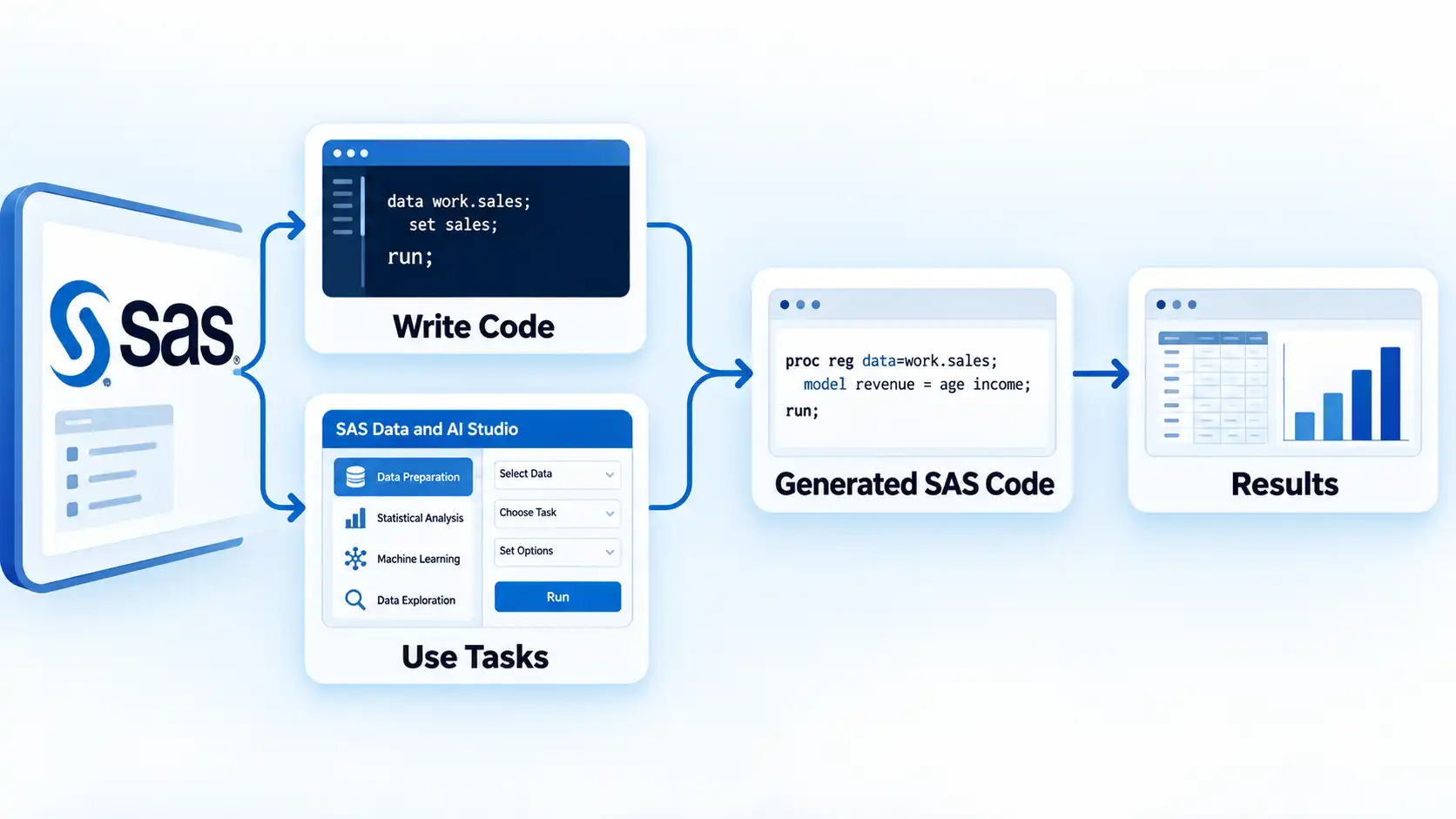
This matters because two common descriptions of SAS are both too simplistic. SAS is not a no-code system, because reusable analytical work can involve SAS programming. It is also not limited to manually writing every line of code, because predefined tasks can generate SAS code for supported operations.
Modern SAS Viya also supports several programming interfaces. SAS’s Viya programming documentation lists interfaces for running Cloud Analytic Services actions from SAS, Python, R, Lua, and REST clients. Cloud Analytic Services, or CAS, is an analytical processing engine used within SAS Viya.
Which is easier to start learning?
There is no useful universal answer to whether R or SAS is easier. The answer changes depending on what you mean by easy.
If you mean easy to obtain and start using independently, R has a lower access barrier because the core environment is free software. You can install it without arranging a commercial software license.
If you mean performing an initial analysis without writing every operation manually, SAS can reduce some early coding through predefined tasks that generate SAS code. That does not remove the need to understand the analysis or learn SAS syntax when you want to modify, automate, or reuse a workflow.
If you mean learning programming while learning statistics, R exposes programming concepts early. A beginner may therefore need to learn both R syntax and statistical ideas at the same time.
If you prefer structured commercial instruction, an R programming certification course is one possible learning route. A certificate does not establish that R is the better tool for a particular learner, employer, or data-science role.
The more useful comparison is between learning environments. R is fundamentally a programming language and statistical-computing environment. SAS can combine programming with task-assisted interfaces, depending on the SAS product available to you.
Cost and access for learners
R is free software, so independent learners can install and use the core environment without paying a software license fee. That makes it possible to practice independently and continue using the same language after a course ends.
SAS follows a commercial licensing model for its paid software and services. SAS currently offers several purchasing routes, including direct sales, authorized resellers, and cloud marketplaces.
Learning access is different from commercial deployment. SAS OnDemand for Academics provides cloud access to SAS software free of charge for independent learners, students, and instructors. SAS states that independent learners can use its Studio environment for learning purposes.
The distinction matters. Saying simply that “R is free and SAS is expensive” hides the difference between unrestricted use of R’s core environment, free educational access to selected SAS software, and paid SAS deployments used by organizations.
Statistics, visualization, and data preparation
Both R and SAS can support serious statistical analysis, so basic statistical capability alone is not a useful way to choose between them.
R includes statistical modeling, tests, classification, clustering, time-series methods, data handling, and graphical facilities in the base environment, with additional methods available through packages. Its extension model also allows users and researchers to implement additional functions and techniques.
SAS provides statistical procedures and data-management tools within a broader commercial analytics ecosystem. Current SAS Viya products also combine programming, visual analytics, data processing, and machine-learning capabilities rather than limiting users to traditional statistical procedures.
Visualization is available in both environments. R provides built-in graphics and an extensive package ecosystem, while SAS provides graphical output and visual-analysis tools across its products. These data visualization examples provide additional context on how different chart types and visual forms communicate information.
The practical difference is often how you construct the workflow. An R learner might write a script that imports data, transforms it, analyzes it, and produces output. A SAS workflow might use SAS code, generated code from predefined tasks, visual tooling, or a combination, depending on the available environment.
Machine learning and modern data-science workflows
Older comparisons sometimes imply that R supports modern machine learning while SAS does not. That is not an accurate description of current SAS Viya capabilities.
Current SAS Viya machine-learning documentation describes an environment that combines data wrangling, exploration, feature engineering, statistical methods, data mining, and machine learning. SAS also documents deep-learning workflows involving neural networks, convolutional neural networks, recurrent neural networks, object detection, and model interchange through ONNX.
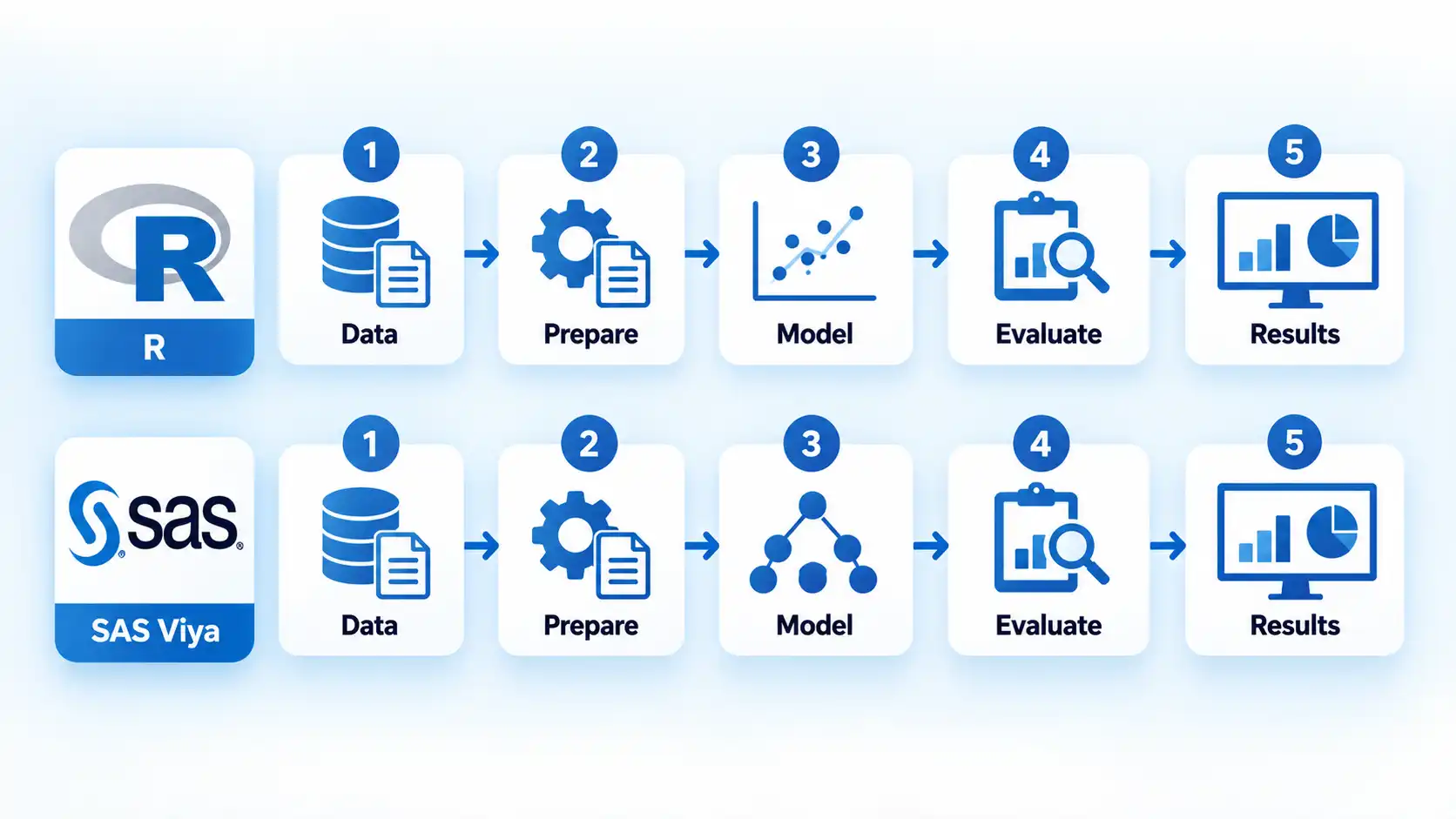
R approaches machine learning through its programming environment and package ecosystem. The language provides statistical and programming foundations, while packages add modeling methods, preprocessing workflows, evaluation tools, and specialized techniques.
The choice should therefore not be reduced to “which one has machine learning?” Both environments support machine-learning work. More useful questions are which workflow you need to understand, which environment your organization uses, what procedures or packages your project requires, and how much of the workflow you want to express directly through code.
Tool choice is also only one part of data-science practice. Problem framing, data quality, validation, communication, and domain knowledge remain important across data-science toolsets.
R and SAS can work together
R and SAS are not necessarily competing choices that must remain separate after you pick one.
SAS Viya exposes CAS capabilities through multiple programming interfaces, including R. SAS also documents the SWAT package, short for Scripting Wrapper for Analytics Transfer, as a way for R clients to work with Viya data and analytics.
In a documented SAS Viya and R integration workflow, R users can connect to Viya, work with distributed data, submit CAS actions, create predictive models, and return results to an R client.
This does not mean every R package maps to an equivalent SAS procedure or that every organization enables the same integration. Infrastructure, permissions, software versions, and available SAS products still determine what a particular user can do. It does show why learning one environment does not prevent you from working with the other later.
Which option should you choose?
Choose R first
Avoid this if: the course, team, or production environment you need to work in specifically requires SAS and your immediate priority is becoming productive in that environment.
Main trade-off: R removes the commercial licensing barrier for the core environment, but a new programmer must learn syntax and programming concepts alongside the analytical material.
Choose SAS first
Avoid this if: you have no SAS-specific requirement and your main goal is unrestricted independent practice in a freely available programming environment.
Main trade-off: SAS combines programming with task-assisted workflows and provides free educational access, while normal organizational deployments belong to a commercial software ecosystem.
If your target role does not require SAS, another useful comparison is whether Python or R better matches the data-science work you want to do . That involves different trade-offs because Python and R have different histories, ecosystems, and uses beyond this SAS comparison.
If an employer or course specifically values SAS credentials, evaluate SAS certifications and career paths against the actual role or curriculum requirements rather than assuming certification is necessary for every SAS position.
Bottom line
R is a practical starting environment for many independent data-science learners because it is free, programmable, extensible, and designed around statistical computing. SAS is a practical first choice when SAS itself is the environment you need to use at school, at work, or in a target role.
The older idea that beginners should automatically choose SAS while experienced analysts should choose R is too broad. Current SAS products include programming, task-generated code, machine learning, deep learning, and R integration, while R remains an actively maintained and highly extensible statistical-programming environment.
Choose according to the environment in which you need to become productive. Learning one does not prevent you from adding the other when a project, employer, or analytical workflow makes it useful.

💬 Comments