The trap most beginners fall into is treating any one of these as the whole answer. The Free Tier is a time-limited sandbox. Ramp-Up Guides are a map you work through, not a course that teaches you. Educate covers the foundations, and advanced certification prep comes later. Knowing which path fits your goal is the entire skill, and the rest of this guide walks you through that choice.
Quick Take
Start with AWS Educate if you are new to cloud and want free hands-on labs without a credit card. Move to Ramp-Up Guides when you have a target role in mind. Use the Free Tier only when you are ready to touch real services and accept that the account closes on its own. Use Hands-On Tutorials when you want to build one specific thing today.
The Four Free AWS Learning Paths
All four destinations are official AWS properties, and all four are free to access. What differs is the format, the audience, and what “free” actually protects you from.
| Resource | Format | Best For | What “Free” Means |
|---|---|---|---|
| AWS Educate | Self-paced courses plus hands-on labs | Absolute beginners, students, career-changers | No credit card needed; open to learners 13+ with an email address |
| AWS Ramp-Up Guides | Downloadable curated resource collections | Self-directed professionals targeting a role or solution | Free to download; curates other training, videos, whitepapers, and certifications |
| AWS Free Tier | Live AWS account with credits | Learners ready to experiment with real services | Up to $200 in credits over 6 months; no charges unless you convert to a Paid plan |
| Hands-On Tutorials | Step-by-step guided builds | Anyone wanting to complete a specific project | Free to access; assumes you have somewhere to practice |
A quick read of that table tells you the shape of the decision. Educate is the only path explicitly designed for people with no technical background. Ramp-Up Guides are a map you work through. The Free Tier is the only path that puts a real, billable AWS account in your hands. Tutorials are the shortest route from zero to a working build.
Where to Start: Match the Resource to Your Goal
Pick your path by answering one question honestly: what do you want to be able to build or explain? The answer usually points to a single resource, and you should start there instead of sampling all four.
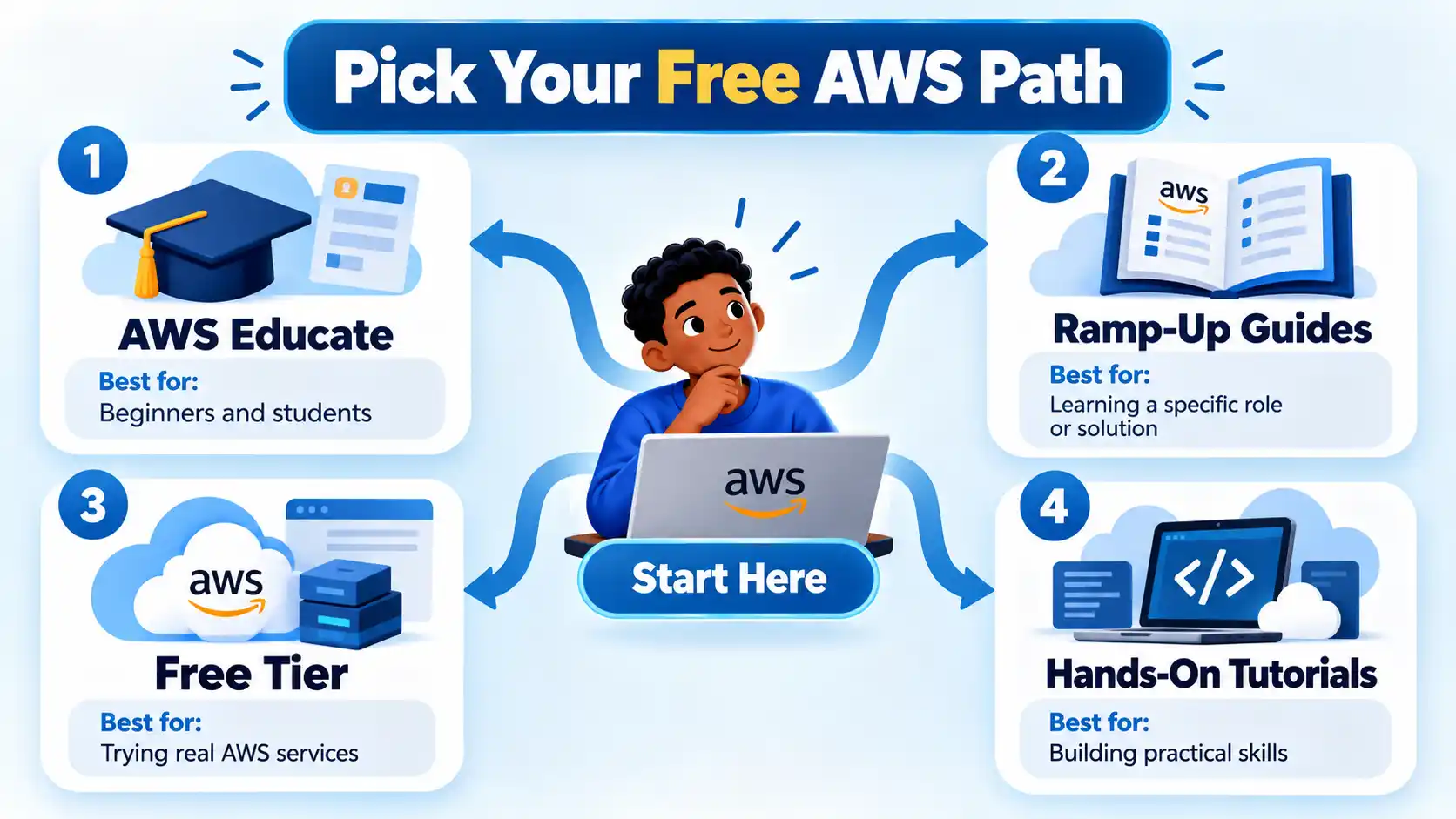
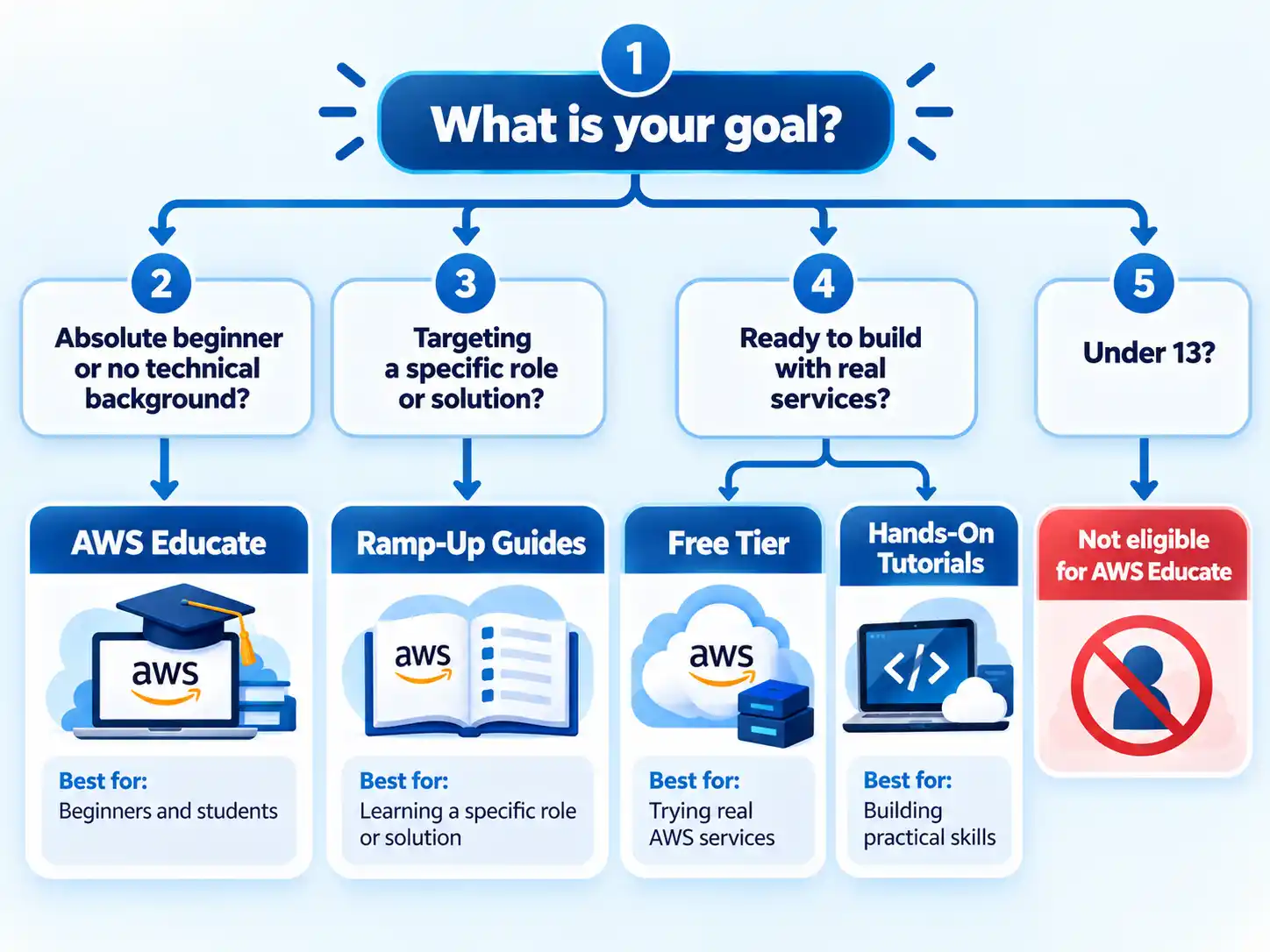
- You have never touched cloud computing. Go to AWS Educate. It is open to any individual regardless of education, technical experience, or career journey, and it needs no credit card.
- You know the job you want and need a curriculum. Download the Ramp-Up Guide for that role or solution and work through the curated list.
- You want to build something real this week. Open a Free Tier account and pair it with a Hands-On Tutorial so you have a defined target.
- You are under 13. AWS Educate is not available to you, and the Free Tier requires an account holder who can accept its terms. Wait, or learn cloud concepts from general educational material until you are eligible.
If you are between those categories, the tiebreaker is simple: start with the resource that requires the least commitment. Educate costs you an email address. A Free Tier account starts a countdown you cannot pause.
What “Free” Actually Means for Each Resource
The word “free” is doing different work in each of these four places, and the difference matters most with the Free Tier.
AWS Educate is free in the plainest sense. There is no credit card needed, learners as young as 13 can register with just an email address, and the hands-on labs covering services like Amazon S3, EC2, VPC, RDS, and Cloud Operations are included. You can also earn shareable digital badges, and learners 18 and older can access the AWS Educate Job Board.
Ramp-Up Guides are free downloads. Each guide features carefully selected digital training, classroom courses, videos, whitepapers, certifications, and more, organized by role, solution, and industry. The guide itself costs nothing, but some of the resources it points to may sit behind a paid training account. Treat the guide as a reading list you still have to work through.
Hands-On Tutorials are free to read and follow. The tutorials walk you through builds like hosting a static website, creating a serverless web application, backing up and restoring an Amazon RDS database, or building a full-stack React application. They assume you have an AWS environment to work in, which usually means the Free Tier.
Warning
Checked October 25, 2026: The AWS Free Tier is not unlimited free access. According to AWS, new accounts get $100 in credits immediately and can earn up to $100 more, for up to $200 over 6 months. The account closes on its own 6 months after you open it or when your credits run out, whichever comes first. You will not be charged unless you convert to a Paid plan or activate paid-only services, but you also cannot keep the account indefinitely.
That closure behavior is the single most misunderstood part of the Free Tier. People sign up expecting a permanent practice environment and later discover their account is gone. Plan your learning around that window rather than assuming you can come back to it whenever you like.
If One Path Doesn’t Fit: Alternatives
Every free path has a boundary, and hitting one is normal. Here is what to do when a resource is unavailable to you.
You are under 13 and cannot register for AWS Educate
AWS Educate sets an age floor of 13. Until you meet it, focus on general computing and cloud concepts through school or public educational material. The concepts transfer directly once you are eligible.
Your Free Tier credits ran out or the credit window closed
The account closes automatically, so you cannot extend it. Shift to Ramp-Up Guides and Hands-On Tutorials for study material. If you still need live-service access, decide whether a paid plan fits your budget; otherwise keep studying through AWS Educate, Ramp-Up Guides, and the public tutorials.
You cannot access hands-on labs in AWS Educate
Confirm you registered with a valid email address, since that is the only requirement for the 13+ registration path. If labs still will not load, work through the self-paced video and reading content in Educate and use Hands-On Tutorials for practice once you have an environment.
A Ramp-Up Guide points to resources you cannot open
Guides curate a mix of free and paid material. Skip the paid items and build your own sequence from the free videos, whitepapers, and Hands-On Tutorials the guide references. The structure of the guide is still useful even when some entries are gated.
How to Start Learning AWS for Free Without Getting Billed
Follow these steps in order to begin on a free path and confirm you are not on track for a charge.
- Register for AWS Educate Create an AWS Educate account using a valid email address. No card details should be requested; if a payment form appears, you are on the wrong path and should back out.
- Complete one hands-on lab Open a lab in the area that interests you most and finish it end to end. The lab should produce the working output it describes.
- Pick a target role or project If you know the job you want, download the matching Ramp-Up Guide. If you want to build something specific, choose a Hands-On Tutorial that matches it.
- Open a Free Tier account only when ready When you have a defined project, create the Free Tier account and note the opening date. The console should show the plan type as Free, not Paid.
- Confirm you are not being billed Check that you have not converted to a Paid plan or activated any paid-only service. Recheck after any unfamiliar console action.
Verify the result
- Your AWS Educate registration completed with an email address and no card details were requested.
- Your Free Tier console shows the plan type as Free, not Paid.
- You have not converted to a Paid plan or activated any paid-only service.
- You have noted the date your Free Tier account opened so you can plan around the automatic closure.
- Each Hands-On Tutorial you finish ends with the working resource or output the tutorial promised.
- Any digital badges earned in AWS Educate appear in your profile.
The billing question has a clean answer: on the Free plan you will not be charged unless you convert to a Paid plan or activate paid-only services. If you avoid both, AWS says the Free plan does not incur charges. The risk is accidental, such as clicking through an upgrade prompt or enabling a service outside the free scope. Check your plan status after any unfamiliar console action.
What to Skip and What to Watch For
Some habits waste time or create false confidence. Skip these.
- Do not treat Free Tier credits as free forever. The account closes when the credit window ends or your credits run out, and no amount of planning changes that.
- Do not expect Ramp-Up Guides to teach you. They are curated maps of other material. You still have to work through the items.
- Do not assume Educate covers advanced topics. Its labs focus on foundational services like storage, compute, networking, databases, and cloud operations. Advanced architecture and specialty services come later.
- Do not sample all four at once. Pick one path, finish a meaningful chunk, then move on. Splitting attention across four resources produces four shallow starts.
- Do not ignore the age and eligibility rules. The 13+ floor for Educate and the 18+ requirement for the Job Board are firm.
One more thing worth flagging: this guide covers free learning only. Paid training, certification exam fees, and professional bootcamps sit outside its scope, and you should budget for them separately if your goal requires a credential.
Next Steps
If you are starting today, register for AWS Educate and complete one lab in the area that interests you most. That single session will tell you more about your aptitude and appetite than a week of reading about AWS.
Once you have a working mental model, open a Free Tier account with a specific project in mind and pair it with a matching Hands-On Tutorial. Keep a note of your account opening date so the automatic closure never surprises you.
When you are ready to move from building to securing what you have built, our guide to AWS penetration testing tools and checklist is a natural next step. And if you want to build your own learning resource rather than consume one, see how to create a free online learning platform with the right features.
The honest conclusion is that free AWS learning works best as a sequence. Start where your experience level allows, use the map when you have a target, and spend your Free Tier window on projects rather than browsing. Do that, and you will finish with real skills and a zero-dollar bill.

💬 Comments